What is collaboration software for construction: UK SME guide
A comprehensive guide for UK residential construction SMEs on choosing and adopting affordable collaboration tools to streamline project delivery.
By James Shorter ·
What is collaboration software for construction: UK SME guide
 A purpose-built construction snagging software keeps these items tracked through to sign-off.
Many small to medium-sized UK residential construction firms mistakenly believe construction collaboration software is only for large enterprises with complex needs and big budgets. The reality is quite different. Modern collaboration platforms centralise project communication, document management, and task coordination in ways that deliver immediate value to smaller teams. This guide explains what construction collaboration software actually does, which features matter most for UK SMEs, how to choose the right solution for your firm, and practical strategies for successful adoption. You’ll discover how affordable, user-friendly tools can transform your project delivery without overwhelming your team or budget.
Table of Contents
- Key takeaways
- What is construction collaboration software?
- Key features and benefits for small UK construction firms
- Choosing the right collaboration software for your UK construction firm
- Overcoming challenges and getting the most from construction collaboration software
- Discover construction collaboration software tailored for UK builders
- Frequently asked questions about construction collaboration software
Key Takeaways
| Point | Details |
|---|---|
| Centralised platform benefits | The software centralises communication, documents and tasks into one organised hub, delivering immediate value to smaller teams. |
| Real time updates | They provide immediate visibility across stakeholders, reducing miscommunications and rework. |
| Mobile access priority | Field teams can update progress and view plans from smartphones, boosting on site productivity. |
| Offline mode support | Offline functionality keeps data available when connectivity is poor and synchronises when online again. |
| Affordable for SMEs | UK residential builders benefit from affordable compliant tools that are easy to adopt. |
What is construction collaboration software?
Construction collaboration software comprises cloud-based platforms that centralise communication, document management, task assignment, scheduling, and real-time updates for project stakeholders. These stakeholders include project managers, contractors, subcontractors, and clients working together on residential construction projects. Rather than juggling WhatsApp groups, email chains, paper documents, and multiple disconnected applications, teams access everything through a single organised platform.
The software replaces fragmented workflows with digital coordination that keeps everyone synchronised. When a site manager updates progress from their mobile device, that information immediately becomes visible to quantity surveyors, subcontractors, and clients who need it. Version control ensures nobody works from outdated plans or specifications. This real-time visibility prevents the costly miscommunications that plague projects relying on traditional methods.
For UK residential builders, construction software for builders typically includes these core functions:
- Task assignment and tracking with automatic notifications when work is completed or delayed
- Document storage with version control ensuring everyone accesses current drawings and specifications
- Scheduling tools that visualise project timelines and highlight dependencies between trades
- Progress tracking with photo documentation and status updates from the field
- Communication channels that replace scattered WhatsApp groups with organised project-specific conversations
The cloud-based nature means no expensive servers or IT infrastructure. Teams access the platform through web browsers and mobile apps, with data synchronising automatically across devices. This architecture suits small firms without dedicated IT departments, as the software provider handles maintenance, security, and updates. Most platforms offer offline modes for sites with poor connectivity, synchronising changes once internet access returns.
Key features and benefits for small UK construction firms
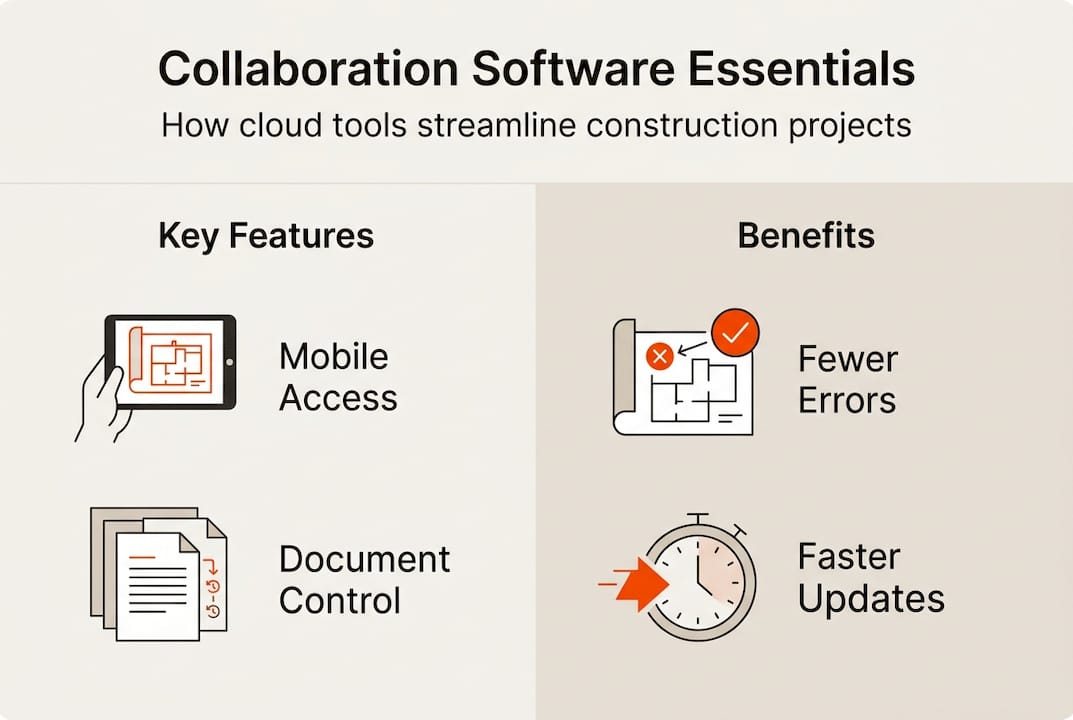
Mobile accessibility stands out as the most valuable feature for residential construction teams. Field workers update progress, capture photos, and access plans directly from their smartphones without returning to the office. Many platforms offer offline modes that cache essential data, allowing work to continue even when site connectivity fails. Changes synchronise automatically once internet access returns, ensuring the central system stays current.
Version-controlled document storage prevents the expensive mistakes that occur when trades work from outdated drawings. The system maintains a complete audit trail showing who accessed which version and when. This capability proves particularly valuable during disputes or when demonstrating compliance with building regulations. Contractors can prove they followed the specifications current at the time of installation.
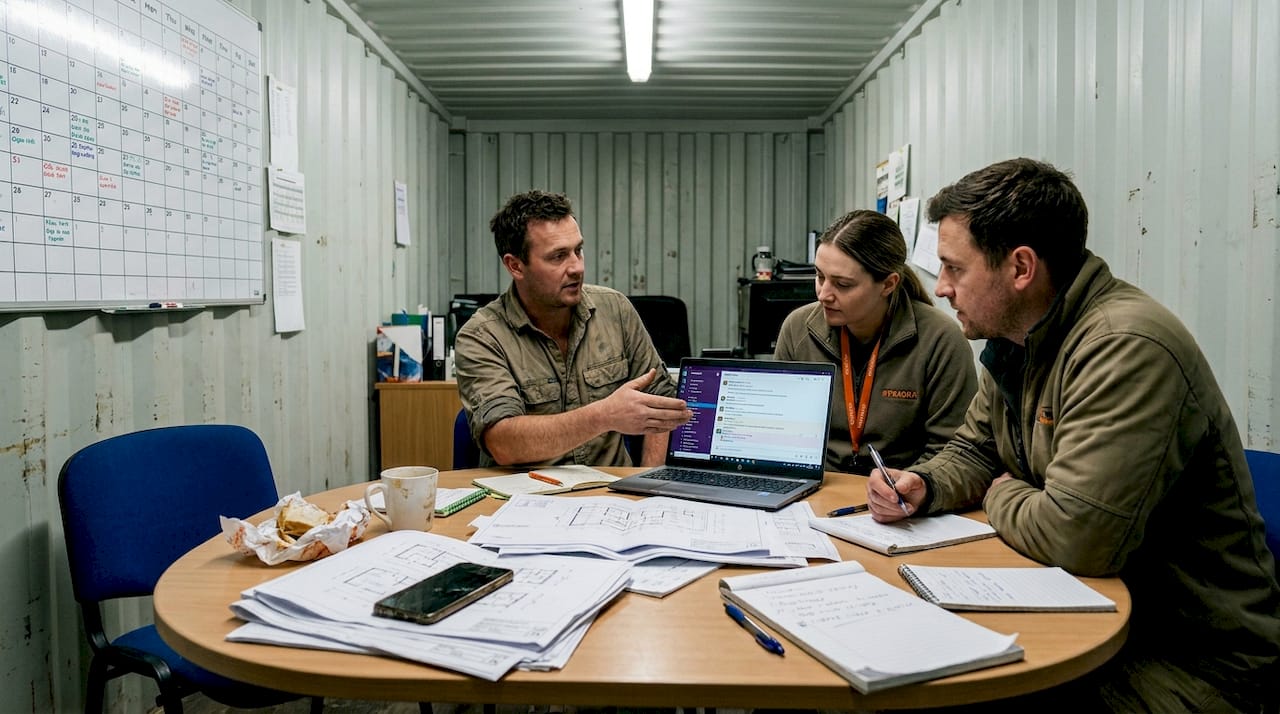
Centralised communication through dedicated project channels replaces the chaos of scattered WhatsApp groups and email threads. Key features include chat functions, request for information (RFI) workflows, and decision logs that create searchable records. When a question arises months after practical completion, teams quickly locate the relevant discussion and decision rather than searching through hundreds of messages.
Integration capabilities connect collaboration software with other essential tools. Building Information Modelling (BIM) integration allows teams to link tasks and communications directly to 3D models. Accounting software connections eliminate duplicate data entry for timesheets, materials, and invoicing. Microsoft Teams integration suits firms already using Microsoft 365 for office productivity.
The financial benefits are substantial. UK contractor Eurovia reduced administrative tasks by 90% through digitisation, whilst Galliford Try compressed schedule analysis from hours to minutes. Procore users like HMS achieved real-time project visibility that supported £70 million turnover growth. Balfour Beatty saved $5 million in IT costs by consolidating onto a unified platform.
Pro Tip: Start by calculating how many hours your team currently spends searching for information, chasing updates, or fixing mistakes from miscommunication. Multiply this by your average labour cost to quantify the problem you’re solving. This baseline helps you measure ROI after implementation and builds the business case for investment.
Better project visibility transforms how small firms manage multiple concurrent projects. Dashboard views show progress across all sites, highlighting where attention is needed. Automated alerts notify managers when tasks fall behind schedule or when approvals are required. This proactive approach prevents small delays from cascading into major problems that impact handover dates.
For construction workflows that cut errors, standardised processes built into the software ensure consistency across projects. Checklists guide workers through quality inspections, safety checks, and commissioning procedures. Templates for common tasks reduce setup time for new projects whilst ensuring nothing gets overlooked.
Choosing the right collaboration software for your UK construction firm
Small and medium-sized enterprises must balance functionality against simplicity. Enterprise-grade platforms offer impressive feature sets but often overwhelm small teams with complexity they don’t need. You’re paying for capabilities you’ll never use whilst struggling with a steep learning curve. The goal is finding software that solves your actual problems without creating new ones through excessive complexity.
Compliance with UK construction standards is non-negotiable. Your chosen platform should support ISO 45001 health and safety management and ISO 14001 environmental management requirements. Software options like Sync Software, Houzz Pro UK, SmartStruct, and PlanRadar offer affordable, scalable solutions designed for UK residential SMEs with built-in compliance features. These platforms understand UK building regulations, CDM requirements, and the documentation standards expected by building control.
Pricing models significantly impact total cost of ownership. Per-user monthly subscriptions suit growing firms, allowing you to scale up or down as project demands change. Some platforms charge per project rather than per user, which works well if you have many occasional users like subcontractors. Watch for hidden costs in data storage limits, support charges, or fees for essential integrations.
Integration with existing tools reduces friction during adoption. If your accounting team already uses Xero or Sage, choose collaboration software that connects seamlessly. This connection eliminates duplicate data entry for timesheets, purchase orders, and invoicing. Similarly, if you’ve invested in BIM workflows, ensure your collaboration platform integrates with your modelling software.
| Platform type | Best for | Typical cost | Pros | Cons |
|---|---|---|---|---|
| Enterprise (Procore) | Complex, large-scale projects | £400+ per user/month | Comprehensive features, robust integrations, proven at scale | Expensive for SMEs, steep learning curve, feature bloat |
| Field-focused (Fieldwire) | Task management and plan viewing | £30-50 per user/month | Excellent mobile experience, intuitive for trades | Limited financial management, fewer reporting options |
| Affordable all-in-one (Contractor Foreman) | Small UK residential firms | £40-60 per user/month | Balanced features, reasonable cost, good support | Less sophisticated than enterprise options |
| UK-specific (Houzz Pro UK) | Residential renovation specialists | £35-65 per user/month | Tailored for UK market, client-facing features | Narrower focus than general construction platforms |
Mobile-first design matters more than you might expect. Research shows that field worker adoption depends heavily on mobile user experience. If the app is clunky or requires excessive data entry, site teams will revert to WhatsApp and phone calls. Look for platforms designed for smartphone use first, with desktop interfaces as secondary tools for office-based planning and reporting.
Pro Tip: Request trial access to your top three options and run a real project through each platform for two weeks. Involve actual site workers in the evaluation, not just office managers. Their feedback on mobile usability and practical workflow will reveal issues that aren’t apparent from sales demonstrations or feature lists.
Consider your firm’s growth trajectory when selecting software. A platform that works perfectly for five users might struggle when you expand to 20. Equally, don’t overpay for enterprise scalability you’ll never need. Most vendors offer tiered plans that let you start small and upgrade as requirements grow. Check upgrade paths and whether historical data migrates cleanly between tiers.
For guidance on software for UK builders specifically designed for the residential sector, focus on tools that understand the unique challenges of home building and renovation. These differ from commercial construction in terms of client interaction, regulatory requirements, and typical project scales.
Overcoming challenges and getting the most from construction collaboration software
Adoption resistance represents the biggest barrier to successful implementation. Site workers accustomed to traditional methods often view new software as unnecessary complication. This resistance intensifies when platforms have poor user experience or require extensive training. User-friendly interfaces that feel intuitive from first use dramatically improve adoption rates. Procore succeeded partly through cultural shift initiatives that made digital tools the expected norm rather than an optional extra.
Offline mobile access solves connectivity problems that plague construction sites. Many UK sites have patchy 4G coverage or no WiFi infrastructure. Software that requires constant internet connection frustrates field workers and undermines adoption. Choose platforms with robust offline modes that cache documents, allow task updates, and capture photos without connectivity. Changes synchronise automatically once the device reconnects.
Overkill for small firms is a genuine concern. Enterprise platforms like Procore or Buildertrend offer impressive capabilities but bring complexity and cost inappropriate for firms running three to five concurrent residential projects. A small builder doesn’t need advanced resource levelling algorithms or multi-currency support. Focus on tools that match your actual scale and sophistication requirements.
Integration with legacy systems creates technical hurdles during implementation. Your existing accounting software, estimating tools, or supplier portals might not connect easily with new collaboration platforms. Plan for manual data bridges or consider whether switching related systems makes sense. Sometimes the best path forward involves replacing multiple ageing tools with an integrated suite rather than forcing disparate systems to communicate.
Follow these steps for smooth rollout:
- Select a champion within your team who understands both construction operations and technology to lead implementation
- Start with a single pilot project rather than switching everything simultaneously, allowing you to identify issues on a small scale
- Provide hands-on training that focuses on daily tasks workers actually perform, not exhaustive feature tours
- Create simple quick-reference guides showing how to complete the five most common actions on mobile devices
- Establish a feedback loop where field workers can report problems and see them addressed quickly
- Celebrate early wins by highlighting specific examples where the software prevented mistakes or saved time
Maximise return on investment through these practices:
- Automate repetitive administrative tasks like progress reports, timesheet compilation, and client updates
- Standardise workflows across projects so teams follow consistent processes regardless of which site they’re on
- Use data analytics to identify patterns in delays, cost overruns, or quality issues that weren’t visible with manual tracking
- Encourage a culture where updating the system becomes routine rather than an afterthought done at day’s end
- Review usage metrics monthly to identify features being ignored and either train people properly or stop paying for capabilities you don’t need
Pro Tip: Pair experienced site workers with younger, tech-comfortable team members during the first month. This mentoring relationship helps overcome technology resistance whilst ensuring the digital workflow captures the practical knowledge that experienced workers possess. It also builds cross-generational collaboration that benefits your firm beyond just software adoption.
Address construction collaboration challenges by understanding that technology alone doesn’t solve communication problems. The software provides tools, but your team must commit to using them consistently. Set clear expectations that all project communication happens through the platform rather than side channels. This discipline is what ultimately delivers the visibility and coordination benefits you’re seeking.
Monitor adoption metrics during the first quarter. Track which features get used, which team members are engaging, and where people are reverting to old methods. This data reveals where additional training is needed or where the software workflow doesn’t match your actual business processes. Be prepared to adjust your approach based on real usage patterns rather than sticking rigidly to an initial plan.
Discover construction collaboration software tailored for UK builders
BRCKS offers construction software for builders specifically designed for small to medium-sized UK residential construction firms. The platform centralises all project communication, replacing fragmented WhatsApp groups and email chains with a single organised system. You’ll find document control, real-time updates, task management, and unlimited video meetings with AI-generated action items all in one place.

The mobile applications for iOS and Android ensure your site teams stay connected whether they’re on-site or in the office. Setup takes just five minutes, and the intuitive interface means your team can start improving workflow immediately without extensive training. BRCKS construction communication software is built to save construction teams over two hours daily by eliminating the time wasted searching for information across multiple platforms. Learn how BRCKS addresses common digital collaboration challenges that cause other platforms to fail.
Frequently asked questions about construction collaboration software
What is collaboration software for construction?
Collaboration software for construction is a cloud-based platform that centralises project communication, document management, task assignment, and scheduling for all stakeholders. It replaces scattered WhatsApp groups, emails, and paper workflows with a single organised system that provides real-time visibility across projects.
How much does construction collaboration software cost for UK SMEs?
Pricing typically ranges from £30 to £400 per user monthly depending on features and scale. Affordable options like Contractor Foreman start around £40 per user monthly, whilst enterprise platforms like Procore exceed £400. Most providers offer tiered plans allowing small firms to start economically and scale up as needed.
Will my site workers actually use construction collaboration software?
Adoption depends heavily on mobile user experience and proper implementation. Platforms with intuitive smartphone interfaces and offline capability see much higher field adoption. Success requires hands-on training focused on daily tasks, clear expectations about consistent use, and pairing tech-comfortable workers with experienced site staff during rollout.
What features matter most for small residential construction firms?
Mobile access with offline capability, version-controlled document storage, centralised communication channels, and integration with accounting software deliver the most value. Avoid paying for complex enterprise features like advanced resource levelling or multi-currency support that small residential builders rarely need.
How long does it take to implement construction collaboration software?
Initial setup takes between one day and two weeks depending on platform complexity and data migration requirements. However, achieving full team adoption and workflow optimisation typically requires two to three months. Starting with a pilot project rather than switching everything simultaneously reduces risk and accelerates learning.
Does construction collaboration software comply with UK building regulations?
Reputable platforms designed for the UK market support ISO 45001 health and safety management and ISO 14001 environmental standards. They provide audit trails, document version control, and reporting capabilities that help demonstrate compliance with CDM regulations and building control requirements. Always verify specific compliance features during software evaluation.
Recommended
- BRCKS | Construction Project Communication Software
- BRCKS | Construction Project Communication Software
- BRCKS | Construction Project Communication Software
- Construction Software for Builders | BRCKS
How BRCKS Can Help
Adopting the right collaboration software is no longer a luxury for UK SMEs, but a vital step towards staying competitive and profitable in a fast-paced industry. BRCKS simplifies this transition by providing an intuitive platform designed specifically to bridge the gap between the office and the site, ensuring your entire team stays aligned. By centralising your project data and streamlining communication, BRCKS helps you reduce costly errors and focus on delivering high-quality results. We invite you to see how our tailored solutions can transform your daily operations by booking a demo or starting a free trial today. Learn more at BRCKS.