Snagging app
BRCKS app: snagging app for UK builders and site teams
BRCKS is a construction snagging app for UK builders and site teams. You raise a snag from a photo, it is filed to the right plot and room, and the trade gets it on WhatsApp.
They fix it and reply with a photo, which closes the snag. At the end you export the whole list for handover, with every date and photo attached.
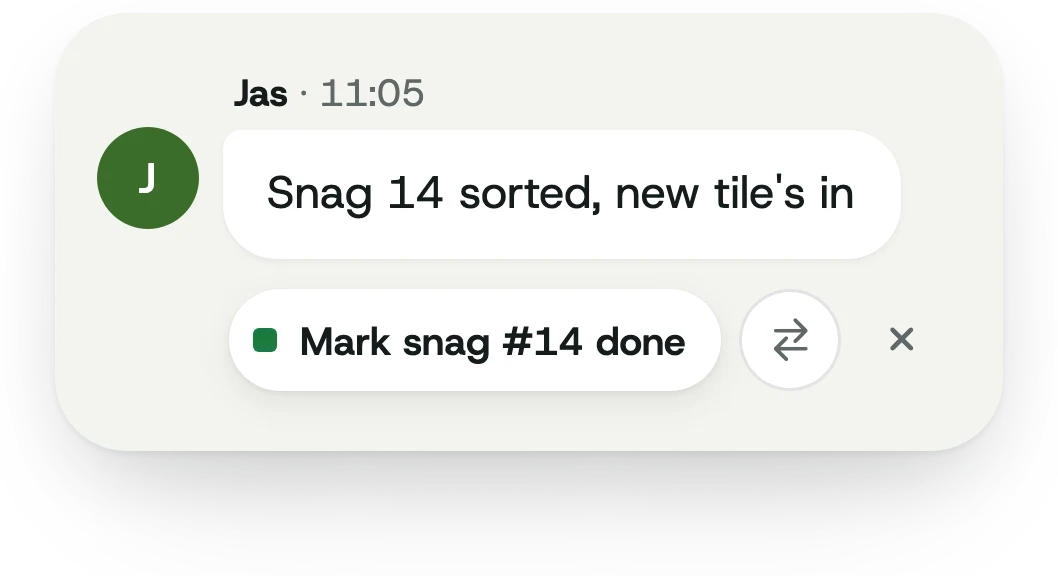
A snag action inside BRCKS Chat
Need a paper or spreadsheet starting point? Download the free snag list template. It has space for the job, plot, room, defect, trade, dates, evidence and sign-off. It is a blank checklist, not a screenshot of BRCKS.
For drawing-led alternatives, compare BRCKS and Fieldwire.
How snagging works in BRCKS
- Spot it and snap it. Take a photo and add a line: "Riverside, Plot 4, kitchen, crack above the door." That is all the site needs to do.
- BRCKS files it. The snag lands on the right job, plot and room with the photo, the date and who raised it.
- The trade gets it. Assign it to the decorator, sparky or plasterer. If they are on WhatsApp, it arrives there with the photo and location.
- Closed with proof. The trade replies with a photo of the fix. The snag closes and the before and after photos stay on the record.
Every snag goes through the same steps: raised, assigned, fixed, signed off and exported. Nothing is typed twice, because the details come from the message the site was going to send anyway.
Snag from BRCKS Chat, the web or WhatsApp
Your site team and office use BRCKS Chat on iPhone and Android, and BRCKS Web on a laptop. Subcontractors and clients can stay on WhatsApp, free. A snag can start in any of the three and it ends up on the same list.
- On site: snap a photo in BRCKS Chat and tap "Add snag".
- In the office: add or edit snags in BRCKS Web while you review the walk-round photos.
- From the trades: a subbie on WhatsApp can send a photo of a defect, and it is filed to the job just the same.
This is how you get trades to close snags without asking them to learn another system. They get the snag in WhatsApp, they reply with a photo when it is done, and that reply is the proof of fix.
Snag lists by plot, room and trade
Close-out is rarely one list. It is forty plots at different stages, a phased handover and a QS who wants to know which units are clear on Friday.
Add plots and rooms once, then filter the list by plot, room, trade or status. Name the plot in the message and the snag files itself there.
This helps with sequencing. If eleven open snags are electrical and spread across four plots, one visit from the electrician is cheaper than four. You plan against a live list, not a spreadsheet that is three days out of date.
Proof of fix and handover export
A snag list is only worth keeping if it holds up when someone disputes it. Each snag in BRCKS carries five things: when it was raised and by whom, where it is, a photo taken at the time, who it was assigned to, and when it was signed off.
At handover, export a clean list per plot or per job with the original photo, the fix photo, the trade and the dates. That is your handover pack for the client, the warranty provider or retention release.
Want a starting point for your own walk-round? Use our snagging list template.
Snagging during the defects period
Snags do not stop at practical completion. During the defects period the client reports issues, you send a trade back, and someone needs to remember what was already fixed.
Keep the job open in BRCKS and log defects the same way. When a warranty provider such as NHBC or LABC asks for evidence, or a client holds back retention, you can show when each item was raised, who fixed it and the photo that proves it.
The snags sit on the same job as the daily record, so you can check the site diary app for what happened on the day the work was done.
Can I use it free?
Yes. You can start free and run a real job before you decide. Subcontractors and clients are always free, so you can bring every trade into the snag list without paying for them.
Paid plans are for your core team: the people who run jobs in BRCKS Chat and BRCKS Web. See pricing for the details.
Weighing up other tools? Compare snagging apps side by side. Snagging is one part of BRCKS. For the full picture, see our construction project management software for builders.
Snagging app questions
What is a snagging app?
A snagging app records defects found during a build or at handover. Each snag gets a photo, a location, an owner and a status, so it can be tracked until it is fixed and signed off.
Do my subcontractors need to download anything?
No. Subcontractors and clients can stay on WhatsApp, free. They get the snag there and reply with a photo when it is fixed. Your site team and office use BRCKS Chat and BRCKS Web.
Can I export a snag list for handover?
Yes. Export the list per plot or per job, with the original photo, the fix photo, the trade and the dates on each snag.
Can I track snags by plot and room?
Yes. Add plots and rooms to the job, then filter snags by plot, room, trade or status.
Is BRCKS free to start?
Yes. You can start free, and subcontractors and clients are always free. Paid plans cover your core team.