Construction Workflows Cut Errors by 30% in UK 2026
Discover how streamlined construction workflows and digital platforms are helping UK residential project managers reduce errors by 30% and boost on-time delivery.
By James Shorter ·
Construction Workflows Cut Errors by 30% in UK 2026
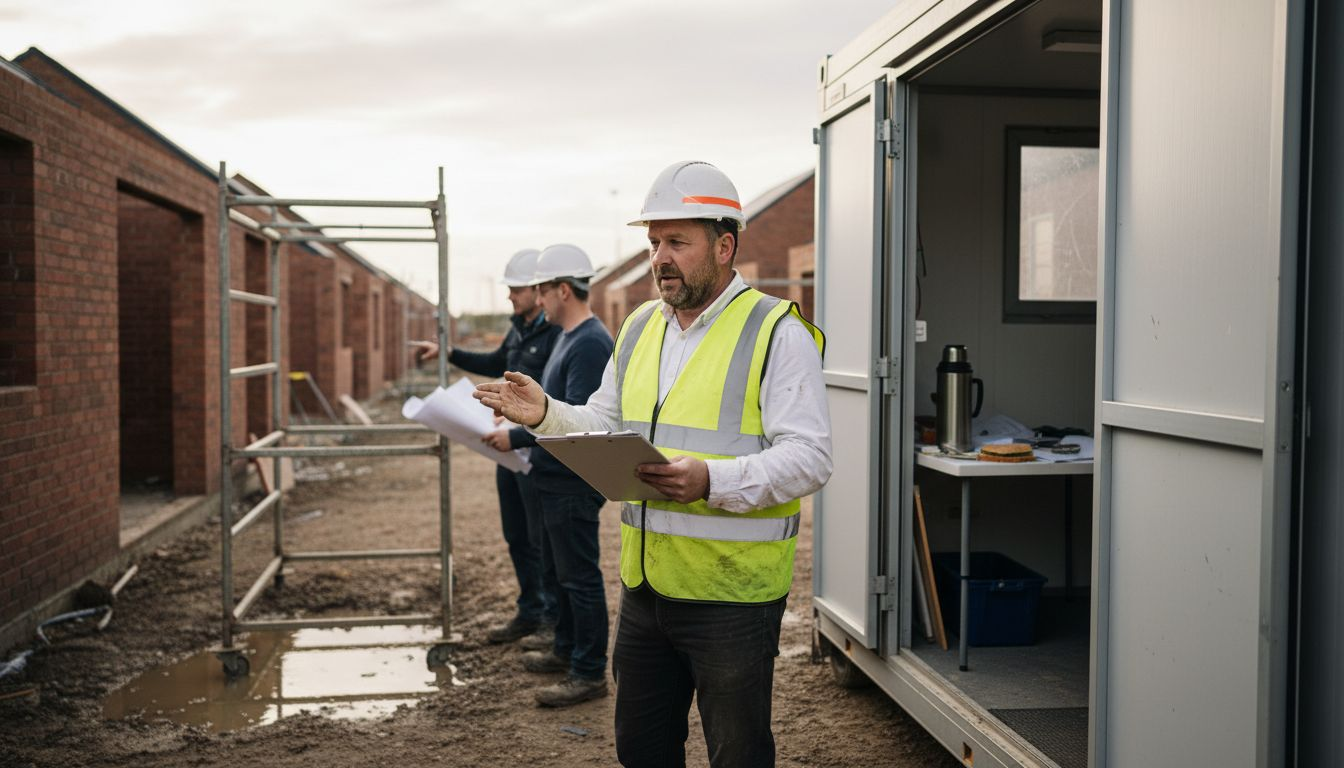 A purpose-built construction snagging software keeps these items tracked through to sign-off.
Choosing the right construction workflow can feel overwhelming when your team juggles multiple communication tools and struggles with missed updates. UK residential construction project managers need workflows that balance ease of use, compliance with CDM regulations, and real-time coordination. This article explores key selection criteria, practical workflow stages, common challenges, and how digital platforms deliver measurable improvements. You’ll discover actionable insights to reduce errors, cut delays, and boost on-time delivery across your residential projects.
Table of Contents
- How To Choose Effective Construction Workflows: Key Selection Criteria
- Typical Stages In Residential Construction Workflows With Real Examples
- Common Workflow Challenges In Small To Medium UK Residential Construction Projects
- Examples Of Streamlined Construction Workflows Using Software Solutions
- Comparison Of Different Construction Workflow Approaches
- Summary And Situational Recommendations For Choosing Construction Workflows
- Optimise Your Construction Projects With BRCKS Software
- Frequently Asked Questions
Key Takeaways
| Point | Details |
|---|---|
| Selection criteria matter | integrated communication, simplicity, scalability, and UK compliance drive workflow effectiveness. |
| Standard stages guide success | Pre-construction, procurement, execution, and closeout with clear handoffs improve coordination. |
| Digital workflows reduce errors | Centralised platforms cut miscommunication by 40% and save over 2 hours daily. |
| Simple pricing boosts adoption | Transparent per-user models increase software uptake by 35% among small teams. |
| Situational recommendations help | Tailor workflows to project size, communication needs, and compliance requirements. |
How to Choose Effective Construction Workflows: Key Selection Criteria
Selecting the right workflow starts with understanding what drives success in UK residential construction. You need construction workflow selection criteria that prioritise integrated communication, simplicity, and compliance. Fragmented tools create delays, while unified platforms deliver real-time updates that prevent costly errors.
Integrated communication tools stand at the top of your evaluation list. When your team uses separate apps for messages, files, and tasks, critical updates slip through the cracks. A unified platform centralises project information, cutting coordination time and reducing miscommunication. Real-time collaboration features ensure everyone works from the same playbook, whether they’re on-site or in the office.
Simplicity matters more than feature lists for small to medium teams. Choose workflows with straightforward task assignments and minimal setup time. Your crew shouldn’t need hours of training to adopt new systems. Look for platforms offering quick onboarding, typically within five minutes, so teams start benefiting immediately. Simple per-user pricing models increase adoption by 35%, making transparent costs a critical selection factor.
Scalability ensures your workflow grows alongside your business. Today you might manage three projects with ten workers, but next year you could double that capacity. Select systems that handle increased project complexity without requiring complete overhauls. Mobile apps for iOS and Android provide flexibility for field teams, while desktop interfaces serve office staff.
UK-specific regulatory compliance cannot be overlooked. Your workflow must support CDM 2015 requirements, including documented safety checks and clear accountability trails. Digital checklists and automated reminders help maintain compliance without adding administrative burden. A collaborative scheduling workflows guide can provide additional insights into coordinating regulatory requirements across project phases.
Pro Tip: Test pricing transparency early by requesting full cost breakdowns during demos. Hidden fees or complex tier structures often signal future budget headaches for growing teams.
- Prioritise integrated communication to eliminate app switching and missed updates
- Choose intuitive interfaces requiring minimal training for immediate team adoption
- Evaluate scalability to support project growth without system replacements
- Verify CDM compliance features including automated safety documentation
- Compare transparent pricing models to control costs as your team expands
Typical Stages in Residential Construction Workflows with Real Examples
Understanding construction workflow stages and compliance helps you structure projects for success. Standard UK residential construction projects follow pre-construction, procurement, on-site execution, and closeout stages. Each phase demands specific communication checkpoints and task handoffs to maintain momentum and meet regulatory obligations.
Pre-construction planning sets the foundation. During this stage, you conduct site surveys, develop detailed drawings, and secure necessary permits. Communication centres on client requirements, budget alignment, and initial risk assessments. Your workflow should document CDM compliance planning, including principal designer appointments and health and safety plans. Clear task assignments prevent ambiguity when multiple stakeholders review initial designs.
Procurement follows with material ordering, subcontractor selection, and schedule finalisation. This phase requires tight coordination between estimators, suppliers, and site managers. Your workflow must track delivery dates, specification confirmations, and contract agreements. Digital platforms excel here by centralising supplier communications and material status updates, reducing the risk of ordering errors or delivery delays.
On-site execution represents the bulk of project activity. Daily tasks include coordinating trades, conducting inspections, and managing quality checks. Documented workflows ensure compliance with CDM regulations, reducing legal risks. Real-time communication becomes critical as site conditions change and unforeseen issues arise. Your workflow should facilitate instant photo sharing, progress updates, and safety incident reporting through mobile apps.
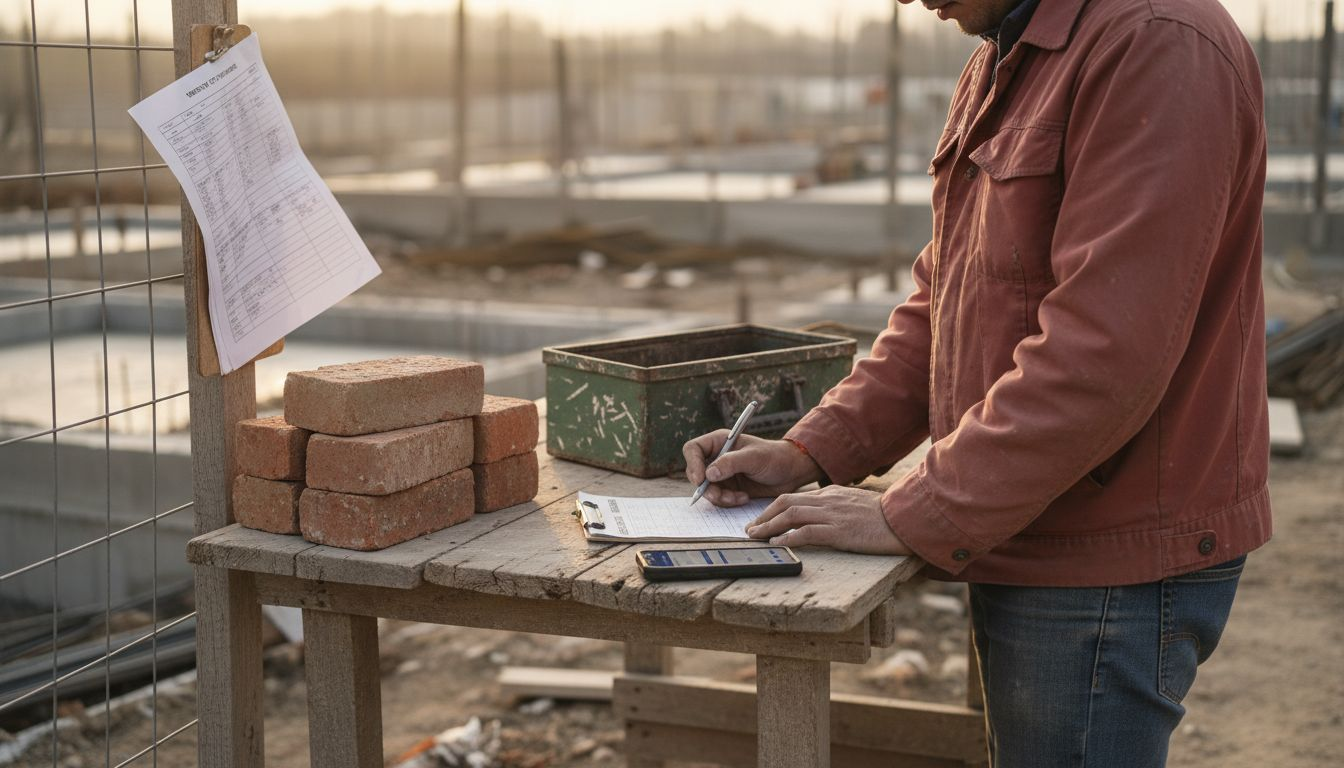
Project closeout wraps everything together. Final inspections, snagging lists, client handovers, and warranty documentation require meticulous attention. Your workflow must ensure all compliance certificates are collected, final payments processed, and project learnings documented for future reference. A residential construction workflow guide provides comprehensive templates for closeout checklists.
| Stage | Key Activities | Communication Points | Compliance Requirements |
|---|---|---|---|
| Pre-construction | Site surveys, design, permits | Client briefings, risk assessments | CDM planning, designer appointments |
| Procurement | Material orders, subcontractor selection | Supplier confirmations, contract reviews | Specification compliance verification |
| On-site Execution | Trade coordination, inspections | Daily updates, safety reports | CDM safety checks, incident logging |
| Project Closeout | Final inspections, handover | Snagging resolution, warranty provision | Compliance certificates, documentation |
- Pre-construction establishes project scope, design intent, and regulatory compliance frameworks before work begins.
- Procurement secures materials and labour while confirming specifications match approved designs and budgets.
- On-site execution delivers the physical build through coordinated trades, continuous safety monitoring, and quality control.
- Project closeout ensures client satisfaction, regulatory sign-off, and knowledge transfer for continuous improvement.
CDM compliance guidance remains essential throughout all stages. Your workflow must embed compliance checkpoints naturally rather than treating them as afterthoughts. Digital tools with automated reminders and documentation features make regulatory adherence seamless without creating administrative overload.
Common Workflow Challenges in Small to Medium UK Residential Construction Projects
After understanding ideal workflows, you need to recognise the hurdles that undermine them. Common workflow challenges in UK residential construction stem from fragmented tools and inefficient coordination. These pain points cost you time, money, and client trust when left unaddressed.
Fragmented communication across multiple apps creates the biggest headache. Your team bounces between WhatsApp groups, email threads, and separate project management tools. Critical updates get buried in chat histories while files hide in different apps. When a site manager needs yesterday’s specification change, they waste 15 minutes hunting through platforms instead of working. This communication fragmentation challenges scenario plays out daily, causing missed deadlines and frustrated crews.
Inefficient task tracking leads to dropped balls. Without centralised task management, workers miss assignments or complete them out of sequence. You discover problems during inspections rather than preventing them through clear workflows. Verbal instructions given on-site get forgotten by the next morning, and no digital record exists to verify what was agreed. Typical delays average 2 days per project phase when teams lack real-time task visibility.
Disconnected tools reduce transparency across your projects. When scheduling lives in one app, files in another, and conversations in a third, no single source of truth exists. Clients ask for updates, and you scramble to piece together information from multiple sources. Decision-making slows because stakeholders can’t quickly access the context they need. Budget tracking becomes guesswork when procurement records stay separate from actual site progress.
Manual processes eat your productive hours. Typing meeting notes, creating action items, and distributing them via email consumes time you could spend solving real problems. Chasing subcontractors for updates via phone calls adds another layer of inefficiency. Your admin burden grows as project complexity increases, leaving less time for value-adding management activities.
Pro Tip: Calculate your team’s actual coordination time weekly by tracking app switches and update requests. Most managers underestimate this drain until they measure it objectively.
- Fragmented communication causes missed updates and delays when critical information scatters across platforms
- Inefficient task tracking results in forgotten assignments and out-of-sequence work completion
- Disconnected tools eliminate single sources of truth, slowing decision-making and reducing visibility
- Manual processes consume over 2 hours daily on coordination tasks instead of value-adding activities
- Lack of real-time collaboration extends project phases by an average of 2 days each
Examples of Streamlined Construction Workflows Using Software Solutions
Moving from challenges to solutions, digital workflows directly address the problems plaguing UK residential construction teams. Streamlined construction workflows with software deliver measurable efficiency gains through centralised communication and automated task management. Real-world examples demonstrate how unified platforms transform daily operations.
Centralised communication saves over 2 hours daily on coordination tasks. Instead of switching between WhatsApp, email, and separate project tools, your team accesses everything through one platform. Messages, files, tasks, and schedules live together in a unified project feed. When a site manager uploads inspection photos, relevant stakeholders receive instant notifications within the same system where they review drawings and assign follow-up tasks. This integration eliminates the constant app juggling that fragments attention and wastes time.
AI-generated action items reduce missed tasks by 50%. After video meetings, AI automatically transcribes discussions and creates actionable tasks with assigned owners and deadlines. Your team stops relying on manual note-taking or memory, ensuring nothing falls through the cracks. When a client requests a specification change during a site meeting, the AI captures it, assigns it to the relevant trade, and sets a completion reminder. This automation transforms verbal agreements into trackable commitments.
Mobile apps provide faster onsite updates, cutting communication lag by 35%. Field workers photograph completed work, log safety observations, and update task status without returning to the office. Office staff see real-time progress and respond to site questions immediately through the same mobile interface. A plasterer finishing a room marks tasks complete from their phone, instantly notifying the decorator that their area is ready. This immediacy prevents the delays caused by end-of-day batch updates.
Unified project feeds reduce miscommunication errors by 40%, improving delivery rates. When everyone views the same chronological project timeline, confusion about current status evaporates. Changes, approvals, and updates appear in context rather than as isolated messages. A structural engineer’s revision automatically links to the original drawing and related conversations, giving builders complete context. This digital workflow software benefits approach creates transparency that prevents costly misunderstandings.
Unlimited video meetings with integrated action tracking streamline client communications. Rather than scheduling in-person reviews or juggling calendar apps, you conduct virtual walkthroughs and decision meetings within your project platform. Clients review progress photos before calls, and the platform records decisions as trackable tasks. When a homeowner requests a kitchen layout change during a video meeting, the AI logs it, and the joiner receives an automatic notification with linked drawings.
Pro Tip: Implement mobile-first workflows by ensuring every team member downloads your platform’s app during onboarding. Desktop access matters, but field teams drive project success through real-time updates.
- Centralised platforms eliminate app switching, saving coordination time and reducing missed updates
- AI-generated action items transform meeting discussions into trackable tasks automatically
- Mobile apps enable instant onsite updates, cutting communication delays significantly
- Unified project feeds create single sources of truth, reducing errors and improving transparency
- Integrated video meetings with automated task creation streamline client decision-making
Comparison of Different Construction Workflow Approaches
Quantifying workflow performance helps you make informed decisions. Compare traditional and digital construction workflows through metrics that matter: time savings, error rates, delivery performance, and user satisfaction. The data reveals clear winners for UK residential construction teams.
Traditional workflows using multiple disconnected tools cause significant delays. Email threads, WhatsApp groups, and separate spreadsheets create 2-day delays per project phase as teams hunt for information and clarify miscommunications. User satisfaction sits at just 55% because crews struggle with fragmented systems that increase rather than reduce workload. Budget overruns occur frequently when poor coordination leads to rework or material ordering mistakes.
Digital integrated workflows deliver measurable improvements across all metrics. Admin time drops by 40% when communication, tasks, and files live in one platform. Teams spend less time coordinating and more time building. On-time delivery rates improve by 25% because real-time visibility prevents bottlenecks from escalating into major delays. Error rates fall by 30% when everyone works from the same updated information rather than outdated printouts or stale message threads.
User satisfaction jumps to 85% with unified platforms like BRCKS. Teams appreciate simplicity over feature bloat, valuing quick setup and intuitive interfaces that require minimal training. Simple per-user pricing models encourage adoption by eliminating complex tier structures or hidden fees. When crews see immediate benefits in their daily work, resistance to new technology evaporates.
The comparison becomes stark when you examine real project outcomes. Traditional approaches deliver projects on schedule only 60% of the time, while digital workflows achieve 85% on-time completion. Cost overruns averaging 8-12% plague traditional methods, whereas integrated platforms keep projects within 3-5% of budget through better coordination and reduced rework.
| Workflow Approach | Admin Time Savings | On-Time Delivery Rate | Error Reduction | User Satisfaction | Typical Cost |
|---|---|---|---|---|---|
| Traditional (Multiple Tools) | Baseline (0%) | 60% | Baseline (0%) | 55% | £0-50/user/month |
| Basic Digital (Separate Tools) | 15% | 70% | 15% | 65% | £30-80/user/month |
| Integrated Digital Platform | 40% | 85% | 30% | 85% | £25-60/user/month |
Integrated platforms offer the best value proposition. You gain superior performance metrics while maintaining competitive pricing through transparent per-user models. The 40% reduction in admin time alone justifies adoption costs, and improved delivery rates protect your reputation with clients and generate repeat business.
Summary and Situational Recommendations for Choosing Construction Workflows
Wrapping up the educational guidance, you need clear direction on matching workflows to your specific situation. Situational workflow recommendations help you choose solutions that fit your team size, project complexity, and compliance requirements. This summary provides actionable next steps based on common scenarios facing UK residential builders.
| Workflow Type | Communication Integration | Scalability | Ease of Use | CDM Compliance Support | Best For |
|---|---|---|---|---|---|
| Traditional (Email + WhatsApp) | Low | Limited | High initial, low long-term | Manual | Very small teams (1-3 people) |
| Basic Digital (Separate Tools) | Medium | Medium | Medium | Partial | Growing teams (4-8 people) |
| Integrated Platform | High | High | High | Automated | Established teams (8+ people) |
For communication-heavy projects with multiple stakeholders, choose integrated digital platforms. When you coordinate architects, engineers, subcontractors, and clients simultaneously, unified communication prevents information silos. Real-time feeds ensure everyone receives updates instantly, and centralised file storage eliminates version control nightmares. Projects involving complex specifications or frequent design changes benefit most from this approach.
Small teams prioritising quick setup and simple pricing should adopt platforms offering intuitive interfaces and transparent costs. You need systems that deliver value within days, not weeks. Look for five-minute setup times and per-user pricing without hidden fees. Avoid feature-heavy enterprise solutions that overwhelm small crews with unnecessary complexity. Your three-person team needs reliable communication and task tracking, not enterprise resource planning.
Teams emphasising CDM compliance as they grow require standardised workflows with digital checklists. As you expand from five to fifteen workers, manual compliance tracking becomes unsustainable. Choose platforms automating safety documentation, incident reporting, and certificate management. Digital audit trails prove compliance during inspections and reduce legal exposure when accidents occur.
Budget-conscious builders balancing cost and functionality should prioritise platforms with free trials and scalable pricing. Test systems thoroughly during 14-day trials to verify they solve your specific pain points. Calculate actual time savings from reduced coordination tasks and compare against subscription costs. Most teams find that saving even one hour daily justifies platform investments through increased billable work.
Project managers seeking immediate impact should start with mobile-first workflows. Field teams drive project success, so prioritise platforms offering robust iOS and Android apps. Desktop access matters for office staff, but real-time site updates from mobile devices deliver the quickest wins. Ensure chosen platforms allow photo uploads, task updates, and message sending without returning to laptops.
- Use integrated platforms for projects with complex stakeholder coordination and frequent updates
- Choose simple, transparent pricing for small teams needing quick wins without setup complexity
- Adopt automated compliance workflows as your team grows beyond five workers
- Test platforms thoroughly during free trials to verify they address your specific challenges
- Prioritise mobile-first solutions when field teams drive your project success
Optimise Your Construction Projects with BRCKS Software
You’ve explored workflow selection criteria, common challenges, and proven solutions. Now it’s time to act. BRCKS offers construction software for builders that addresses every challenge discussed in this article through one unified platform designed specifically for UK residential construction.

BRCKS centralises communication, tasks, files, and schedules in a single organised platform. Your team saves over 2 hours daily by eliminating app switching and coordination chaos. AI-generated action items from video meetings ensure nothing falls through the cracks, while mobile apps provide instant onsite updates that prevent delays. Workflow communication improvements with BRCKS deliver the 30% error reduction and 25% on-time delivery improvement you need to stay competitive.
Simple per-user pricing and five-minute setup make adoption effortless for small to medium teams. You avoid complex tier structures and start benefiting immediately without lengthy training. The platform grows with your business, supporting everything from three-person crews to established firms managing multiple concurrent projects. CDM compliance features automate safety documentation and create audit trails that reduce legal risks.
Discover how BRCKS transforms your workflows by replacing the chaos of communication challenges solved by BRCKS with organised, efficient collaboration. Start your 14-day free trial today and experience the difference unified workflows make in your daily operations.
Frequently Asked Questions
What are the main stages in a UK residential construction workflow?
Pre-construction planning, procurement, on-site execution, and project closeout form the four main stages. Each stage includes specific tasks like site surveys, material ordering, trade coordination, and final inspections with clear communication checkpoints. CDM compliance requirements integrate throughout all phases to maintain safety and legal standards.
How can integrated software reduce errors in construction workflows?
Centralised platforms prevent missed updates by keeping all communication, tasks, and files in one accessible location. AI tools automatically generate action items from meetings, ensuring commitments become trackable tasks that don’t get forgotten. Mobile apps enable real-time onsite reporting, reducing the lag between field observations and office awareness that causes coordination errors.
What should small UK residential builders consider when choosing a workflow tool?
Prioritise ease of use with quick setup times under five minutes to minimize disruption and training requirements. Look for transparent, simple per-user pricing models without hidden fees or complex tiers that complicate budgeting. Ensure the platform supports CDM compliance through automated safety documentation and audit trails. Choose scalable solutions that accommodate team growth without requiring complete system replacements as your business expands.
How much time can digital workflows save construction project managers daily?
Integrated digital platforms save over 2 hours daily by eliminating app switching and reducing coordination tasks. Teams spend 40% less time on administrative work when communication, scheduling, and task management live in one system. Real-time mobile updates cut communication lag by 35%, allowing managers to focus on problem-solving rather than information gathering.
Why do traditional construction workflows cause project delays?
Fragmented communication across multiple tools creates information silos where critical updates get missed or buried. Teams waste time hunting for files, clarifying miscommunications, and duplicating information entry across platforms. This coordination chaos causes an average of 2-day delays per project phase, reducing on-time delivery rates to just 60% compared to 85% with integrated digital workflows.
Recommended
- BRCKS | Construction Project Communication Software
- BRCKS | Construction Project Communication Software
- BRCKS | Construction Project Communication Software
- BRCKS | Construction Project Communication Software
How BRCKS Can Help
As the industry moves towards these higher standards for 2026, adopting robust digital workflows is no longer optional for firms wanting to remain competitive. BRCKS provides the essential infrastructure to automate these processes, ensuring that every member of your team stays aligned and costly oversights are minimised. By integrating our construction management software into your daily operations, you can safeguard your margins and achieve the precision that modern UK projects demand. We invite you to explore how BRCKS can transform your project delivery and help you stay ahead of the curve. Learn more at BRCKS.