Construction WhatsApp bot: the 2026 guide for UK builders
Discover how AI-powered WhatsApp bots are revolutionising communication for UK builders by automating project updates and integrating with construction management software.
By James Shorter ·
Construction WhatsApp bot: the 2026 guide for UK builders
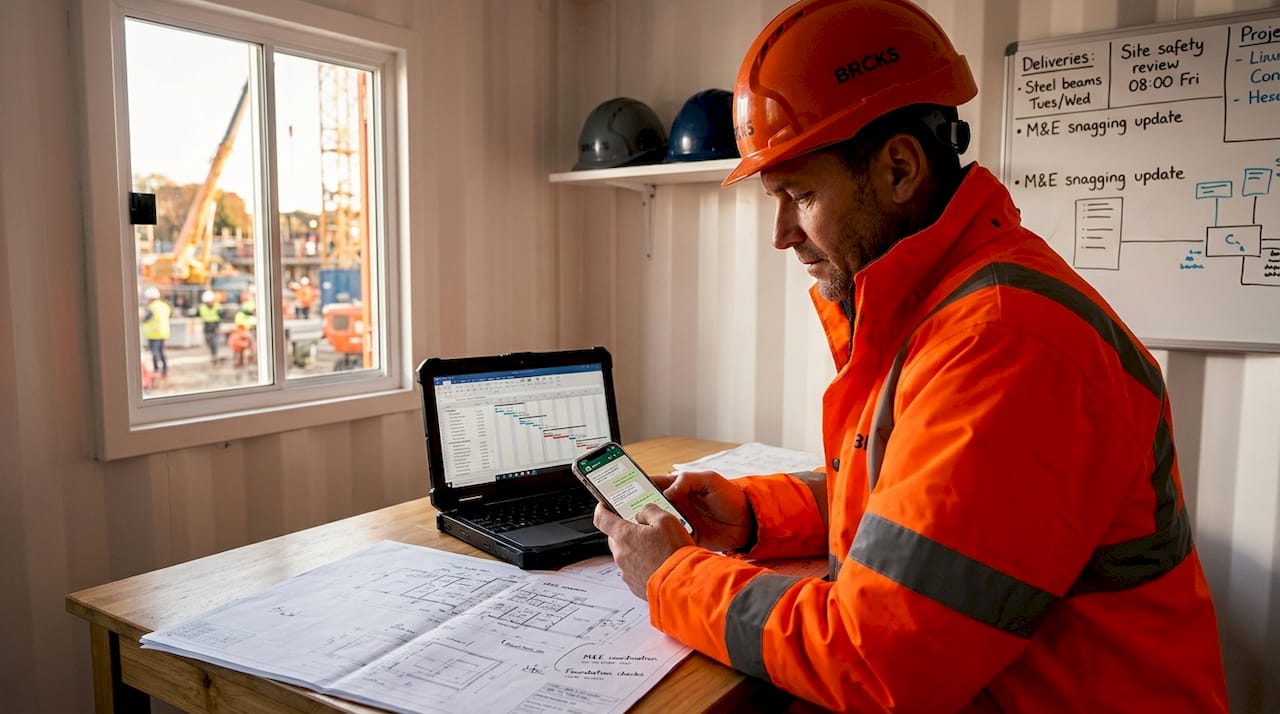 A purpose-built construction snagging software keeps these items tracked through to sign-off.
TL;DR:
- A construction WhatsApp bot is an AI-powered automation system built on the WhatsApp Business Platform API, designed to streamline routine communication for construction teams. Proper setup through certified providers enhances workflow, ensures UK compliance, and integrates messaging with project management. Many teams mistakenly use the free app, risking inefficiency and compliance breaches, while certified API solutions offer genuine automation and operational benefits.
A construction WhatsApp bot is an AI-powered automated assistant that runs on the WhatsApp Business Platform API, designed to handle routine communication tasks for builders, project managers, and trades without manual input. Unlike a standard WhatsApp Business App, a properly configured bot can send project updates, confirm appointments, respond to client queries, and integrate with your CRM, all from within the messaging platform your site teams already use. For UK construction professionals dealing with fragmented communication across email, phone, and group chats, this kind of automation addresses a real operational problem. This guide covers technical setup, workflow benefits, UK compliance requirements, and how WhatsApp bots compare to dedicated construction software.

What is a construction WhatsApp bot and how does it work?
A construction WhatsApp bot is not the same as the basic auto-reply feature inside the free WhatsApp Business App. The term refers specifically to an automated messaging system built on the WhatsApp Business Platform API, which Meta hosts via its Cloud API. This distinction matters because the API unlocks capabilities the standard app cannot deliver: multi-agent shared inboxes, CRM integration, conditional message flows, and template-based outbound messaging.
The industry term for this category of tool is a “conversational automation platform” or “messaging bot,” and it sits within the broader field of business process automation. In construction, the most common use cases are client-facing updates, subcontractor coordination, snagging status notifications, and quote follow-ups. The bot acts as a persistent, always-on communication layer between your team and the people you work with.
What technical setup is needed to implement a WhatsApp bot?
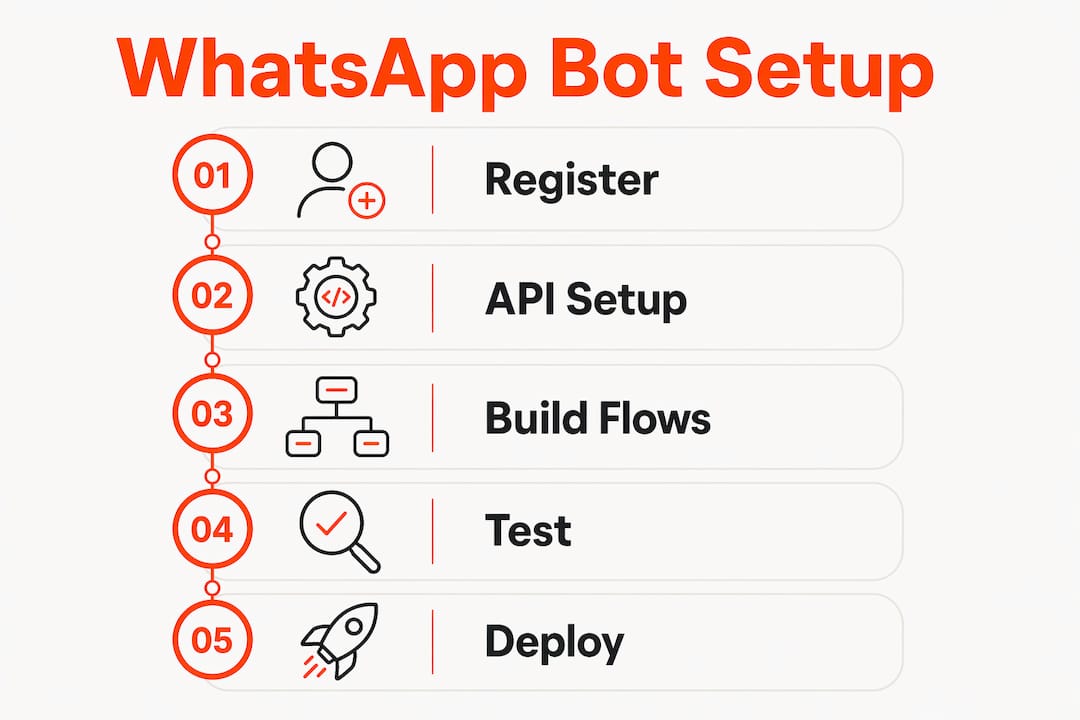
Getting a WhatsApp bot live for your construction business requires more than downloading an app. The setup follows a defined path, and skipping steps creates compliance and reliability problems later.
-
Create a Meta Business Account. You need a verified Meta Business Account before you can access the WhatsApp Business Platform API. This involves submitting business documentation and completing Meta’s verification process, which typically takes two to five working days.
-
Obtain a dedicated business phone number. The number must be verified and cannot already be registered to a personal WhatsApp account or the standard WhatsApp Business App. Many teams use a new SIM or a VoIP number for this purpose.
-
Choose a Business Solution Provider (BSP). Meta does not give direct API access to most businesses. Instead, you connect through a certified BSP such as Twilio or Qiscus. The BSP handles API provisioning, message delivery, and often provides a dashboard for managing conversations. Official BSP solutions are the recommended route for compliance and long-term reliability in UK professional environments.
-
Configure webhooks and API tokens. Your bot needs a webhook URL to receive incoming messages and an API token to authenticate outbound requests. This is where a developer or a no-code tool becomes necessary.
-
Build your conversation flows. Tools like Voiceflow and FlowBridge allow no-code or low-code WhatsApp bot builds with rich interactions including buttons, media, and branching logic. For construction, this typically means flows for project status queries, delivery confirmations, and snagging updates.
-
Submit message templates for approval. Any outbound message you send outside a 24-hour conversation window must use a pre-approved template. Meta reviews these for quality and compliance before you can use them.
Pro Tip: Do not attempt to build on unofficial or self-hosted WhatsApp integrations. Self-hosted bots violate WhatsApp’s terms of service and create significant GDPR exposure for UK businesses. The short-term cost saving is not worth the regulatory risk.
How does a WhatsApp bot improve workflow on site?
The practical gains from a well-configured chatbot for construction are concentrated in three areas: reducing repetitive manual communication, keeping clients informed without additional effort from your team, and capturing information that would otherwise be lost in group chats.
- Automated project updates. A bot can send scheduled messages when a project phase changes, when a delivery is confirmed, or when a snagging item is resolved. Trades working on site receive the relevant update without a project manager having to type the same message to ten different contacts.
- Appointment confirmations and reminders. Follow-up automation for appointments and quotes can improve close rates by 20 to 30 per cent for UK tradespeople. A bot sends the reminder, collects a confirmation, and flags non-responses to a human agent.
- Snagging status notifications. Clients can query the status of a snag item via WhatsApp and receive an automated response drawn from your project management system, without calling the site manager.
- CRM integration. When connected to a CRM, the bot logs every conversation against the correct client record. This removes the problem of communication history sitting in a personal phone rather than a shared system.
- Multi-agent shared inbox. The WhatsApp Business App does not support shared inboxes or complex automation. The API-based setup allows multiple team members to handle conversations from a single number, with full visibility across the team.
- Always-on availability. The bot operates outside office hours without additional staffing. A client asking about access arrangements at 7am on a Monday gets an immediate response rather than waiting until someone picks up the phone.
“The biggest operational gain we see in construction is not the automation itself. It is the fact that communication stops living in someone’s personal phone and starts living in a system the whole team can see.”
This shift from personal to shared communication is what makes a construction project management bot genuinely useful rather than just a novelty.
What compliance rules apply to WhatsApp bots in UK construction?
UK construction businesses using WhatsApp bots for client communication must satisfy two overlapping regulatory frameworks: UK GDPR and the Privacy and Electronic Communications Regulations (PECR). Getting this wrong carries financial and reputational consequences.
The distinction between transactional and marketing messages is the most important compliance point to understand. Transactional messages, such as appointment reminders, delivery confirmations, and project updates, can be sent under the lawful basis of legitimate interest or contract performance under UK GDPR. Marketing messages, including promotional offers or upselling services, require explicit opt-in consent under PECR. This is a stricter standard than GDPR alone requires.
- Document consent at the point of collection. If you plan to send any marketing messages via WhatsApp, you must record when and how the client opted in, and you must make opting out straightforward at any time.
- Update your privacy policy. Your privacy policy must explicitly state that you use WhatsApp to process personal data, what data is collected, and how long it is retained.
- Avoid sending marketing messages without prior opt-in. Sending marketing WhatsApp messages without prior consent is one of the most common compliance failures among UK SMEs in construction. The Information Commissioner’s Office can issue fines and enforcement notices for PECR breaches.
- Use approved message templates for outbound contact. Meta’s template approval process adds a layer of quality control that also helps with compliance, since templates must be non-deceptive and clearly identify the sender.
- Restrict data access within your team. Personal data processed through your WhatsApp bot should only be accessible to team members with a legitimate need. BSP platforms typically offer role-based access controls to support this.
Pro Tip: Treat your WhatsApp bot’s data flows the same way you would treat any other data processor relationship. Your BSP is a data processor under UK GDPR, so you need a Data Processing Agreement in place with them before you go live.
How does a WhatsApp bot compare to other construction communication tools?
Choosing the right tool depends on what your team actually needs. The table below compares the main options UK construction teams typically consider.
| Tool | Automation capability | Compliance support | Team visibility | Cost model |
|---|---|---|---|---|
| WhatsApp Business App | Basic auto-replies only | Limited, no audit trail | Single device only | Free |
| WhatsApp Business API via BSP | Full bot and workflow automation | Audit logs, GDPR-ready | Multi-agent shared inbox | £0.03 to £0.05 per message, plus BSP fees |
| Moderate via tools like Mailchimp | Strong audit trail | Shared mailbox possible | Low to moderate | |
| Phone calls | None | No record unless logged manually | No shared visibility | Variable |
| Dedicated construction software (e.g. Brcks) | Full automation plus project management | Built-in compliance features | Full team and client visibility | Monthly subscription |
The per-message pricing for WhatsApp API access runs at approximately £0.03 to £0.05 per message, with total monthly costs for a small construction team typically falling between £50 and £100 for 200 to 300 messages. This is cost-effective for transactional messaging but can escalate if marketing volumes increase.
The free WhatsApp Business App is where most construction teams start, and where most get stuck. Quick replies and away messages are not automation. They are manual shortcuts. Teams that mistake these features for a bot solution find themselves with the same communication problems, just with slightly faster typing. The API path is the only route to genuine automation.
Dedicated construction software platforms go further than a WhatsApp bot alone by combining messaging automation with task management, file sharing, snagging workflows, and client portals in a single system. For teams managing multiple active sites, this integration removes the need to switch between a bot interface and a separate project management tool.
Key takeaways
A construction WhatsApp bot built on the official Meta API delivers genuine workflow gains, but only when set up correctly with a certified BSP and full UK GDPR and PECR compliance in place.
| Point | Details |
|---|---|
| API is not optional | Production-grade automation requires the WhatsApp Business Platform API, not the free app. |
| BSP selection matters | Certified providers like Twilio or Qiscus handle compliance, delivery, and audit logging. |
| Compliance is two-layered | UK GDPR covers data handling; PECR governs marketing messages and requires explicit opt-in. |
| Transactional vs marketing | Project updates and reminders carry lower compliance burden than promotional messages. |
| Integration multiplies value | Connecting your bot to a CRM or construction platform turns messaging into structured project data. |
Why WhatsApp bot adoption in construction is still getting it wrong
I have reviewed a lot of WhatsApp setups for construction teams, and the pattern is consistent. A site manager discovers the WhatsApp Business App, sets up a few quick replies, and calls it automation. Six months later, the same team is back to the same problem: messages buried in group chats, no record of who confirmed what, and a client complaining they were not kept informed.
The real issue is not the tool. It is the expectation. A WhatsApp bot built on the official API with proper conversation state management is a fundamentally different product from the free app. It knows which project a message belongs to. It can escalate to a human when a query falls outside its scope. It keeps a log. The free app does none of this.
My honest recommendation is to skip the free app entirely if you are serious about automating communication. Go straight to the API route via a certified BSP, build your flows around the specific tasks your team repeats most often, and integrate with your project management system from day one. The setup takes longer, but you will not be rebuilding it in six months.
The compliance piece is where I see the most avoidable mistakes. Sending a promotional message to a client who has not explicitly opted in is not a grey area under PECR. It is a breach. Document your consent processes before you send a single marketing message, and keep transactional and marketing flows completely separate in your bot design.
— James
How Brcks handles WhatsApp automation for UK construction teams
If you want WhatsApp automation built specifically for construction rather than adapted from a generic chatbot framework, Brcks is worth a close look. The Brcks WhatsApp bot integrates messaging automation directly with project management workflows, covering snagging updates, team task management, and client communication from a single platform.

Brcks is designed for UK builders and project managers who need more than a messaging tool. The platform connects your WhatsApp communication to project timelines, snag lists, file sharing, and client portals, so nothing gets lost between a chat message and a site decision. You can explore construction software for builders and start a 14-day free trial without committing to a contract. Setup takes minutes, not weeks.
FAQ
What is a construction WhatsApp bot?
A construction WhatsApp bot is an automated messaging assistant built on the WhatsApp Business Platform API, configured to handle communication tasks such as project updates, appointment reminders, and client queries for construction teams.
Do I need a developer to set up a WhatsApp bot for my building firm?
Not necessarily. No-code tools like Voiceflow and FlowBridge allow you to build WhatsApp bot flows without writing code, though you still need a certified BSP and a Meta Business Account to access the API.
Is using a WhatsApp bot for construction clients GDPR compliant?
It can be, provided you use an official BSP, document your data processing activities, and obtain explicit opt-in consent before sending any marketing messages under PECR. Transactional messages such as project updates carry a lower compliance threshold.
How much does a WhatsApp bot cost for a small UK construction team?
API-based WhatsApp messaging typically costs between £0.03 and £0.05 per message, with total monthly costs for a small team running approximately £50 to £100 for 200 to 300 messages, plus any BSP platform fees.
Can a WhatsApp bot manage snagging updates for clients?
Yes. When integrated with a construction project management platform, a WhatsApp bot can send automated snagging status notifications and allow clients to query snag item progress directly within the WhatsApp conversation.
Recommended
- WhatsApp Construction Software for UK Builders: 2026 Guide
- Tired of WhatsApp? Best Construction Messaging Apps for UK Builders | BRCKS
- Top Construction Schedule Software for UK Builders 2025 | BRCKS
- BRCKS | Construction Project Management Software UK
How BRCKS Can Help
Adopting a WhatsApp bot is a brilliant first step toward modernising your site communications, but true efficiency comes from connecting those conversations to your broader project management. BRCKS bridges this gap by integrating real-time updates and site data into one streamlined platform, ensuring nothing gets lost in a chat thread. By centralising your workflows, we help you maintain a clear audit trail while keeping your teams focused on the build. We invite you to see how BRCKS can transform your digital toolkit by booking a demo or exploring our features today. Learn more at BRCKS and explore our full feature set.