Top 3 Construction Photo Reporting App Alternatives 2026
Discover the best construction photo reporting app alternatives for 2026 to help your UK site team document progress and automate daily logs effectively.
By James Shorter ·
Top 3 Construction Photo Reporting App Alternatives 2026
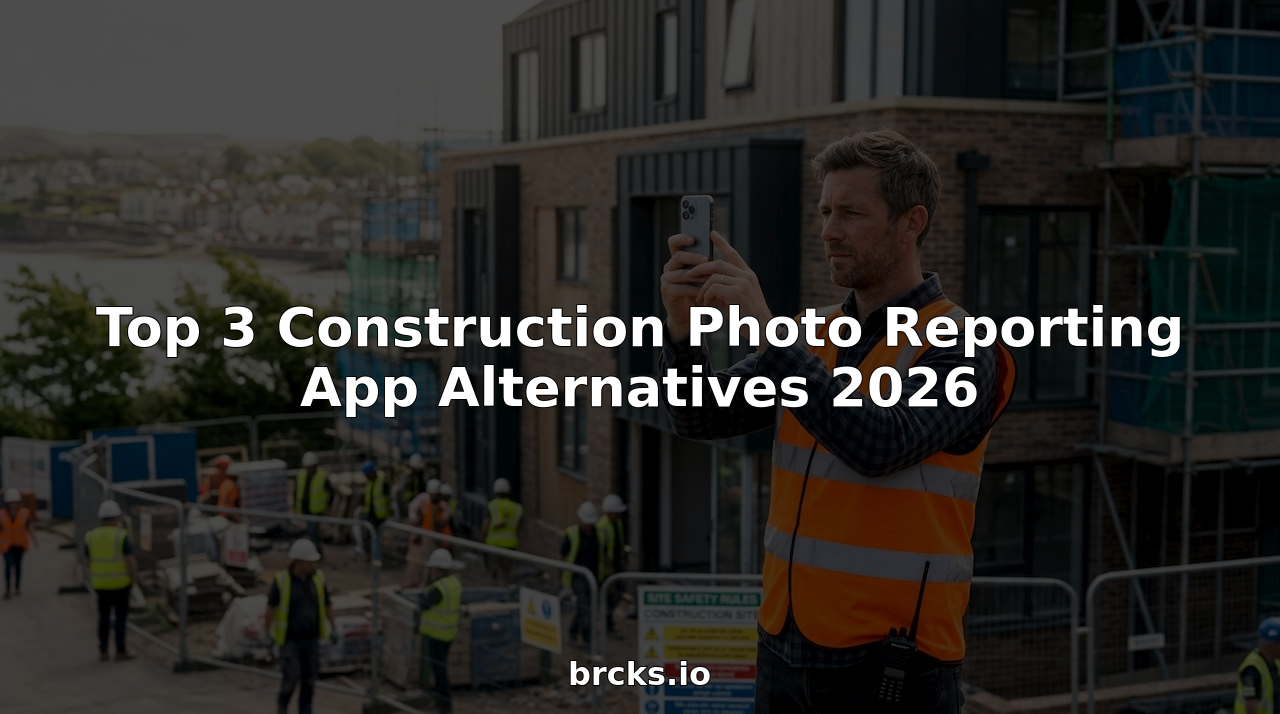 A purpose-built construction snagging software keeps these items tracked through to sign-off.
Keeping reliable photographic records, daily logs and compliance documentation for construction projects often means juggling separate tools that do not speak the language of UK site teams. Many construction project management platforms either charge extra for every external collaborator or lack a straightforward way for trades, clients and managers to share updates without constant retraining and chasing. This comparison covers pricing, collaboration model and on-site adoption across three leading UK-focused construction management systems, helping you pick one that matches your workflow and site needs without surprise admin or onboarding fees.
Table of Contents
BRCKS
At a Glance
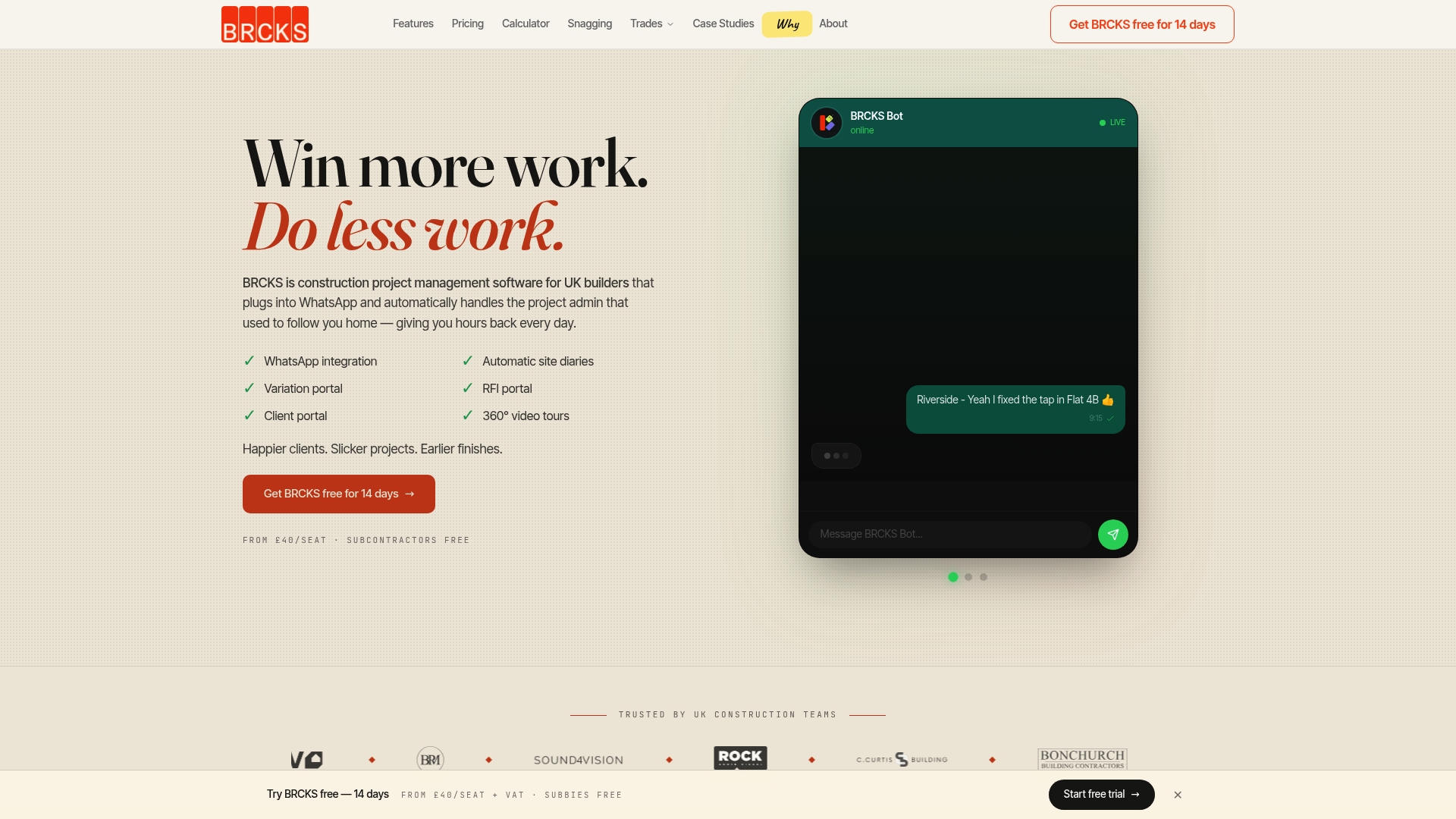
Subcontractors and clients are invited free while seats start from £40/seat/month, a pricing structure that keeps per-project costs predictable. The vendor advertises that automation reduces manual admin by over two hours per day, a claim presented in BRCKS marketing materials.
Core Features
- WhatsApp integration that lets teams use the messaging app they already rely on for site coordination.
- Site diaries auto-generated from WhatsApp updates or entered directly via app or web, keeping daily logs consistent and timestamped.
- RFI portal with a full audit trail, plus variation logging linked to projects and named parties.
- Client access via a portal and optional 360° site tours for homeowner updates.
Key Differentiator
BRCKS is built to work inside WhatsApp rather than beside it. That design removes the need to train trades on a separate tool and captures photos, messages and actions where they naturally happen. For builders who already run sites through WhatsApp groups, this reduces the number of duplicated notes and lost photos.
Pros
- Works inside WhatsApp, so uptake on site is straightforward and you rarely chase people to install another app.
- Automates routine entries like daily logs and photo tagging, which the product claims cuts admin time significantly; the figure above gives a clear performance target to test on pilot sites.
- Full audit trail for RFIs and variations helps when disputes arise or during handover to clients and warranty bodies.
- Pricing is transparent and pragmatic: subcontractors and clients can be added without extra seat fees, lowering the cost of wider collaboration on a project.
- Designed with UK trades in mind, so language, workflows and expectations reflect how teams on UK residential sites actually work.
Cons
- The workflow depends on using WhatsApp as the central communication hub; if your office or client base refuses WhatsApp for compliance or preference reasons, BRCKS will not fit the bill.
Who It’s For
Small to medium UK residential teams, project managers and trades already using WhatsApp who want to cut paperwork and keep records linked to conversations. It suits builders who prefer lightweight tooling over heavyweight enterprise systems.
Unique Value Proposition
Subcontractors and clients are free while seats start at £40/seat/month. That pricing plus WhatsApp-native access changes the arithmetic on collaborating with many trades: instead of paying per external user, you pay only for core seats and invite the rest at no cost, reducing onboarding friction and supplier fees.
Real World Use Case
A small builder coordinates electricians, plumbers and carpenters across three projects. Craftspeople send photos and short updates in WhatsApp; BRCKS converts those messages into dated site diary entries, logs variations against the correct job, and shares a homeowner-facing portal link so clients track progress without email overload.
Pricing
From £40/seat/month, with subcontractors and clients included free. Pricing aims to keep core user costs low while allowing broader project visibility without extra charges.
Website: https://brcks.io
Insite
At a Glance
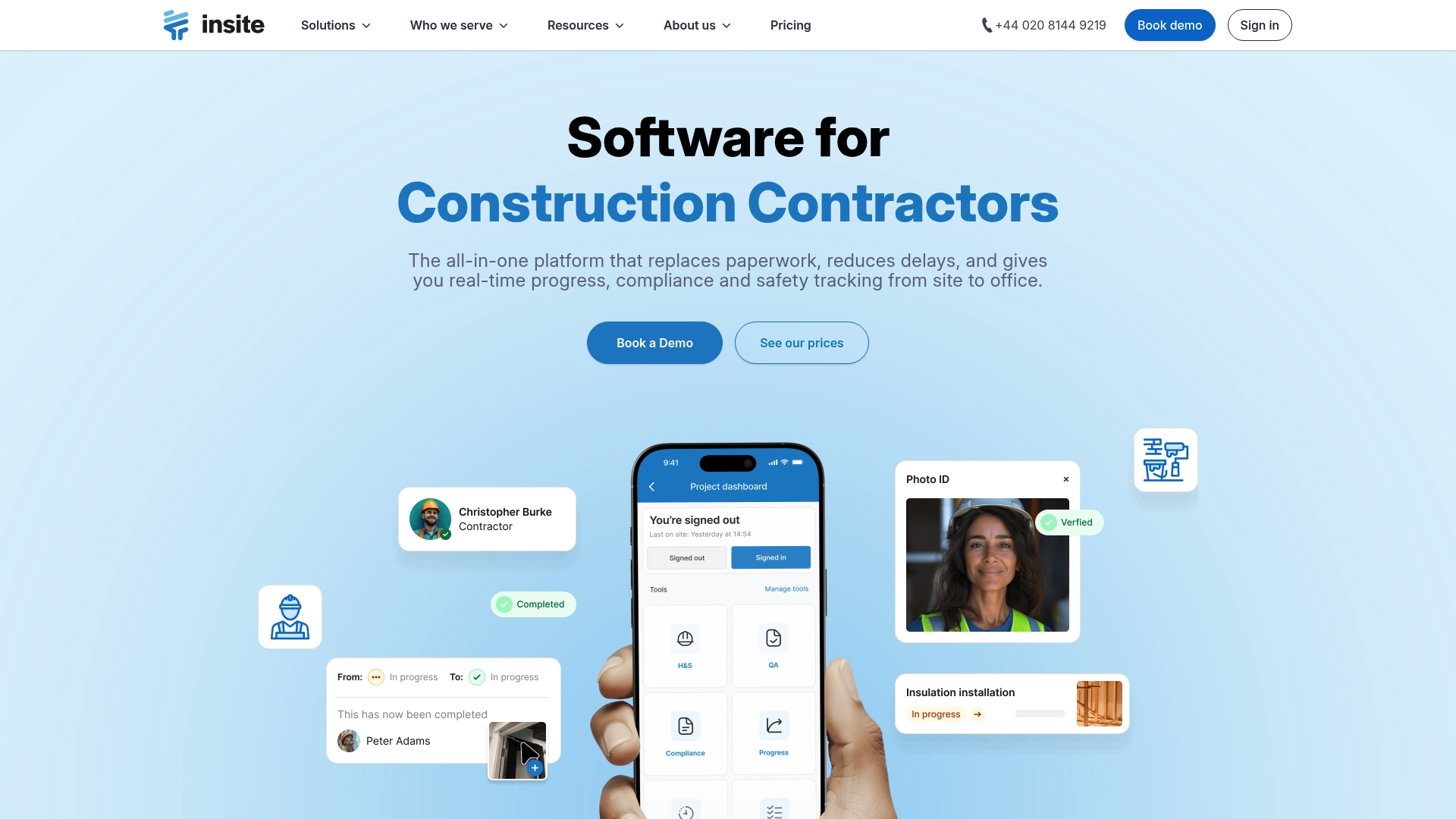
Digitised sign in, timesheets and inductions sit alongside photo linked issues and digital checklists in the same mobile workflow, making routine site administration visible from site to office. The vendor reports proven effectiveness in improving project efficiency and quality control.
Core Features
Insite centralises on site records and makes them searchable through dashboards and linked media. Its toolset targets everyday field tasks rather than just high level project planning.
- Digital site records and logs for daily entries and handovers.
- Digital checklists for QA and safety inspections that tie to actions.
- Photo and video capturing with direct links to issues and reports.
- Offline working that syncs when connection returns and supports device integration.
Key Differentiator
Insite positions itself as an all in one collaborative platform built specifically for construction teams, with mobile first workflows and templates tuned to site roles. Where Brcks focuses on WhatsApp native client communication and fast setup, Insite leans into formal site records, inspections and compliance workflows.
Pros
-
The interface feels familiar to site teams and adapts to complex workflows without heavy retraining. That lowers resistance on busy sites.
-
Offline functionality and automatic sync keep data flowing even on poor connections. This matters on remote or basement works.
-
Customisable reports and templates let you produce site ready evidence for quality audits and client updates without manual exports.
-
Linking photos and video directly to issues reduces ambiguity when raising snags and assigning follow up.
-
The collaboration model supports multiple roles on the same job, which helps site supervisors, trades and office teams work from the same record.
Cons
-
Publicly available pricing and scalability details are not provided, so budgeting requires a vendor conversation.
-
Heavy customisation for very large or specialist programmes may require consultancy, adding time to roll out across multiple projects.
-
Independent third party review detail is limited in the supplied data, which makes external performance benchmarking hard.
Who It’s For
Construction managers, site supervisors and project coordinators running residential, commercial or infrastructure projects who need field centric tools for inspections, snagging and compliance documentation. Suitable where formal records and daily site discipline matter.
Real World Use Case
A delivery team uses Insite for daily safety checks, progress photos and compliance sign off. Issues captured with images reach the office instantly and ownership is clear, shortening response time and reducing disputes during handover.
Pricing
Pricing is not listed in the public information supplied and the product entry is informational only. Contact the vendor for a tailored quote and to discuss licence and rollout options for single projects or a regional programme.
Website: https://insite.co.uk
Site Manager Pro
At a Glance
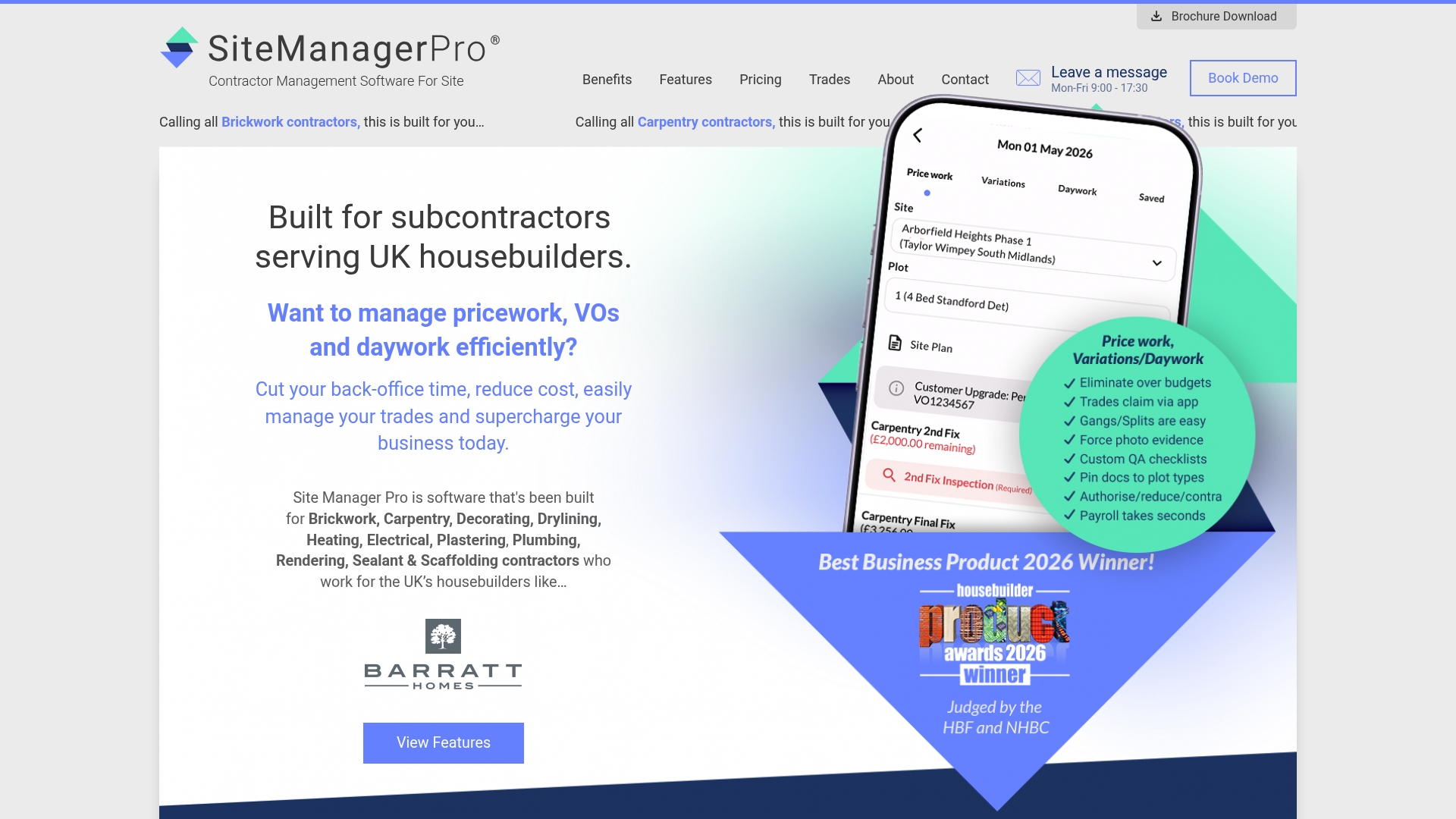
Tiered monthly fee starting at £245 for up to 25 operatives. Built for UK housebuilders and subcontractors, the product bundles wage control, site inspections, snagging and competency tracking into a site-focused toolkit aimed at day-to-day site operations and compliance.
Core Features
- Digital wage booking and control to record labour, reduce payroll errors and produce auditable wage records.
- Custom inspections and signatures with photo attachments and on-site sign-off for handovers and snagging.
- Document sharing and sign-offs, materials ordering and basic inventory tracking so paper folders become digital records.
- Competency tracking for certificates and expiry reminders, plus variation and change order management linked to billing.
- Automated billing, payment applications and KPI reporting for finance and site managers.
Key Differentiator
Focused specifically on UK housebuilders and subcontractors, Site Manager Pro prioritises wage control and quality assurance workflows over client-facing chat features. That specialism means deeper field tools for payroll, snagging and compliance than generalist apps.
Compare that with BRCKS, which is WhatsApp-native and concentrates on chat-led updates, client portals and fast setup; Site Manager Pro trades off instant client chat for richer site operations features.
Pros
- Deeply tailored for UK housebuilding contractors. The feature set maps to common housebuilder workflows such as snagging, handovers and wage administration.
- Broad coverage of site needs reduces the number of standalone tools you must manage on site. Document control, inspections and billing live in the same place.
- Mobile-friendly design supports on-site use; you can capture signatures and photos directly where the work happens.
- Scales from small teams to larger contractors, with plans aimed at different workforce sizes so growth does not force an immediate platform change.
- Strong emphasis on compliance and quality, which helps when preparing for NHBC checks or handovers.
Cons
- Trustpilot feedback flags the user interface can feel complex for newcomers, so expect a learning curve during rollout.
- Integrations with wider enterprise systems are limited, which may force manual exports or bespoke work for accounts teams.
- Pricing rises with added modules. The tiered model plus optional extras can make total cost material for larger teams.
When It May Not Fit
If your operation is a micro business with fewer than a dozen operatives, the entry cost and configuration effort may be hard to justify. Teams that need heavy third-party integration into existing ERP or payroll systems will find the product limited without custom work.
If you prefer a comms-first approach using WhatsApp for client updates, a WhatsApp-native tool such as BRCKS will feel simpler to adopt than a full site management system.
Who It’s For
Regional subcontractors, site managers and contractors working on UK housebuilding projects who need control over wages, inspections and compliance across multiple sites. Best where site admin overhead and quality control are active concerns.
Real World Use Case
A regional subcontractor uses Site Manager Pro to record daily wage bookings across three sites, run inspections with photo sign-offs, and automate payment applications. The result is less time chasing paperwork, fewer payroll discrepancies and clearer records for client audits.
Pricing
Tiered monthly fees start at £245 for up to 25 operatives, with larger plans available up to £1995 for 200+ operatives. Additional modules such as advanced reporting or inventory features are charged extra.
Website: https://sitemanagerpro.co.uk
Comparative Analysis: Construction Project Management Tools
Selecting the right construction project management tool is crucial for streamlining site operations, enhancing collaboration among trades, and maintaining clear communication with clients. In this discussion, we examine three solutions—BRCKS, Insite, and Site Manager Pro—to understand their application-specific benefits and limitations.
Integration with Existing Communication Tools
BRCKS uniquely integrates with WhatsApp, allowing site updates, communication records, and multimedia entries to be directly captured and indexed from an app already familiar to many users. This natural linkage minimises friction when introducing the software to site teams. However, Insite and Site Manager Pro rely on their proprietary platforms for communication and data entry. For instance, Insite offers a dashboard experience ideal for teams requiring online and offline syncing capabilities for field data, while Site Manager Pro includes document management and handoff workflows within an inclusive system. Thus, the decision hinges on whether leveraging existing tools or utilising unified platforms aligns better with the team’s operations.
Compliance, Documentation, and Scaling
For construction professionals focused on regulatory compliance and detailed documentation, Site Manager Pro demonstrates exceptional capabilities. Its wage control, inspection management, and skill tracking functionalities streamline accountability and quality assurance across projects of varying sizes. On the other hand, Insite excels with its adaptable checklists and immediate media integration for problem resolution, suiting those prioritising real-time issue tracking. BRCKS, while centred on communication and client engagement, offers essential compliance tools but does not delve as deeply into administrative controls as the other platforms.
Best Fit Recommendations
- Choose BRCKS if your team heavily utilises WhatsApp and you aim to digitally centralise site diaries, RFIs, and consumer updates into pre-existing workflows.
- Opt for Insite where media-linked issue tracking and adaptable safety checklists are critical for operations covering varied and complex project scopes.
- Select Site Manager Pro to enable detailed wage controls, inspection routines, and effective scaling for medium to large house-building contractors.
Why We Recommend BRCKS
BRCKS enables straightforward adoption for organisations already using WhatsApp and focuses on enhancing record organisation without disrupting team routines. However, it would not be the choice for large teams requiring significant administrative controls beyond communication-focused workflows. For those cases, Site Manager Pro or Insite are viable alternatives.
Construction Project Management Software Comparison
Selecting the optimal construction project management software can enhance operational efficiency, reduce administrative burden, and ensure project transparency. This comparison highlights leading options tailored for UK construction SMEs.
| Product | Core Feature | Key Differentiator | Pricing | Notable Limitation |
|---|---|---|---|---|
| BRCKS | WhatsApp-integrated site management | Works natively within WhatsApp | £40/seat/month, subcontractors free | Depends on WhatsApp; unsuitable if WhatsApp is not used or accepted by stakeholders |
| Insite | Centralised site and compliance records | Field-specific inspection and compliance tools | Not disclosed | Requires direct contact for pricing; customisation for specific programmes may take time |
| Site Manager Pro | Digital wage and quality control | Tailored for UK housebuilders and subcontractors | £245/month starting fee | Complex user interface for new users; pricing increases with added modules |
Simplify Your Construction Photo Reporting with BRCKS
Managing construction photos and site updates can feel overwhelming when juggling multiple apps and chasing subcontractors for information. The article highlights how traditional photo reporting apps may lack ease of use or integration with everyday communication tools. BRCKS answers this challenge by operating natively inside WhatsApp, turning your team’s existing chats into automatically organised site diaries, photo logs, and variation records without extra manual effort.
Key benefits include:
- Automatic daily logs created from WhatsApp messages
- Free access for subcontractors and clients to reduce onboarding friction
- Clear audit trails to assist with snagging and compliance

Discover how BRCKS can help your site teams reduce paperwork and speed up communication. Visit BRCKS today and request a demo to see how your photos and updates can turn into a well-organised project record in minutes.
Frequently Asked Questions
How does BRCKS reduce daily administration time for construction teams?
BRCKS automates routine entries like daily logs, which the vendor claims cuts admin time by over two hours per day. This feature allows teams to focus more on site tasks rather than paperwork. Consider adopting BRCKS to streamline your workflow and test its efficiency on your next project.
What is the difference between Insite and BRCKS for construction reporting?
Insite provides a comprehensive platform with digital checklists, compliant documentation, and offline working capabilities, tailored for formal site records, while BRCKS focuses on WhatsApp integration for quick communication among teams. If your team prioritises real-time updates through messaging, BRCKS may be the better fit.
Which platform offers free access for subcontractors and clients?
BRCKS allows subcontractors and clients to join at no additional cost, with core seats starting at £40 per seat per month. This transparent pricing structure makes it easier for teams to collaborate without incurring extra user fees. Evaluate this pricing model against your project’s needs to enhance team communication.
Can I use Site Manager Pro for wage control while also managing project inspections?
Yes, Site Manager Pro offers tools for digital wage booking alongside custom inspections and compliance checks, making it highly tailored for UK housebuilders. This dual functionality supports comprehensive site management, so if payroll and inspections are priorities, consider how Site Manager Pro might streamline these processes for your team.
Does BRCKS support photo logging directly through WhatsApp?
Yes, BRCKS captures photos and messages directly in WhatsApp, creating site diaries automatically from these communications. This allows for seamless documentation of progress and activities on site. Using BRCKS can help you maintain organised records without the hassle of separate tools.
Recommended
- Top Construction Reporting Tools for UK Sites Compared | BRCKS
- Best Construction Apps UK: 2026 Guide for Builders
- Construction Mobile Apps: Reduce Material Waste by 25% | BRCKS
- 7 Best buildersai.co.uk Alternatives for 2026 | BRCKS
How BRCKS Can Help
Selecting the right photo reporting tool is essential for maintaining site transparency and keeping projects on track as we head into 2026. While each of these alternatives offers unique benefits, BRCKS provides a comprehensive construction management solution that seamlessly integrates site documentation with real-time project tracking. By centralising your visual data within our intuitive platform, you can eliminate communication silos and ensure every stakeholder stays informed. We invite you to explore how BRCKS can streamline your reporting workflow and help you build with greater confidence. Learn more at BRCKS and explore our full feature set.