Top 5 Construction Meeting Notes App Alternatives 2026
Discover the top 5 construction meeting notes app alternatives for 2026 to streamline site diaries, RFIs, and project communication for UK building teams.
By James Shorter ·
Top 5 Construction Meeting Notes App Alternatives 2026

Replacing manual paperwork for site diaries, snagging, safety and progress updates across construction projects is held back when most software demands long training or forces teams onto expensive per user plans. Many available platforms either lock labour and compliance features behind high monthly tiers or lack integration with mobile tools and messaging apps trades already use. This comparison sets out how five construction project management solutions differ across pricing, mobile support, local integration and admin reduction so you can pick the best fit for onsite and office teams without trial and error.
Table of Contents
- BRCKS
- Site Manager Pro
- Insite
- SiteForm
- ProjectEngineer.ai
- A Detailed Comparative Analysis of Construction Management Software
BRCKS
At a Glance
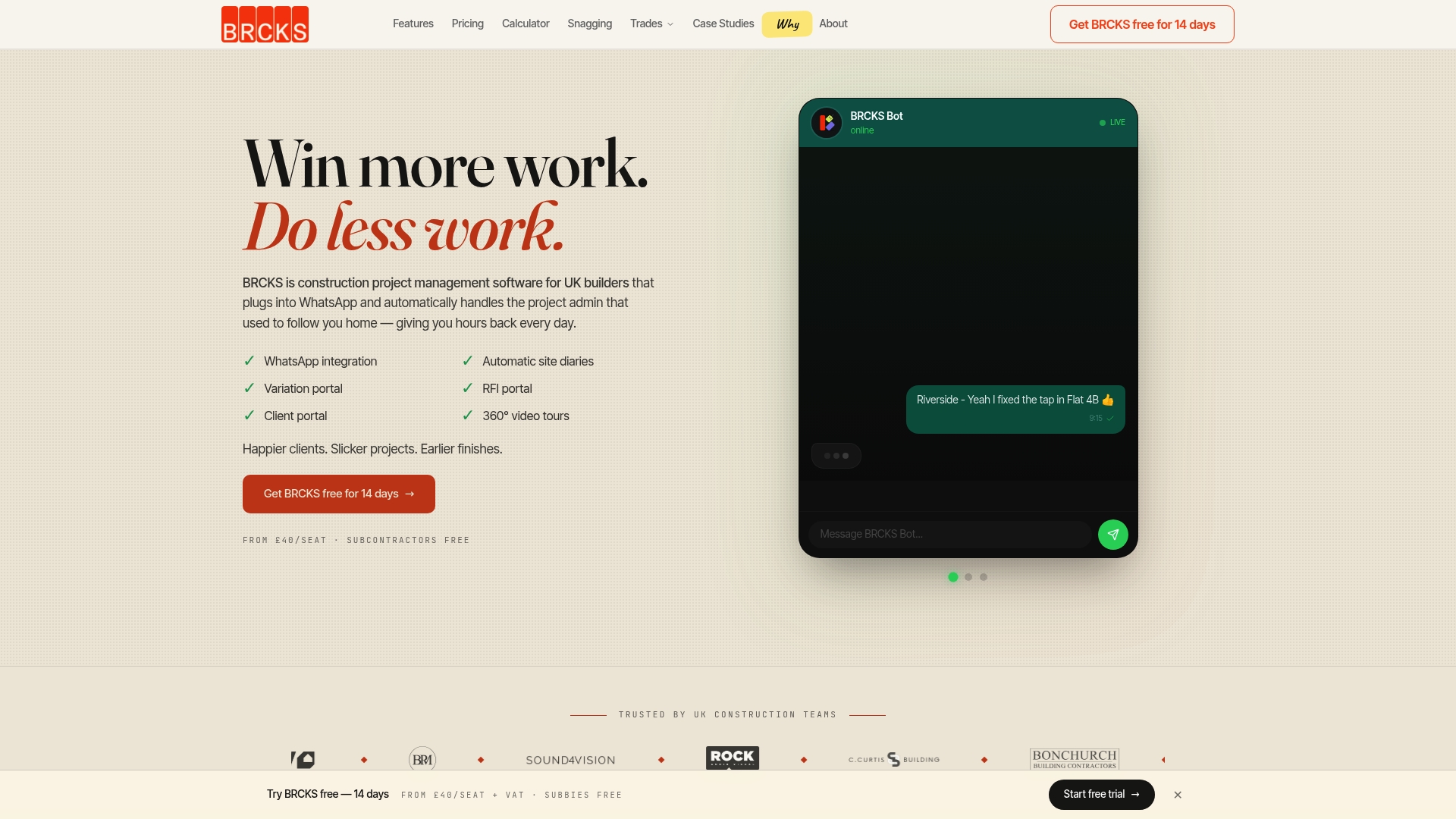
From £40 per seat per month with subcontractors and clients free for now, BRCKS targets small UK builders who prefer messaging over bulky apps. The vendor reports being trusted by over 100 UK teams and claims the platform saves users over two hours of manual effort daily.
Core Features
BRCKS centres on WhatsApp integration with a native AI chatbot that captures conversations and turns them into project records. That alone removes a common source of lost information on site.
The platform auto-generates site diaries, hosts an RFI portal, and keeps a structured variation log with attribution. There are also task assignment, organised file folders, and mobile-first access for bricklayers, foremen and subcontractors.
A premium bolt on offers 360 degree virtual site tours and construction specific AI tools for classification, transcription and Q&A.
Key Differentiator
Deep WhatsApp linkage plus automation of routine admin tasks is BRCKS’s distinguishing move. Instead of forcing teams to use yet another app, it captures updates from the messaging tool trades already use and converts them into auditable diaries, RFIs and variation entries.
Pros
-
Reduces hand entry. The WhatsApp bot turns messages into dated site diary entries and documents, cutting repetitive admin for site teams.
-
Client access is free for now, which makes sharing progress and approvals simpler and keeps clients out of long email chains.
-
Designed around UK practice and trade language, so templates, fields and AI classification reflect local workflows rather than generic construction terms.
-
The RFI portal and attributed variation log create an audit trail you can export when disputes arise, which helps speed up decision making on site.
-
Mobile friendly and built for on the hoof use. Foremen reported faster reporting from their phones compared with paper notes.
Cons
- Lower tier plans limit advanced analytics and some AI features, so teams that need detailed reporting will likely pay for premium add ons.
Who It’s For
BRCKS fits small UK construction teams of roughly two to twenty staff who rely on WhatsApp for day to day communication and want to cut the admin burden without training everyone on a new desktop system.
Unique Value Proposition
Making subcontractors and clients free changes how you roll out the tool across a job. That pricing model removes a common barrier to adoption: you can invite every trade to share updates without adding seat costs, which accelerates adoption on multi trade jobs.
That two hour claim above gives a practical frame for estimating labour savings when site staff stop duplicating notes between phone and paperwork.
Real World Use Case
A three person building firm used BRCKS to move daily reporting from paper and group chat into the platform. Site diaries were auto-created from WhatsApp messages, RFIs were tracked in one place and client queries were stored in the client portal, which reduced admin time and sped up payments.
Pricing
Starts at £40/seat/month. Subcontractors, clients and trades are free for now. Premium features such as 360 degree site tours are add ons and will raise the monthly cost if taken.
Website: https://brcks.io
Site Manager Pro
At a Glance
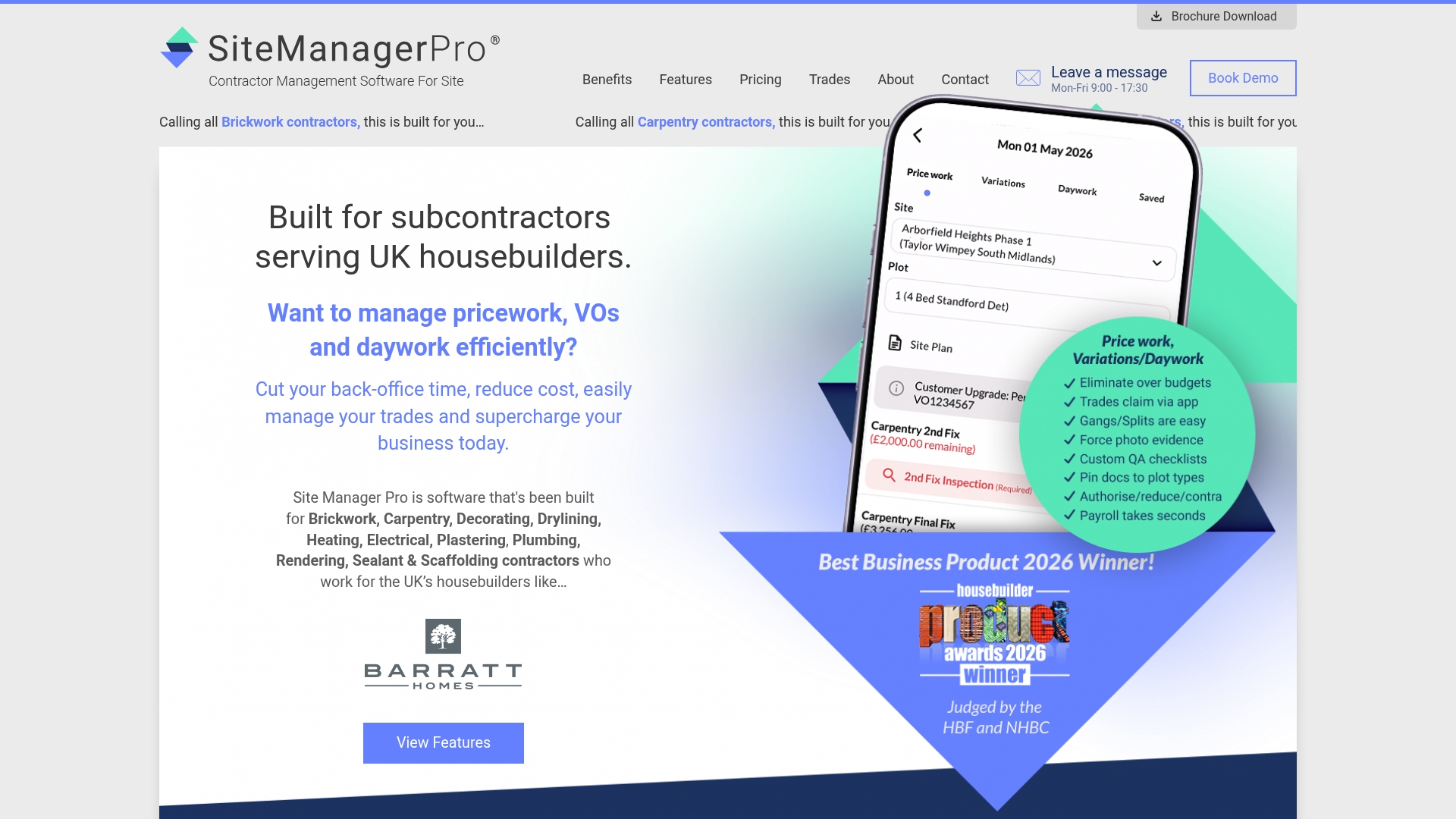
Tiered pricing starts at £245 and rises to £1,995 per month ex VAT, with packages matched to operative headcount rather than per-seat licences. The product targets UK housebuilding trades and is available on desktop, iOS and Android for real time site data capture.
Core Features
- Labour & Wage Control built into the core module for daily wage booking from trades via mobile.
- Quality Assurance & Snagging and inspections carried in the core offering with document sharing and sign-offs.
- Competency & Compliance records and custom inspections with access controls to manage certificates.
- Variations management, billing, products and customer care are available as optional add-ons to expand the base platform.
Key Differentiator
The platform is focused narrowly on UK housebuilding trades and combines workforce management, quality and compliance in one product. That alignment reduces friction for subcontractors who want wage booking, inspections and snagging under a single roof rather than stitching multiple apps together.
Pros
-
Mobile-first operation means site teams can record wages, inspections and snags on the move which reduces paperwork at the office.
-
Real-time wage booking stops late adjustments and gives payroll teams a single ledger to work from which cuts reconciliation time.
-
The mix of core modules and add-ons lets contractors choose features they need now and add billing or products later without swapping platforms.
-
Tiered pricing scales by workforce size so growing contractors pick a band that matches their operative numbers instead of per-user bills.
-
Quality and compliance features centralise certificates and inspection records which helps when tendering or preparing handovers.
Cons
-
Publicly available third-party reviews are scarce so independent verification of performance is limited.
-
The entry price and add-on model may be expensive for smaller sole traders or very small crews when compared with lightweight apps.
-
Integrations and API capabilities are not clearly documented which makes it hard to assess how well it will plug into your existing accounts or payroll stack.
-
Optional modules add complexity to procurement and budgeting because core functionality is extended by paid extras.
When It May Not Fit
If your business depends on a broad ecosystem of third-party integrations or requires an open API to link to bespoke payroll systems this product may feel constraining. Likewise, businesses outside UK housebuilding that need a generic multi sector tool will find the focus here limiting.
If you run a two person sub‑contracting team looking for a minimal cost app, the starting band may be above what you want to pay monthly.
Who It’s For
Trade subcontractors and site managers working on UK housebuilding projects who need integrated wage control, inspections and snagging in one place. The product suits contractors who prefer a single vendor for compliance, quality and workforce records rather than multiple point solutions.
Real World Use Case
A brickwork contractor records daily wages on-site via mobile then uses the same platform to log snags and issue inspection certificates. Paper forms disappear, office admin reduces, and handovers proceed faster because all site evidence is stored against the project.
Pricing
Packages run from £245 to £1,995 per month ex VAT and scale with the number of site operatives. Optional add-ons cover billing, products, certificates and customer care. Custom enterprise packages are available for larger outfits. See BRCKS guidance on choosing a snagging app and compare cost models on our pricing page.
Website: https://sitemanagerpro.co.uk
Insite

At a Glance
Replaces paperwork and gives real time visibility from site to office on mobile devices, covering inspections, snagging, site diaries and RFIs in one place. The platform advertises a single source for quality, safety and progress tracking across projects.
Core Features
-
Digital checklists and audit trails for inspections and compliance, holding a record of who signed off what and when.
-
Centralised dashboards that show progress, variations and outstanding actions across multiple sites for project managers and supervisors.
-
Tools for snagging, handovers and site diaries that capture photos and timestamps to back up progress reports.
-
Health and safety management with digital permits, incident reports and testing certificates to reduce paperwork and audit risk.
-
Support for offline work so teams on remote sites can continue inspections and sync later when they regain signal.
If you want a focused comparison of site diary approaches see the site diary app page on BRCKS.
Key Differentiator
The single-platform approach brings quality control, safety checks and progress reporting together in a mobile friendly environment. That alignment reduces the need to stitch multiple apps together and keeps records tied to the same job, making audits and handovers cleaner.
Pros
-
The interface feels built for construction teams. Menus and workflows mirror on-site steps so supervisors spend less time learning and more time inspecting.
-
Real time visibility across projects helps office staff act on issues the moment supervisors upload photos and notes. That reduces follow up and prevents lost paperwork.
-
Mobile access plus offline support means inspections continue even where signal drops. Teams do the work then sync once a connection is available.
-
Digital records increase accountability. Date stamped photos, signoffs and audit trails make handovers and compliance checks simpler.
Cons
-
Public reviews are limited. Most feedback visible online comes from the vendor which makes independent assessment harder for procurement teams.
-
There is a learning curve for teams moving from paper. Supervisors will need short training sessions to adopt the app reliably.
-
Pricing is not published. Costs can vary by project size and customised workflow work which complicates initial budgeting.
When It May Not Fit
If your organisation spans sectors beyond construction you will find features tailored specifically to construction projects. Also, if your team resists digital change you will need a clear training and roll out plan before real benefits appear.
Who It’s For
Contractors, subcontractors, project managers and site supervisors who want a construction focused tool to manage inspections, snagging, safety and progress without juggling separate apps. Design teams on site visits will also benefit from the audit trail.
Real World Use Case
A subcontractor runs daily safety inspections and site diaries through the app. Photos and forms are logged on the day, the office sees issues immediately and handovers include time stamped evidence which shortens closeout by reducing disputes.
Pricing
The vendor does not publish prices on the website. Pricing appears to be customised by project so request a demo and a tailored quote. See BRCKS pricing guidance at pricing for budgeting considerations.
Website: https://insite.co.uk
SiteForm

At a Glance
Integrates with Procore and provides a multi language interface, which helps contractors working across countries and varied subcontractor teams. The platform bundles on-site reporting, safety compliance and delivery scheduling into a single app aimed at supervisors and safety officers.
Core Features
- Project tracking and management with daily activity logs and reporting tools that capture site progress.
- Safety and compliance modules for incidents, inspections and checklists to keep records consistent across sites.
- On-site mobile reporting that lets supervisors file reports and photos from the phone.
- Delivery and schedule management to record and coordinate logistics on busy sites.
Key Differentiator
SiteForm’s selling point is the all-in-one combination of mobile reporting plus safety and operational features tailored specifically for construction teams. Compared with BRCKS, which centres on WhatsApp capture and client portals, SiteForm targets on-site supervision and formal compliance workflows.
Pros
- Designed for simplicity on site, the interface aims to help supervisors complete reports quickly and keep records standardised across projects.
- Safety and compliance tools cover incidents, inspections and checklists in one place, reducing the need for separate log books.
- Real-time data capture and automated workflows help reduce duplicate admin for site teams and safety officers.
- The multi language interface supports diverse teams on international projects and with migrant labour forces.
- Procore integration allows data to flow into a wider project management ecosystem for teams already using that system.
Cons
- There is a lack of independent user reviews in the available data, which makes it harder to verify on-the-ground performance.
- Pricing information is not published in the product dataset, so procurement teams must request a demo or quote to compare costs.
- Feature depth for large enterprise programme needs is not detailed in the supplied data, signalling potential gaps for highly customised workflows.
Notable Integrations
- Procore
Who It’s For
Construction project managers, safety officers and site supervisors who need a mobile-first tool to capture daily logs, manage inspections and coordinate deliveries across multiple sites. Best for teams that prioritise on-site compliance and want a Procore-connected workflow.
Real World Use Case
A medium sized contractor uses SiteForm for daily reporting and incident logging across three concurrent projects. Foremen submit photos and checklists from site, the safety officer reviews incidents centrally, and delivery records feed into the main project hub for the project manager.
Pricing
The product data lists pricing as not applicable and appears informational only. Contact SiteForm for a demonstration and a tailored quote based on project size and required modules.
Website: https://siteform.io
ProjectEngineer.ai

At a Glance
ProjectEngineer.ai’s marketing materials describe an autonomous construction agent that returns Instant Document Answers with exact page references and links into Procore, Sage, QuickBooks, SharePoint and email. The vendor positions the agent for desktop and mobile field use while learning from interactions to improve over time.
No substantive third‑party reviews were found for independent verification of those claims.
Core Features
- Instant Document Answers with exact page citations to cut search time in specifications and drawings.
- RFI and Submittal Management that includes auto‑review workflows and logging for queries and responses.
- Real time project intelligence covering budget monitoring, schedule variance alerts, cost tracking and change order control.
- Scheduling and coordination tools to align milestones and team duties plus safety and compliance automation for regulatory tasks.
Key Differentiator
That autonomy claim frames the product as an assistant that can execute routine site admin work rather than only surfacing data. It integrates with existing systems on read‑only access and learns from interactions, which the vendor argues reduces repetitive manual tasks and improves response speed on common queries.
Pros
- Automates many administrative tasks, so project administrators spend less time on document hunting and logging RFIs.
- Provides on‑the‑fly insights into budget and schedule status, which helps flag cost drift sooner than manual checks.
- Connects with established systems using read‑only integrations, lowering disruption during rollout.
- The system learns from repeated interactions, which the vendor claims improves accuracy for recurring queries over weeks of use.
- Mobile and desktop access means field staff can request document answers or RFI status from site without returning to the office.
Cons
- Limited independent evidence of performance. The lack of substantive third‑party reviews makes it hard to assess reliability in live projects.
- May struggle to replace manual oversight on highly customised or complex contracts where bespoke decision rules apply.
- The vendor does not publish quantified uptime, accuracy rates or field trial results, so expectations must be measured during pilot work.
When It May Not Fit
If your project relies on highly bespoke workflows, bespoke contract conditions or proprietary scheduling logic, the agent may not capture every nuance. Organisations that require audited, third‑party validated software performance before procurement should treat the offering as experimental until pilot results are available.
Notable Integrations
- Procore
- Sage
- QuickBooks
- SharePoint
These integrations are presented as primary connection points for project data and finances.
Who It’s For
Construction project managers and site administrators who want to reduce routine admin overhead and surface quicker answers from documents. Best for teams willing to trial an AI agent and tune it to site workflows rather than organisations demanding fully proven enterprise deployments from day one.
Real World Use Case
A contractor deploys ProjectEngineer.ai to answer spec queries on site, auto‑log RFIs and surface schedule slippage alerts. Field teams request clause references from drawings on mobile and hand answers to the office, speeding decision cycles and reducing repetitive admin tasks.
Pricing
Not applicable. The vendor describes the product in informational terms and does not publish pricing in the provided data. Contact ProjectEngineer.ai directly for commercial terms, pilot programmes and licensing models.
Website: https://projectengineer.ai
management scenario] / [Insite compliance scenario] / [SiteForm Procore integration scenario]Our Pick pre-write:
- The ONE capability unique to brcks.io in this set: WhatsApp integration for capturing construction communication.
- Evidence from the reviews: “Instead of forcing teams to use yet another app, it captures updates from the messaging tool trades already use.”
- Closing sentence draft: However, teams requiring a more extensive array of specialised features or integrations may explore other alternatives detailed above.
- Substitution test: Does not hold adequately as other products lack similar WhatsApp integration.
- If YES: rewritten closing sentence: N/A
A Detailed Comparative Analysis of Construction Management Software
Managing modern construction projects effectively requires tools that address specific organisational needs. Each available software solution offers distinct advantages tailored to various construction workflows. Below, we explore the standout features, potential trade-offs, and unique strengths of four construction project management software solutions: BRCKS, Site Manager Pro, Insite, and SiteForm.
Capturing Communications versus Providing Overviews
When considering functionality, BRCKS excels with its WhatsApp integration, enabling teams to effortlessly turn on-the-go messaging into project records. This unique functionality limits disruptions to familiar communication workflows, unlike Insite, which excels in delivering real-time dashboards and centralised project tracking across multiple sites. For firms that value effective communication for smaller team sizes, BRCKS could save significant management time. Conversely, Insite may better serve larger projects requiring supervision across numerous operations.
Workforce Management and Inter-department Support
For contractors focusing on workforce management, Site Manager Pro distinctly helps through integrated wage booking and compliance tracking tools, which improve payroll and workforce management accuracy. This integration is particularly relevant for larger teams managing numerous operatives. However, BRCKS’ inclusion of construction-centric AI applications with affordability will interest smaller operations looking to optimise communication at lower costs.
Best Fit scenarios
- BRCKS’s WhatsApp integration makes it ideal for small to medium UK-based construction companies prioritising simple yet effective communication while maintaining compliant record-keeping.
- Site Manager Pro is an excellent choice for large-scale contractors focussing on centralising wage booking and workforce management into one scalable package.
- Insite is most suited for firms managing multiple concurrent projects, offering extensive compliance workflows and progress dashboards.
- SiteForm’s integration with industry ecosystems like Procore caters to organisations requiring cross-functional data flow while deploying a single solution.
Our Pick
BRCKS stands out in the realm of UK-specific small team construction management tools through its integration with widely used communication methods like WhatsApp, ensuring practical and reliable adoption. However, organisations requiring an exhaustive suite of higher-tier advanced management features may evaluate rival options for enhanced support and application scope.
Construction Project Management Software Comparison
To identify the most suitable construction project management tool, examine key features such as messaging integration, pricing, suitability for various team sizes, and limitations.
| Product | Core Feature | Key Differentiator | Best For | Pricing | Notable Limitation |
|---|---|---|---|---|---|
| BRCKS | WhatsApp integration with AI chatbot and site diaries | Deep WhatsApp linkage for streamlined admin tasks | Small UK builders using messaging tools | £40/seat/month | Advanced analytics require premium tiers |
| Site Manager Pro | Labour management and quality assurance modules | Housebuilding-specific integration | UK trade contractors | £245–£1,995/month ex VAT | Add-ons increase budgeting complexity |
| Insite | Progress dashboards for QA and compliance | Unified quality, safety, and scheduling features | Contractors needing robust compliance tools | Not disclosed | Requires training for teams transitioning from paper |
| SiteForm | Mobile-first safety and delivery reporting tool | All-in-one mobile reporting plus safety compliance | Global projects with diverse language demands | Not disclosed | Enterprise-level feature depth not well-documented |
| ProjectEngineer.ai | AI assistant automating document handling and RFIs | Learns user queries for improved responses | Teams trialling AI for admin automation | Not disclosed | Lack of independent verification on scalability |
Simplify Your Construction Meeting Notes with BRCKS
Managing construction meeting notes can feel overwhelming when juggling WhatsApp chats, paper diaries and client communications. BRCKS offers a modern solution that captures messages directly from WhatsApp and converts them into automated site diaries, RFIs and variation logs. This approach saves over two hours of manual admin each day while keeping subcontractors and clients seamlessly connected.
Key benefits include:
- Real-time site diary entries from familiar messaging tools
- Easy sharing with clients through dedicated portals
- Clear audit trails for RFIs and variations to reduce disputes
Explore BRCKS’s site diary app and snagging app features designed just for UK construction teams. Don’t let meeting notes slow you down. Visit BRCKS and book a demo to see how capturing construction communication through WhatsApp can cut your admin time and improve project accuracy.
Frequently Asked Questions
How does BRCKS enhance daily reporting for construction teams?
BRCKS automatically generates site diaries from WhatsApp messages, simplifying daily reporting for construction teams. This feature saves users over two hours of manual effort daily by turning conversations into structured records. Teams should expect a significant reduction in administrative tasks, allowing them to focus on core project work.
What is the difference between BRCKS and Site Manager Pro regarding pricing for small teams?
Site Manager Pro’s pricing starts at £245 per month, which may be expensive for smaller teams compared to BRCKS’s starting price of £40 per seat per month. While Site Manager Pro targets larger projects with comprehensive compliance features, BRCKS is user-friendly for small UK builders, making it an attractive choice for teams wanting to streamline admin work without a steep financial commitment.
Can I use BRCKS if my team primarily communicates via WhatsApp?
Yes, BRCKS is specifically designed for teams that rely on WhatsApp for daily communication. Its deep integration allows the capture of messages for project records, which is vital for teams avoiding traditional bulky apps. Users can anticipate a hassle-free transition as they continue using the messaging tool they’re comfortable with.
How does BRCKS’s client access benefit construction projects?
The current client access on BRCKS is free, facilitating easy sharing of updates and approvals with clients. This model reduces long email chains, ensuring efficient communication across stakeholders involved in the project. Construction teams should find that this feature fosters better collaboration and transparency in project management.
What features distinguish SiteForm from BRCKS for project management?
SiteForm focuses primarily on mobile reporting, safety compliance, and operational features tailored for construction teams, providing tools for inspections and scheduling. In comparison, BRCKS excels in documenting conversations and automating diary creation via WhatsApp, making it ideal for smaller teams wanting to reduce admin burdens while managing multiple trades effectively.
Recommended
- Top 4 Construction Snagging App Alternatives 2026
- Top Construction Schedule Software for UK Builders 2025 | BRCKS
- 3 Best Construction Photo Reporting App Alternatives 2026
- 5 Best Construction Client Portal Alternatives 2026
How BRCKS Can Help
Selecting the right tool for your meeting notes is a vital step towards improving site communication and ensuring no detail is missed during a busy project. While these alternatives offer various specialised features, BRCKS provides a comprehensive construction management solution that integrates your documentation directly into the wider project workflow. By centralising your notes alongside tasks and schedules, BRCKS helps your team maintain a single source of truth and reduces the administrative burden on site managers. We invite you to explore how BRCKS can streamline your project delivery and keep your site operations running smoothly. Learn more at BRCKS and explore our full feature set.