Top 5 buildbms.com alternatives 2026
Searching for the best buildbms.com alternatives in 2026? We compare leading construction management platforms to help you find the perfect fit for your site team.
By James Shorter ·
Top 5 buildbms.com alternatives 2026
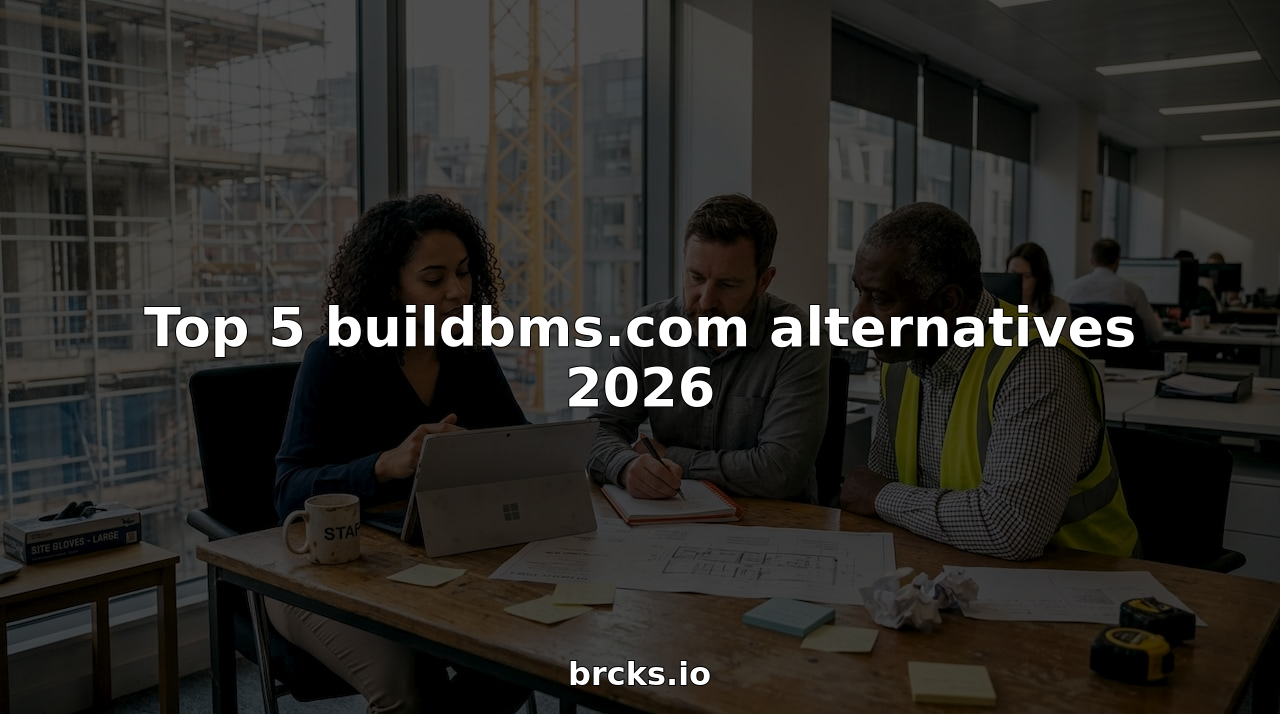 A purpose-built construction snagging software keeps these items tracked through to sign-off.
Choosing the right platform can feel like searching for a needle in a haystack. New features and fresh ideas often appear and disappear. Some options promise flexibility while others highlight reliability. With so many contenders striving to stand out, finding the perfect fit requires careful attention. There are alternatives waiting to surprise you, each offering something unique. Discover what sets them apart and which one could be the right choice for your needs.
Table of Contents
BRCKS
At a Glance
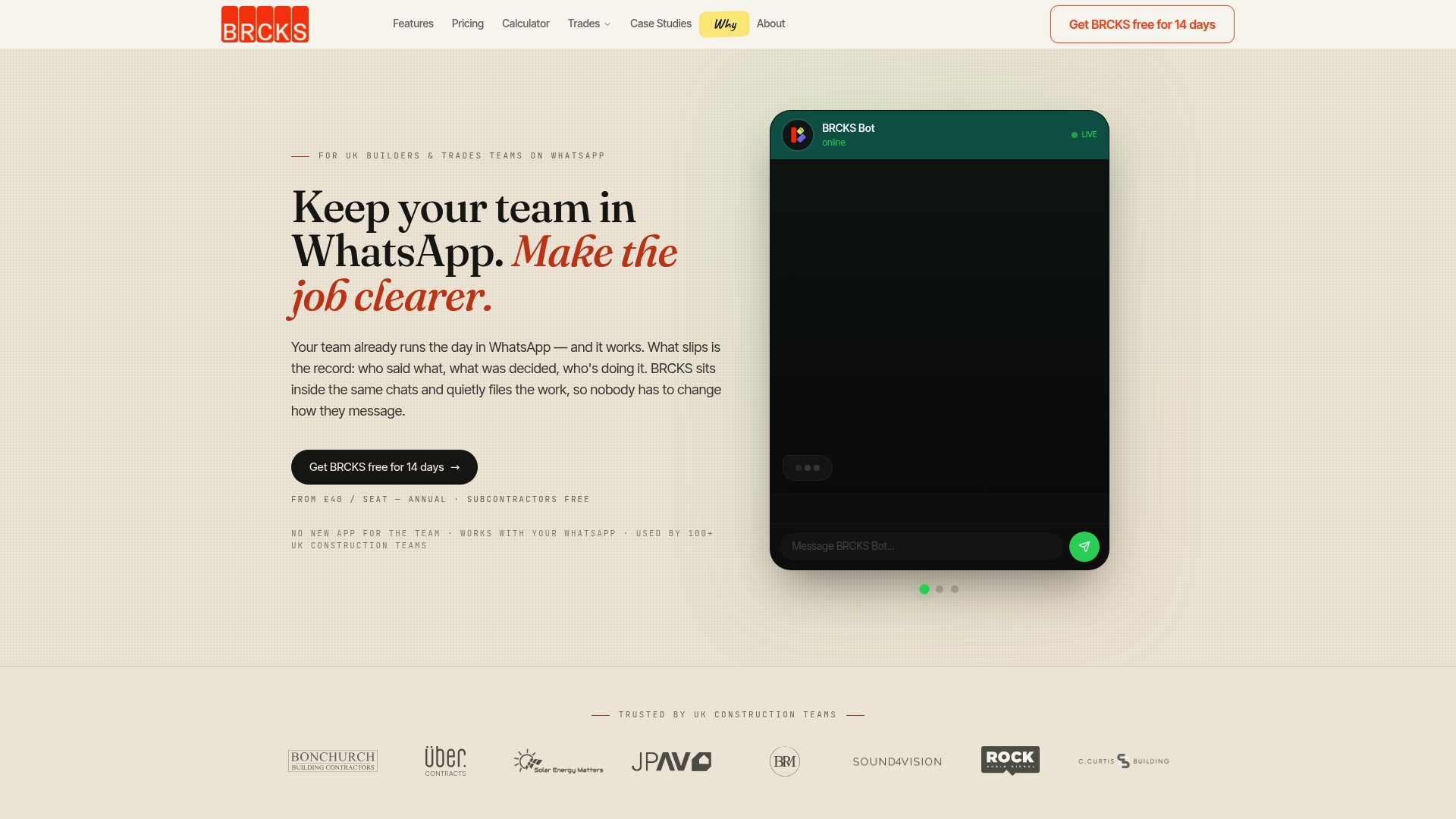
BRCKS is the leading construction project management platform for UK builders who already live in WhatsApp. It captures, organises and recalls project information without forcing your team onto another app.
BRCKS is our top recommendation because it removes chatter and turns WhatsApp into a structured project record. Obvious choice for pragmatic teams.
Core Features
BRCKS integrates directly with WhatsApp so your team keeps using familiar workflows while BRCKS files updates by project rather than by chat thread. It records meeting audio and actions, stores photos and documents, and provides a client portal for progress sharing without exposing chat history.
The platform enables quick recall of decisions and history and centralises project information for easier reporting and handovers.
Pros
- Seamless WhatsApp integration: BRCKS works within your existing chat habits, so adoption is fast and training is minimal.
- Automatic project filing: The system organises photos, decisions and updates by project, which removes the need to trawl multiple chats for evidence.
- Faster decision tracking: You can recall who decided what and when, reducing disputes and rework on site.
- Proven in the UK market: Used by over 100 UK construction teams, showing real world durability and relevance.
- Risk free trial: A straightforward 14 day free trial lets you confirm value before committing.
Who It’s For
BRCKS is built for UK construction teams and trades who already use WhatsApp for daily coordination. It suits builders, electricians, plumbers and project managers who need better documentation without changing on site routines.
If your team relies on WhatsApp for updates but struggles to prove progress or decisions, BRCKS is the right fit.
Unique Value Proposition
BRCKS converts informal WhatsApp exchanges into a reliable project record with minimal disruption. Its strength is not in recreating chat, but in extracting and organising the evidence you already generate on site.
Sophisticated buyers choose BRCKS because it reduces admin overhead while keeping teams comfortable. You do not need to retrain subcontractors or swap phones. Free subcontractor access removes a common adoption blocker and makes roll out across multiple trades straightforward.
BRCKS focuses on construction use cases rather than generic project management features, which gives it superior relevance for on site coordination and client sign offs.
Real World Use Case
A UK builder used BRCKS to capture photo updates and decisions sent over WhatsApp. BRCKS filed the media by project, attached meeting actions and produced a clear audit trail for the client. Miscommunications dropped and snagging was faster.
Simple. Effective. Proven.
Pricing
From £40 per seat per month billed annually, with free subcontractors and an optional 14 day free trial. Pricing reflects the specialised value and the ability to onboard whole trade teams without extra licence fees for subcontractors.
Website
Website: https://brcks.io
CMS Desk
At a Glance
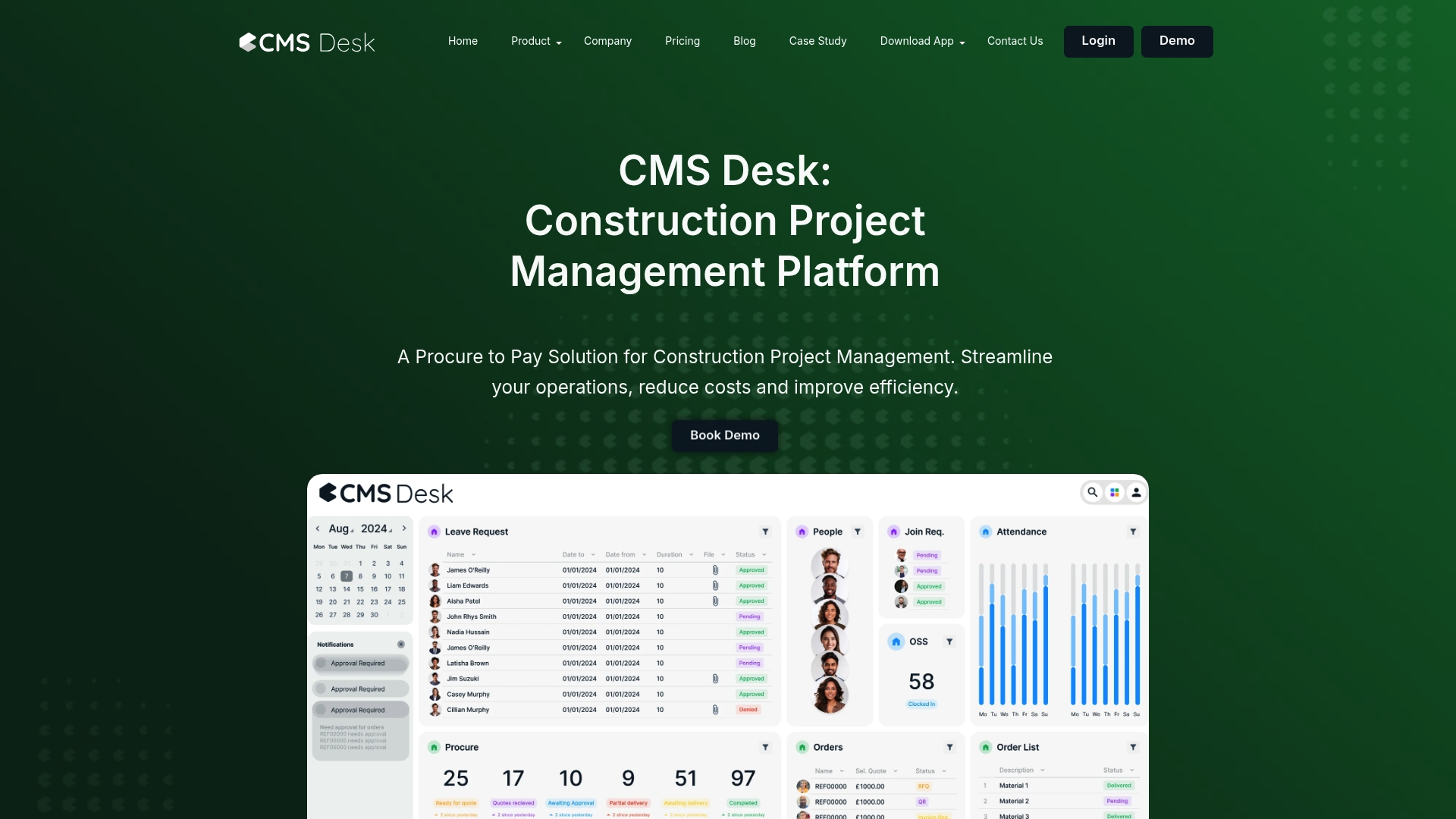
CMS Desk offers a focused Procure to Pay solution for construction firms looking to centralise procurement, finance and site operations. It delivers real-time data and visual reporting that help project teams cut costs and make faster decisions on tenders and site orders.
Core Features
CMS Desk bundles procurement, invoicing and operational modules into one platform so teams avoid juggling spreadsheets. Key capabilities include visual dashboards for sales and invoices, customer payment tracking and workforce time tracking, alongside specialised modules such as TraQA and Skedge.
- Real-time data and automated processes
- Visual dashboards for sales revenue and invoice management
- Workforce time tracking and procurement modules
Pros
- All-in-one platform: The suite covers procurement, HR, quality and safety in a single interface which reduces tool fragmentation for project teams.
- User-friendly dashboards: The visual reporting simplifies handovers and progress updates for site managers and clients in plain, actionable formats.
- Real-time insights and automation: Automated processes reduce manual reconciliation and speed up decision cycles for procurement and billing.
- Broad feature coverage: Modules for costing, batch invoicing and stock management meet common construction workflows across project lifecycles.
- Flexible pricing approach: A low entry price and add-on modules allow teams to scale functionality as projects grow.
Cons
- Limited detail on scalability: Product information does not clearly describe limits for very large projects or multi-company rollouts.
- Unclear third-party integrations: There is no explicit list of connectors to common construction or accounting systems outside the CMS ecosystem.
- Potential learning curve: The breadth of modules may require training for site supervisors and procurement teams before full adoption.
Who It’s For
CMS Desk suits medium and large Construction companies that manage complex procurement and site operations and want a single platform for finance and site teams. Project managers who manage multiple subcontractors and require tighter purchase control will gain immediate benefit.
Unique Value Proposition
CMS Desk brings procurement and project operations into the same view so cost control and compliance are visible to both office and site teams. The combination of Procure to Pay and operational modules removes reconciliation gaps between buying and billing.
Real World Use Case
A regional contractor uses CMS Desk to centralise supplier purchase orders, track invoice approvals and record site labour hours. The contractor reports reduced invoice disputes and faster supplier payments while gaining clearer cost visibility per project phase.
Pricing
The base package starts at £2 per user per month or £22 per user per year, with additional modules priced separately. Example add-ons include TraQA at £99 per month and Procure at £349 per month which let teams add quality or procurement functionality as required.
Website: https://www.cmsdesk.com
Quote My Build
At a Glance
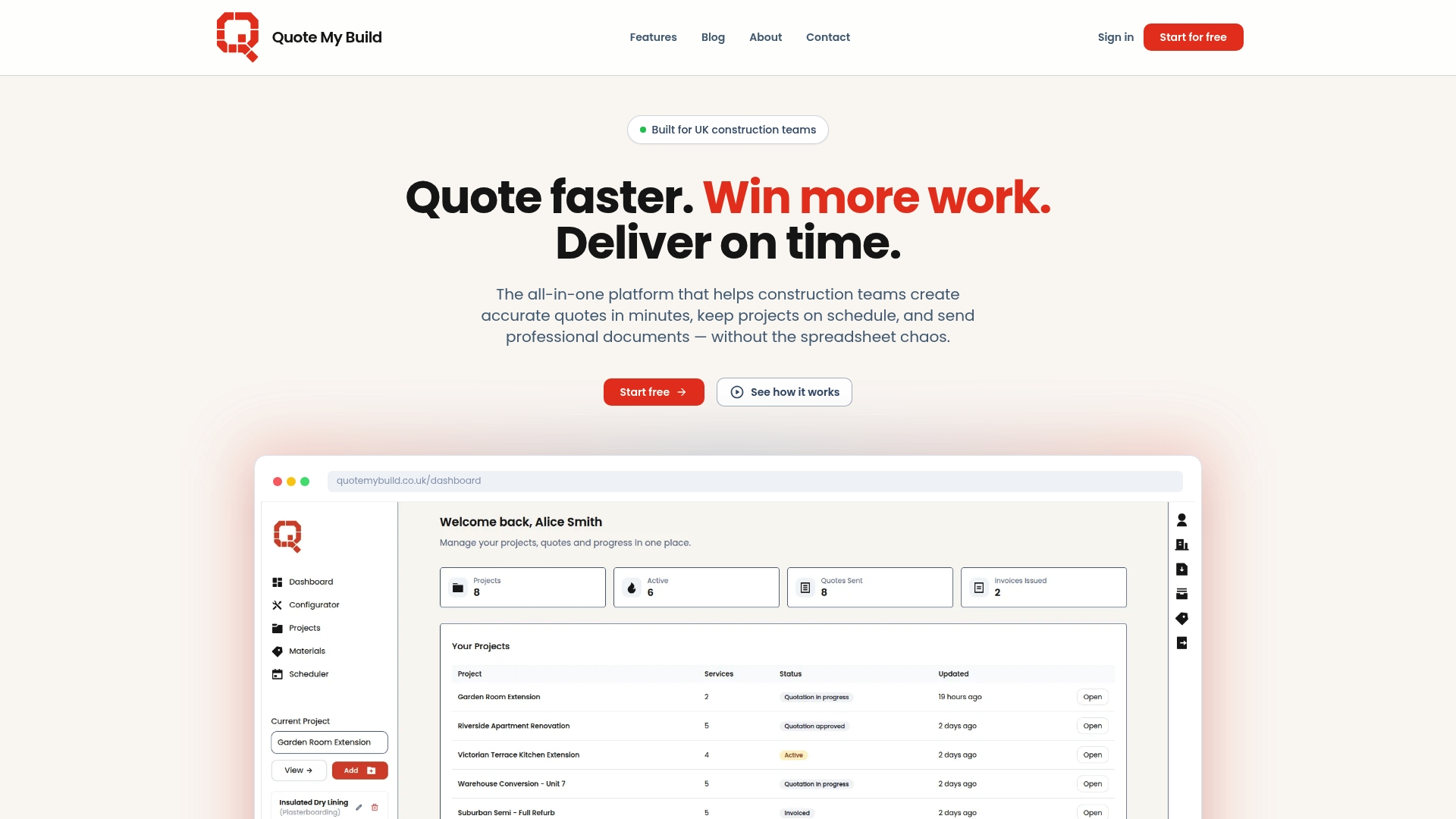
Quote My Build is a purpose built quoting and project management platform for UK construction teams that reduces admin time and helps present professional documents to clients. It moves quoting from spreadsheets into a single browser based tool with clear pricing controls and branded PDFs.
Core Features
The platform lets you create a project with client details in under two minutes and assemble scopes using calculators or saved templates. It offers AI powered quote generation that produces itemised services and descriptions and instant document generation for quotes invoices and breakdowns.
The service configurator includes automated allowances rate management and trade specific templates while smart scheduling syncs with Google Calendar and checks for conflicts. Documents carry brand control for logos and colours and quotes convert to invoices with one click invoicing.
Pros
-
Quick onboarding: Minimal training is required so teams start producing quotes rapidly and reduce early errors.
-
Unlimited projects and quotes: The Pro plan removes volume limits which suits growing small to medium businesses managing multiple jobs.
-
Customisable documents: Branded PDFs mean proposals and invoices look professional and help build client trust.
-
Integrated rate management: Centralised rates and cost benchmarking keep pricing consistent across projects and reduce manual calculation work.
-
Time saving automation: Auto generated material lists and fast invoice conversion cut hours from weekly admin routines.
Cons
-
The free plan restricts the number of projects quotes and custom services which limits trial use for larger crews.
-
The platform requires an internet connection and a browser so onsite use can be hampered by poor signal.
-
Some trade calculators do not cover every niche service so specialised trades may need manual adjustments.
Who It’s For
Quote My Build suits tradespeople site managers and small construction firms in the UK who want a focused tool for quoting scheduling and client documents. If you spend several hours a week on spreadsheet pricing this platform saves time and reduces mistakes.
Unique Value Proposition
The core appeal is a single place for quotes and project paperwork that keeps branding and pricing together. With trade specific templates rate management and document control Quote My Build helps teams give consistent professional proposals while lowering admin overhead.
Real World Use Case
A plumbing business uses Quote My Build to generate detailed quotes during phone enquiries schedule site visits with Google Calendar and issue branded invoices at job completion. The result is fewer billing disputes faster payment and two to four hours saved per week on admin tasks.
Pricing
There is a free plan at £0 per month with limited features and a Pro plan at £22.49 per month billed monthly. Annual billing is offered at £269.89 per year which reflects a 10% saving compared with monthly payments.
Website: https://quotemybuild.co.uk
Brickflo
At a Glance
Brickflo is an AI-powered automation CRM built for UK builders and contractors that focuses on converting leads and reducing administrative time. Its automation across conversations, bookings, estimates and timelines makes it practical for teams that want predictable client handling.
Core Features
Brickflo centres on a concise set of automated tools that address common construction workflows.
- Automated Conversations that engage leads with personalised, human like replies.
- Automated Bookings that place appointments and site visits straight into calendars.
- Automated Estimates that generate estimates and invoices without manual entry.
- Automated Gantt Charts that create project timelines to help keep work on track.
Pros
- Specialised for UK builders and contractors: The platform targets construction workflows and terminology used by British firms, which reduces setup friction for your team.
- AI driven automation saves time:Repetitive tasks such as follow ups, scheduling and document creation are handled automatically, freeing admin hours for on site work.
- Flexible subscription plans with a trial: A free 7 day trial and monthly or annual billing options let you test the service before committing.
- Positive user feedback on bookings: Customer testimonials report measurable improvements in enquiries and booking rates after adopting the system.
Cons
- Limited information on integrations with other tools makes it unclear how well Brickflo will connect with accounting software or existing site logging apps.
- Pricing details are basic and do not list feature differences between tiers, which makes direct comparison and budgeting harder for procurement teams.
Who It’s For
Brickflo suits construction professionals, small firms and larger contractors based in the UK who want an automation focused CRM to cut admin and win more work. Project managers who juggle leads, site visits and estimates will gain the most immediate benefit.
Unique Value Proposition
Brickflo combines targeted construction language with end to end automation so your office team spends less time on admin and more on client contact. The platform packages lead engagement, bookings and basic project timelines in one place, which reduces tool sprawl.
Real World Use Case
A UK building company uses Brickflo to automate lead engagement, schedule site visits and produce project timelines. The firm reported a 30 per cent increase in bookings and reclaimed hours previously spent on manual follow up and invoice preparation.
Pricing
Plans start at Core for £49.99 per month, Standard at £79.99 per month and Pro at £149.99 per month, with options for monthly or annual billing and a free 7 day trial without a credit card. The pricing is clear at a high level but lacks a detailed tier feature matrix.
Website: https://brickflo.com
Struxor
At a Glance
Struxor is construction management software that keeps teams aligned with live project data, document control and embedded AI assistance across desktop and mobile. It presents a unified workflow from quotes to completion while supporting on site work without internet.
Core Features
Struxor combines AI assistance with full project management to manage the lifecycle from quote through to completion. It offers digital document management, timesheets with field clock in out, and site photos with plan markup that update in real time or offline.
Pros
-
Comprehensive platform: Covers the entire project lifecycle so teams avoid juggling separate tools and lost files.
-
AI drafting: Embedded intelligence helps draft RAMS, quotes and other documents, saving drafting time on routine paperwork.
-
Offline capability: Offline mode lets operatives capture data and photos on site when there is no internet connection.
-
Mobile ready: iOS and Android apps enable on site data capture, approvals and team communication from smartphones and tablets.
-
Scalable pricing: Plans include no per user fees and a free trial so teams can test before committing to a subscription.
Cons
-
Pricing may be higher for very small teams that need only basic task tracking and a simple timesheet solution.
-
Information on advanced support and bespoke customisation is limited, which means enterprise buyers may need direct conversations to confirm requirements.
-
New users unfamiliar with digital construction tools can expect a learning curve before adopting all features effectively.
Who It’s For
Struxor suits construction teams from small contractors to larger site operators who want a single system for project management, document control and on site collaboration. It particularly benefits teams that collect site photos, track hours and require AI help with safety documents.
Unique Value Proposition
Struxor stands out by embedding intelligence across core workflows so teams draft RAMS and quotes faster and keep up to date project records. Its combination of AI features, offline capability and mobile apps makes it especially useful for field first operations.
Real World Use Case
A construction company runs multiple projects and uses Struxor to generate draft RAMS with AI, coordinate trade activities through the mobile app and store site photos against drawings. That approach reduces rework and keeps project documentation audit ready.
Pricing
Plans start at £40 per month for up to 2 users, rise to £200 per month for up to 8 users, and £800 per month for up to 35 users. Custom enterprise solutions are available and all plans include a 14 day free trial.
Website: https://struxorapp.com
Construction Project Management Tools Comparison
This table provides a structured overview of leading construction project management tools, highlighting their features, benefits, drawbacks, and pricing, to assist professionals in selecting the most suitable solution.
| Product | Core Features | Pros | Cons | Pricing Details |
|---|---|---|---|---|
| BRCKS | WhatsApp integration; automatic project filing; client portal | Seamless adoption due to WhatsApp use; quick decision tracking; proven in the UK with free subcontractor access | Primarily UK-focused, potentially limiting for international markets | £40 per seat/month billed annually; includes free subcontractor access; 14-day free trial |
| CMS Desk | Procure-to-pay solutions; visual dashboards; procurement and HR modules | Comprehensive suite; user-friendly interface; real-time insights and automation | Learning curve for extensive modules; unclear scalability and third-party integrations | £2 per user/month base; add-ons: TraQA £99/month, Procure £349/month |
| Quote My Build | Browser-based quoting tool; AI-powered quote generation; smart scheduling integration | Customisable documents; unlimited Pro plan projects; central rate management | Limited Free plan features; requires internet connectivity; niche calculators coverage | Free plan at £0/month; Pro Plan: £22.49/month or £269.89/year (10% saving) |
| Brickflo | AI-powered automation; lead booking; timeline tracking | Construction-specific language; effective lead engagement; flexible subscription plans with trials | Limited integration info with third-party tools; detailed tier comparisons missing | Core: £49.99/month, Standard: £79.99/month, Pro: £149.99/month; options for monthly or annual billing, 7-day trial |
| Struxor | AI-assisted workflow; mobile-friendly features; offline capability | Unified project lifecycle management; scalable pricing; includes AI-aided documentation | Initial learning curve for digital tools; higher pricing for smaller teams | Starting at £40/month for 2 users; £200/month for 8 users; £800/month for 35 users; 14-day free trial |
Discover a Smarter Way to Manage Construction Projects
Many construction teams struggle with fragmented communication and cumbersome project management tools that slow down progress and complicate client transparency. The need to consolidate updates, track decisions, and streamline workflows without forcing teams onto unfamiliar apps is a key challenge. If you seek to replace buildbms.com with a platform that truly integrates daily chats, project files, and client portals seamlessly, BRCKS offers a tailored solution designed specifically for UK construction professionals.
BRCKS works within your existing WhatsApp communication to capture and organise project information automatically. This saves you substantial admin time while enhancing team collaboration and client trust.

Ready to transform your construction management with a tool built to reduce chaos and increase productivity? Visit BRCKS to explore a risk-free trial or learn more about how BRCKS empowers builders, trades, and project managers with efficiency and simplicity. Take the next step now and enjoy seamless project oversight from day one.
Frequently Asked Questions
What are the main differences among the top 5 buildbms.com alternatives for 2026?
The main differences typically lie in the features offered, such as project management capabilities, integration with existing tools, user interface preferences, and pricing structures. Evaluate these aspects based on your team’s needs and workflow. Prioritise which specific functionalities are crucial for your projects to make an informed decision.
How do I determine which alternative is best suited for my construction team’s needs?
Identify your team’s specific pain points and workflow requirements, then compare how each alternative addresses those areas. Consider conducting a trial of the top contenders to test their features in a real-world scenario, which can provide clarity on which platform aligns best with your operational goals.
Are there any cost benefits associated with using alternatives to buildbms.com?
Yes, many alternatives typically offer competitive pricing plans, which can reduce overall costs depending on your team size and project scale. Calculate potential savings by comparing the monthly or annual fees of different platforms, aiming to identify a solution that fits your budget while still meeting your requirements.
How can I make the transition from buildbms.com to a new platform smoother?
To ensure a smooth transition, create a detailed migration plan that includes data export, user training, and testing of the new system. Start this process early, allowing for at least a couple of weeks for training sessions, data transfer, and troubleshooting to minimise disruption.
What features should I prioritise when comparing buildbms.com alternatives?
Focus on features that enhance project documentation, communication, and reporting capabilities. Prioritise tools that facilitate easy information retrieval and integration with your existing workflows, as these will provide significant efficiency gains in collaboration and project management.
Recommended
- 6 Best build-sync.co.uk Alternatives for UK Builders 2026 | BRCKS
- 7 Best buildersai.co.uk Alternatives for 2026 | BRCKS
- 7 Best Buildworks.co Alternatives for UK Builders in 2026 | BRCKS
- BRCKS | Construction Project Communication Software
- 4 Alternatives à stockmobil.com en 2026 pour vos actifs
How BRCKS Can Help
While finding the right alternative to BuildBMS depends on your specific project requirements, the ultimate goal is always to reduce administrative friction and improve site visibility. BRCKS streamlines these essential processes by centralising your documentation and communication within a single, intuitive platform designed for the modern contractor. By choosing a solution that prioritises ease of use alongside robust reporting, you can focus less on managing software and more on delivering quality builds. We invite you to explore how BRCKS can transform your project management workflow today. Learn more at BRCKS and explore our full feature set.