What is workflow automation: a UK construction guide
Discover how UK construction project managers are reclaiming hours of their day by automating repetitive administrative tasks and improving site communication.
By James Shorter ·
What is workflow automation: a UK construction guide

TL;DR:
- Construction project managers in the UK spend excessive time on paperwork, which workflow automation can significantly reduce. By automating multi-step processes like document control and RFIs, teams save hours daily, improve compliance, and enhance site efficiency. Implementing small, mapped workflows with human oversight fosters trust and drives lasting productivity gains through iterative adoption.
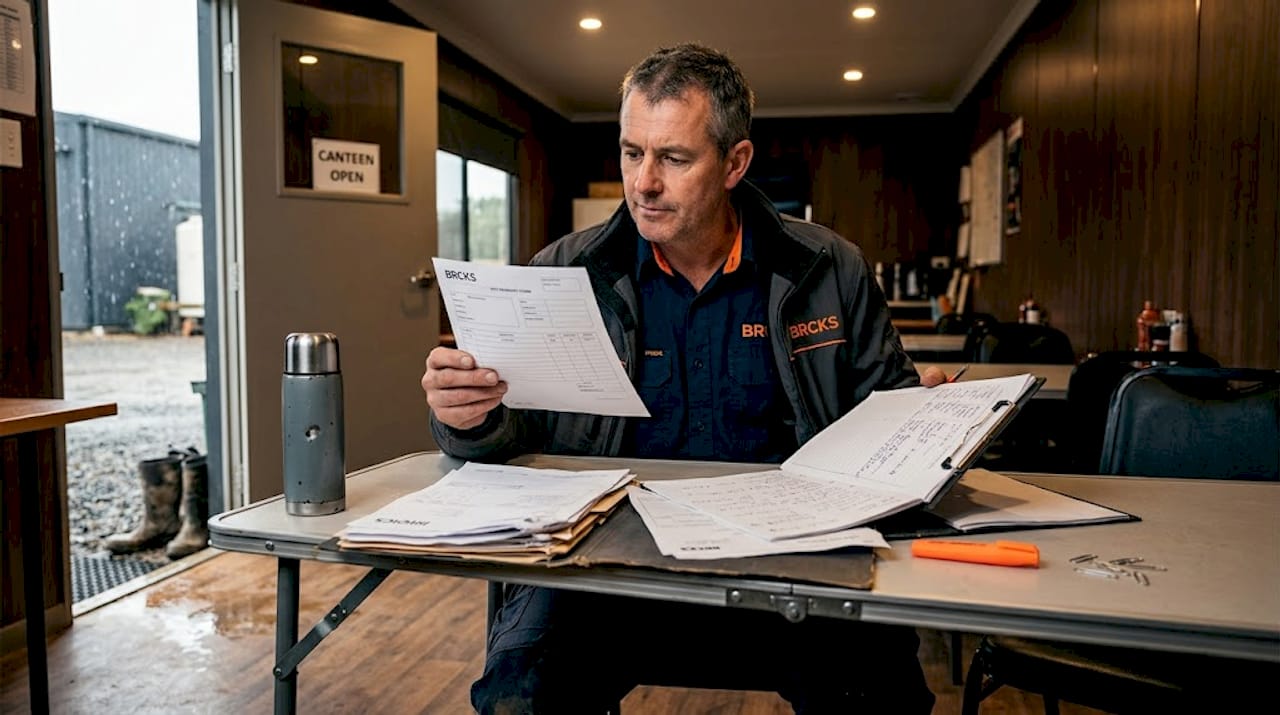
Construction project managers in the UK are losing more time than they realise to paperwork. Many spend over three hours daily on repetitive administrative tasks — chasing approvals, updating spreadsheets, forwarding documents, and sending status messages manually. That is time pulled away from the site, where decisions actually matter. Understanding what is workflow automation, and applying it correctly, is one of the most practical ways to reclaim those hours, reduce costly communication failures, and keep your projects moving without the constant administrative friction that slows teams down.
Table of Contents
- Understanding workflow automation and its core components
- The impact of workflow automation on UK construction projects
- Which construction workflows should UK teams automate first?
- How AI and adaptive automation transform construction workflows
- Implementing workflow automation on your construction site: practical steps
- Rethinking construction workflow automation: beyond software adoption
- Optimise your construction workflows with BRCKS software
- Frequently asked questions
Key Takeaways
| Point | Details |
|---|---|
| Workflow automation basics | Workflow automation uses software triggers and rules to perform multi-step construction tasks automatically. |
| Significant time savings | Automating key workflows saves UK construction teams hundreds of hours yearly, boosting site productivity. |
| Prioritise high-impact tasks | Start with document management, RFI tracking, submittals, and change orders for quick wins. |
| AI complements human work | Human-in-the-loop AI systems help estimators retain control and improve bid accuracy gradually. |
| Implementation is strategic | Successful automation requires workflow mapping, starting small, and embracing culture change. |
Understanding workflow automation and its core components
To grasp how workflow automation might improve your site operations, first understand the core components that make up these systems.
Workflow automation is the process of using software to complete a sequence of tasks automatically, based on predefined rules, without requiring manual input at each step. This is different from simple task automation, which handles a single, isolated action such as sending one email. Workflow automation connects multiple steps across people, systems, and documents into a continuous, self-running process.
Workflow automation relies on triggers, actions, rules, and logic to automate multi-step processes. Understanding each component helps you see where it fits in construction:
- Trigger: An event that starts the workflow. For example, a subcontractor uploads a completed inspection form.
- Action: The task performed automatically in response. The system notifies the project manager and logs the document.
- Rules and logic: Conditions that determine what happens next. If the form is signed, it routes to the client portal; if unsigned, it flags the subcontractor for follow-up.
- Human checkpoints: Points where a person must review or approve before the process continues.
This multi-step structure is precisely why it suits construction. Your projects involve dozens of overlapping processes across trades, clients, and regulatory requirements. A simple task automation tool cannot manage that complexity. A properly configured workflow automation system, however, can handle document routing, approval chains, and notifications simultaneously, without anyone manually orchestrating each step.
For a deeper look at how these components apply in practice, the construction workflow management guide covers the full picture for UK site teams.
The impact of workflow automation on UK construction projects
Having understood how workflow automation works, next we explore the clear advantages it brings to construction teams managing UK projects.
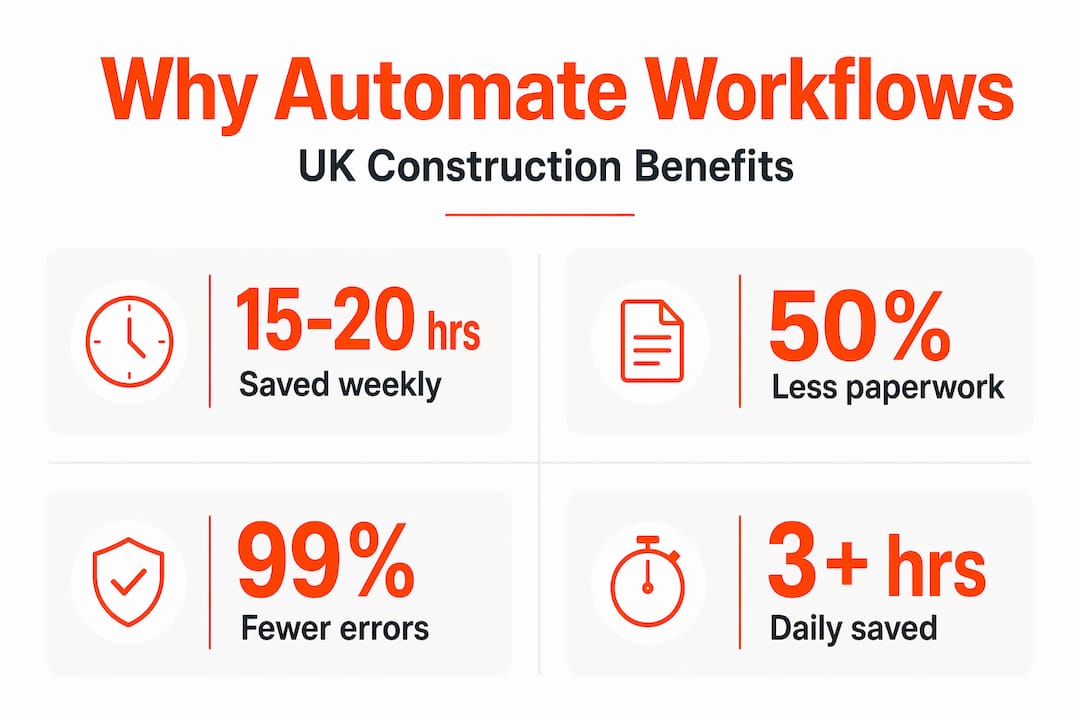
The numbers are striking. Project managers can save over 3 hours daily on administrative tasks, saving 780 hours annually per project manager. That is nearly 20 working weeks of recovered capacity every year, per person, from a single change in how work flows through your team.
“Automation makes construction processes auditable and scalable, boosting compliance across projects of all sizes.”
Beyond the headline time savings, the practical benefits for UK construction teams include:
- Document control: Teams manually managing drawings, specifications, and compliance certificates waste 15 to 20 hours weekly. Automation routes, versions, and archives documents without anyone tracking them by hand.
- Fewer errors: Manual data entry across multiple systems introduces mistakes. Automation eliminates re-keying information between tools.
- Audit trails: Every automated action is timestamped and logged, which is critical for UK Building Regulations compliance and dispute resolution.
- Faster approvals: Automated notifications chase approvals on your behalf, reducing the bottleneck where a single unsigned document halts progress on site.
- Improved client communication: Clients receive automatic updates at agreed project milestones rather than waiting for someone to find time to send a report.
The hidden costs of manual project management in construction are often buried in rework, delayed payments, and avoidable disputes. Workflow automation addresses all three at their root, not just their symptoms.
The compliance angle deserves specific attention. UK construction teams face requirements under CDM regulations, the Building Safety Act 2022, and client contracts that demand traceable, timestamped records. Automated workflow automation compliance benefits mean your audit trail builds itself in the background, without relying on someone remembering to file the right email in the right folder.
Which construction workflows should UK teams automate first?
Knowing the benefits of workflow automation is vital, but knowing where to start is key to fast results.
Prioritising document management, RFI tracking, submittals, and change orders yields the greatest time savings for construction teams. These four areas account for the majority of administrative burden on most UK sites.
| Workflow | Manual time cost | Automation impact |
|---|---|---|
| Document management | 15 to 20 hours per week | Automatic routing, versioning, and archiving |
| RFI tracking | 3 to 5 hours per week | Auto-notifications and deadline reminders |
| Submittals | 4 to 6 hours per week | Routed approvals with automatic status updates |
| Change orders | 5 to 8 hours per week | Contract-linked approvals with cost tracking |
Before you automate anything, map it first. Success requires mapping exact workflow steps and handoffs before automating to prevent creating new bottlenecks where old ones existed. If your current RFI process has three people who each think they are responsible for chasing responses, automating it without clarifying ownership first will just produce three automated notifications nobody acts on.
Key workflows to prioritise:
- Document management: The volume alone makes this the fastest win. Poor document control in UK construction is a recognised £21 billion problem, and most of that cost stems from manual filing, version confusion, and lost approvals.
- RFI tracking: Unanswered RFIs are one of the most common causes of delay claims. Automated reminders and escalations keep responses moving.
- Submittals: Materials approvals that sit in someone’s inbox for a week can push groundwork back by the same amount. Automation routes submittals to the right reviewer immediately.
- Change orders: These directly affect your contract value and cash flow. Automated approval chains with timestamps protect you legally and commercially.
Pro Tip: Before selecting any document control tools, spend one week tracking where you personally lose the most time each day. The workflow that frustrates you most is almost always the best place to start.
How AI and adaptive automation transform construction workflows
Beyond basic automation, AI technologies offer new ways to enhance workflow flexibility and reliability on-site.
Traditional workflow automation follows fixed rules. If this happens, do that. It works well for predictable processes, but construction is rarely predictable. Weather delays, subcontractor changes, material shortages, and client revisions all disrupt the sequence you planned. This is where AI-driven automation becomes genuinely useful.
AI-driven automation adapts in real-time to site changes, unlike traditional rule-based systems that require manual reprogramming when conditions shift. An AI-assisted workflow might recognise that a trade package is running three days late and automatically reschedule dependent tasks, notify affected subcontractors, and flag the delay to the project manager, all without a manual trigger.
The important caveat for construction teams is trust. Many site managers and estimators are understandably cautious about handing decisions to a system they do not fully understand.
“AI-assisted workflows build trust gradually, supporting estimators’ judgement while reducing repetitive work.”
The human-in-the-loop model is the practical answer. AI handles the repetitive, rule-based elements: routing, notifications, data entry, scheduling updates. People retain control over judgement calls: approving changes, resolving disputes, interpreting site conditions. This split is what makes AI adoption in construction realistic rather than theoretical.
Benefits of this approach in practice:
- Estimators spend less time formatting and more time analysing.
- Site managers receive exception alerts rather than routine status reports.
- Project managers review decisions rather than chase information.
- Real-time updates on site feed into automated systems that keep the wider team informed without manual intervention.
The construction industry’s gradual adoption of AI tools mirrors broader patterns. Firms that start with narrow, well-defined applications, such as automating one reporting process, build the internal confidence to expand further. The technology earns its place through demonstrated results rather than assumption.
Implementing workflow automation on your construction site: practical steps
With a grasp of the technology and what to automate, we turn to how to implement automation in your daily construction operations safely and successfully.
Success involves identifying top time-wasters, mapping workflows, starting small, and iterating to avoid bottlenecks. Here is a practical sequence for UK construction teams:
- Identify your two or three biggest administrative time sinks. Do this with your team, not alone. Site managers, quantity surveyors, and coordinators each have different pain points, and the heaviest burden is often invisible to senior management.
- Choose one well-understood workflow. Pick a process everyone on the team can describe step-by-step. Automating something vague produces vague results.
- Map every step, decision point, and handoff. Draw it out. Who does what, in what order, and what happens when something goes wrong? This map becomes your automation blueprint.
- Implement automation for that one workflow first. Run it alongside your existing process for two to four weeks to verify it works correctly before removing the manual backup.
- Measure the result. Track time saved, errors reduced, and any new friction points the automation introduced. Adjust before expanding.
- Iterate and expand. Once one workflow runs reliably, apply the same process to the next priority.
Pro Tip: Involve the person who currently performs the manual task in designing the automation. They know every exception and edge case that does not appear in the official process. Ignoring them is one of the most common reasons automation projects fail.
The construction workflow management guide contains practical templates for mapping your first workflow, suited to UK site operations.
Rethinking construction workflow automation: beyond software adoption
Most articles about workflow automation stop at the practical. Buy the tool, configure the trigger, save the hours. That advice is not wrong, but it misses the reason so many automation projects in construction quietly fail six months after launch.
The honest truth is that technology does not change how teams work. People do. And people on construction sites have well-founded reasons to distrust new systems. They have seen software purchased, trained on once, and then abandoned. They have watched digital tools create more reporting burden, not less. That scepticism is earned, not irrational.
Successful workflow automation requires a deliberate cultural shift, not just a software subscription. The teams that see lasting results treat automation as a change to how they collaborate, not a change to which app they use. They involve trades and subcontractors in the design. They acknowledge friction points openly rather than dismissing them. They start small enough that early wins are visible and concrete.
The human-in-the-loop model matters here for a specific reason. When site teams see that automation handles the drudgery but leaves professional judgement intact, resistance drops. An estimator who sees AI sort through historical cost data so they can focus on client-specific pricing does not feel threatened. They feel supported.
This is also why starting small is not timidity. It is strategy. One well-executed automated workflow builds more confidence in automation generally than a sweeping system-wide rollout that causes confusion and forces a retreat. The construction workflow management guide reflects this principle throughout. Incremental adoption, grounded in real site experience, is what produces lasting transformation. Not ambition alone.
Optimise your construction workflows with BRCKS software
If you are ready to move from understanding workflow automation to applying it on your projects, BRCKS is built specifically for UK construction teams. It integrates workflow automation directly with WhatsApp-native communication, meaning your site team does not need to learn an unfamiliar platform before they can benefit.

BRCKS brings task management, file sharing, checklists, approval tracking, and client portals into a single tool designed for builders and construction professionals managing real projects. Teams save over two hours daily through automated notifications, document routing, and status updates that would otherwise require manual effort. For construction communication specifically, BRCKS replaces the fragmented mix of email, text, and spreadsheet that most UK site teams currently rely on. Try BRCKS free for 14 days and see the difference automated workflows make to your daily operations.
Frequently asked questions
What is workflow automation in construction?
Workflow automation in construction uses software to automate routine tasks and processes, reducing manual effort and improving efficiency on site. It replaces repetitive administrative steps, such as document routing and approval chasing, with automatic, rule-based actions.
How much time can workflow automation save construction project managers?
Construction workflow automation saves project managers over 3 hours daily on administrative tasks, totalling 780 hours annually per project manager. That recovered time can be redirected to site supervision, client relationships, and quality control.
Which construction workflows should I prioritise for automation?
Start with document management, RFI tracking, submittals, and change orders, as these provide the highest time savings and reduce the communication delays that most commonly cause programme slippage on UK sites.
Is AI trustworthy in construction workflow automation?
Trust in AI-assisted workflows is built gradually through human-in-the-loop models that support estimator judgement. AI handles the repetitive elements while people retain control over professional decisions, making adoption practical rather than risky.
Recommended
- BRCKS | Construction Project Communication Software
- BRCKS | Construction Project Communication Software
- Top Construction Schedule Software for UK Builders 2025 | BRCKS
- BRCKS | Construction Project Communication Software
How BRCKS Can Help
Implementing workflow automation is no longer a luxury but a necessity for UK firms looking to remain competitive and compliant in an evolving industry. By centralising your data and automating repetitive administrative tasks, BRCKS empowers your team to focus on high-quality project delivery rather than manual paperwork. Our platform is specifically designed to bridge the gap between the office and the site, ensuring your processes remain seamless and transparent. We invite you to discover how BRCKS can transform your operational efficiency by exploring our features today. Learn more at BRCKS and explore our full feature set.