Top 4 trakd.co.uk Alternatives 2026
Searching for the best trakd.co.uk alternatives in 2026? We compare the top construction management platforms to help you centralise communication and boost profitability.
By James Shorter ·
Top 4 trakd.co.uk Alternatives 2026

Finding the right tool can make all the difference when managing projects or teams. With so many choices available, each with its own twists and features, it can be surprising how different the experience feels from one option to another. Some focus on simplicity, while others offer unique ways to organise your work and stay connected. Whether you want smooth collaboration or extra layers of customisation, a new platform could unlock fresh possibilities for your workflow. The search for the perfect fit is about to get more interesting.
Table of Contents
BRCKS
At a Glance
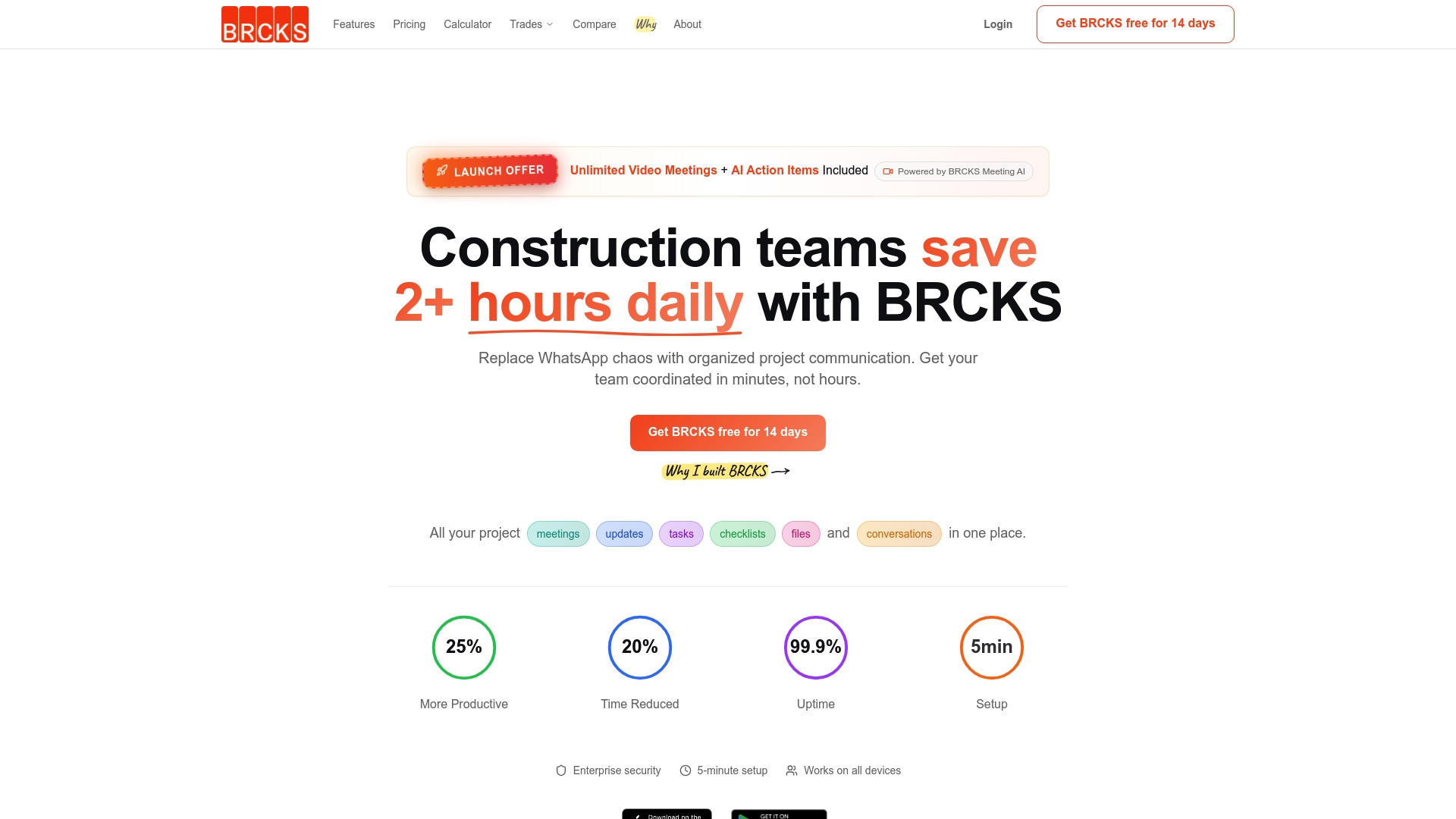
BRCKS is a leading construction communication and project platform that centralises messages, tasks and project updates to replace chaotic WhatsApp groups and email threads. It pairs simple setup with AI tools to turn meetings and site recordings into searchable records and action items.
Core Features
BRCKS bundles the features construction teams use most so every conversation, file and task lives in one organised place.
- All in one project communication platform for conversations, tasks and files in a single feed
- AI powered meeting and site recordings with transcription and generated action items for faster follow up
- Task checklists and assignment so responsibilities are clear and traceable
- Project files and document sharing that keeps drawings and contracts versioned and accessible
- Real time notifications and updates to keep trades and subcontractors aligned on progress
Pros
- Reduces project management time and chaos by consolidating communications into a single organised hub that replaces scattered apps and threads.
- AI features enhance meeting documentation and follow up by transcribing site recordings and surfacing action items for quick assignment.
- User friendly interface compatible with all devices which helps on site supervisors and office teams adopt the system quickly.
- Trusted by industry professionals and large construction firms suggesting practical reliability on mid to large projects.
- Scalable pricing options that adapt from small teams to larger company needs without complex tiers.
Who It’s For
BRCKS is aimed at construction teams and managers who are overwhelmed by multiple apps and messy communication. It suits small to medium sized residential builders, subcontractor leads and site managers who need faster decisions and clearer task accountability.
Unique Value Proposition
BRCKS stands out because it focuses on construction specific needs rather than general project tools. The platform combines everyday communication, document control and checklist management with AI generated meeting outcomes so teams keep moving without lost instructions.
The product emphasises rapid adoption with a short setup flow which means less downtime when switching from WhatsApp and email. Limitations listed on the site are framed as plan level choices so larger organisations can opt for tailored enterprise capability.
Real World Use Case
A site manager replaces WhatsApp groups and email threads with BRCKS to centralise daily handovers, issue photographs and safety notes. Meetings are recorded and transcribed so defects and actions are assigned the same day, reducing rework and delay.
Pricing
The Pro plan is listed at $52 per month per user with an annual billing option and a free 14 day trial to test on one or two live projects. Custom enterprise solutions are available for larger organisations that need bespoke onboarding and controls.
Website: https://brcks.io
TRAKD
At a Glance
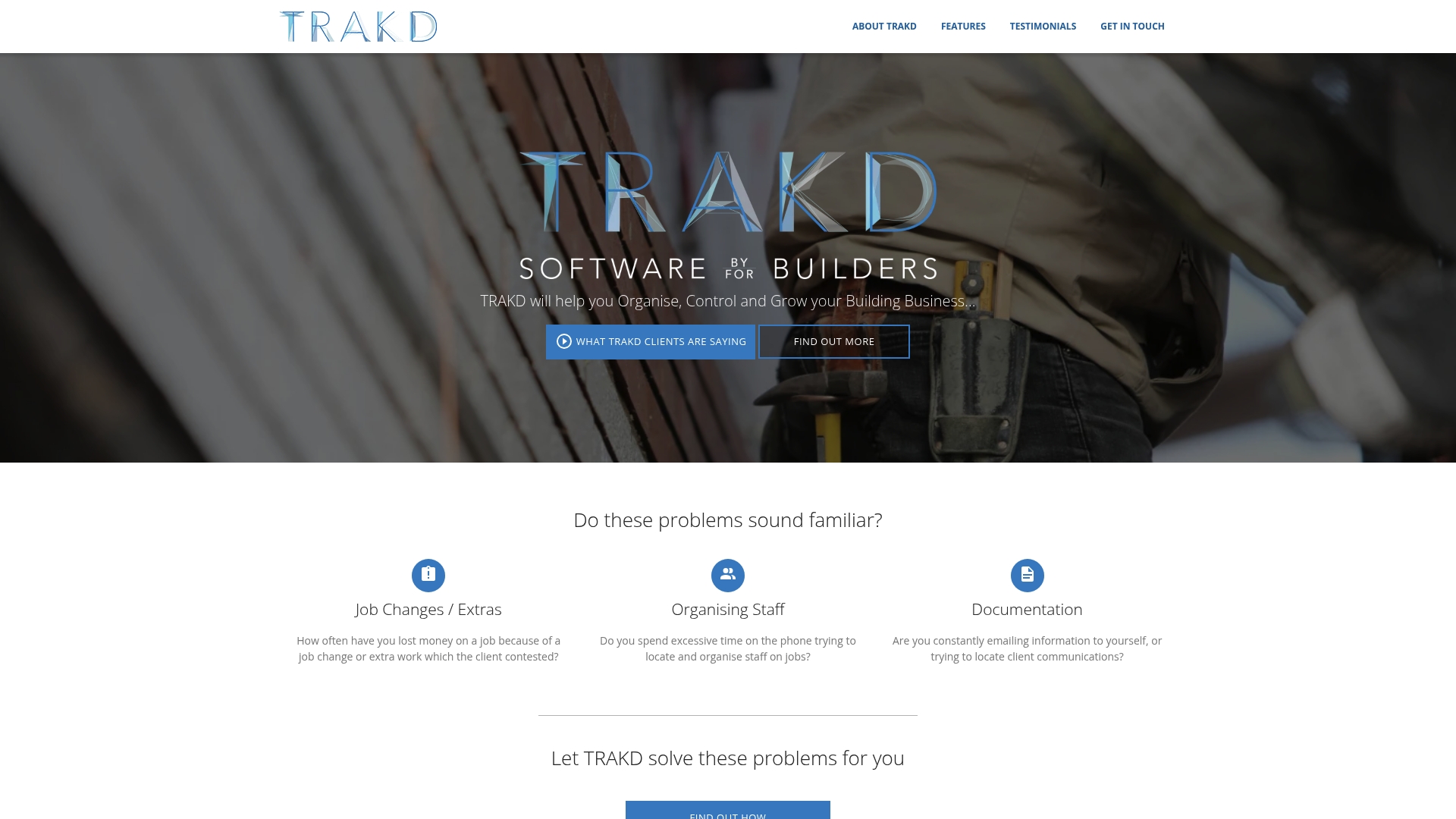
TRAKD is a straightforward online tool that helps building businesses organise jobs, clients, and workforce while producing clear profitability reports. It is practical for teams that need mobile access and simple job tracking without excessive configuration.
Core Features
TRAKD offers automated staff notifications, flexible job scheduling, a dedicated client portal, and robust budget reporting to break down costs by task. The platform supports tablet and mobile use and gives a job status overview that keeps on-site teams informed.
Pros
-
Remote and mobile access: TRAKD enables managers and tradespeople to update jobs from site, reducing paperwork and keeping records current.
-
Automated communication: The platform sends staff notifications by email and text which saves time and cuts missed messages.
-
Comprehensive tracking: TRAKD records both job progress and financials so you can match labour hours to costs for cleaner profit analysis.
-
User-friendly interface: The layout is clear for construction professionals so onboarding is quicker than many generic tools.
-
Improved documentation: The client portal and shared documents reduce approval bottlenecks and keep records auditable.
Cons
-
Unclear pricing details: The vendor does not publish subscription tiers or rates which makes budgeting and comparison more difficult for small businesses.
-
Learning curve for new users: Teams unfamiliar with digital job management will need time and training to use the budgeting and reporting tools effectively.
-
Limited technical detail: There is no published list of integrations or API information which may hinder linking TRAKD to existing accounting or payroll systems.
Who It’s For
TRAKD suits building business owners, project managers, and administrators who want a single cloud solution for day to day job control. It works best for small to medium sized residential contractors who value straightforward scheduling and cost visibility.
Unique Value Proposition
TRAKD focuses on making construction administration practical rather than feature heavy. The appeal lies in combining job scheduling, client document sharing, and profitability reporting in one place so teams spend less time chasing information and more time on site.
Real World Use Case
A building contractor uses TRAKD to schedule teams, push automatic change messages to operatives, log material and labour costs, and give clients access to approval documents. Administrative hours fall and project profitability becomes visible within weeks.
Pricing
Pricing is not specified on the website. Payment is arranged after setup and live operation with no upfront fee or long term contract which may suit businesses that prefer pay when working.
Website: https://trakd.co.uk
Buildertrend
At a Glance
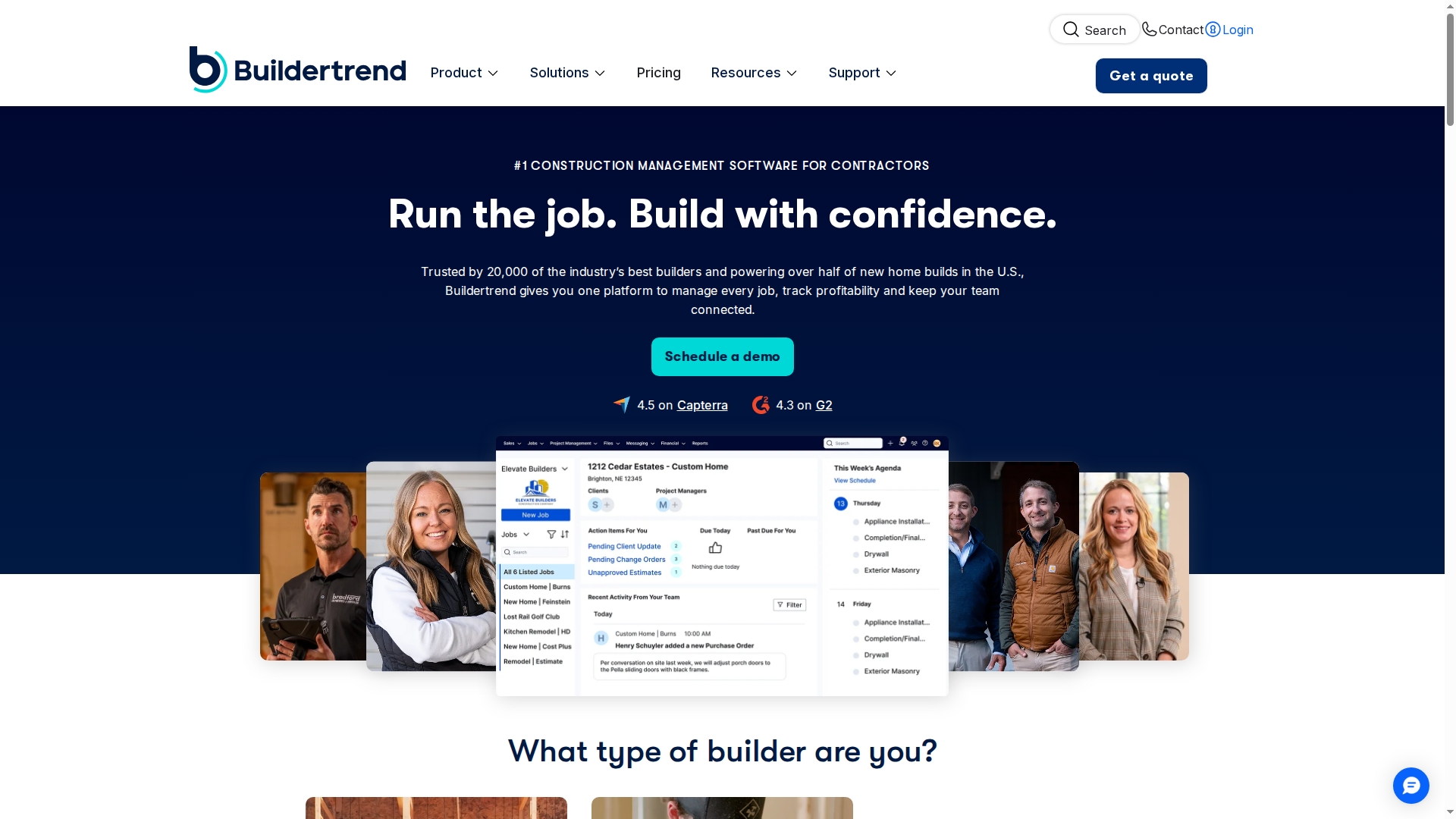
Buildertrend is a cloud based construction project management platform aimed at contractors from home builders to specialist trades. It centralises leads, projects, materials, finances and client communication so teams spend less time switching between tools.
Core Features
Buildertrend combines project tracking, financial management and client communication in one platform to cover planning through to handoff. The product includes tools for pre construction planning, sales management, construction phase tracking and final project handover.
The platform also supports integrations with QuickBooks, Xero and Gusto and offers onboarding, courses and consulting for teams new to the system.
Pros
-
All in one platform reduces tool sprawl. Combining lead management, project workflows and financials means fewer logins and fewer gaps between office and site.
-
Unlimited users and projects included. You can add office staff, site teams and subcontractors without worrying about per user limits slowing adoption.
-
Robust feature coverage across project stages. From sales and pre construction to scheduling and handoff the tool supports common residential and commercial workflows.
-
High user trust and positive reviews. Reported ratings indicate strong customer satisfaction which gives you confidence when considering deployment across multiple projects.
-
Comprehensive training and support. Onboarding programmes and consulting help reduce time to value for teams that need guided setup and change management.
Cons
-
Pricing requires direct contact for detailed quotes. Lack of transparent list pricing means you will need to allocate time for a sales call to get exact costs.
-
Steep learning curve for new users. The breadth of functionality means administrators and site users need training before they work at full speed.
-
May be more than some teams need. Smaller contractors focused on a single trade may prefer a simpler or more specialised tool for daily tasks.
Who It’s For
Buildertrend suits established construction businesses and contractors who handle multiple projects each year and need a single system to scale operations. You should consider it if you want to consolidate estimating, scheduling, client updates and finance tracking under one roof.
Unique Value Proposition
Buildertrend offers a complete construction management solution that connects sales, site operations and accounting workflows with training and support to back it up. The combination of unlimited users projects and third party integrations makes it a practical choice for growing contractors.
Real World Use Case
A home builder uses Buildertrend to publish schedules to subcontractors, record client change requests, process invoices via integrated accounting and maintain a single project record. That consolidated approach reduces missed messages and clarifies responsibilities across the team.
Pricing
Pricing is provided after consultation and varies by plan and implementation needs. Current promotions include ten per cent off for annual payments and tailored options to match business scale.
Website: https://buildertrend.com
Joblogic
At a Glance
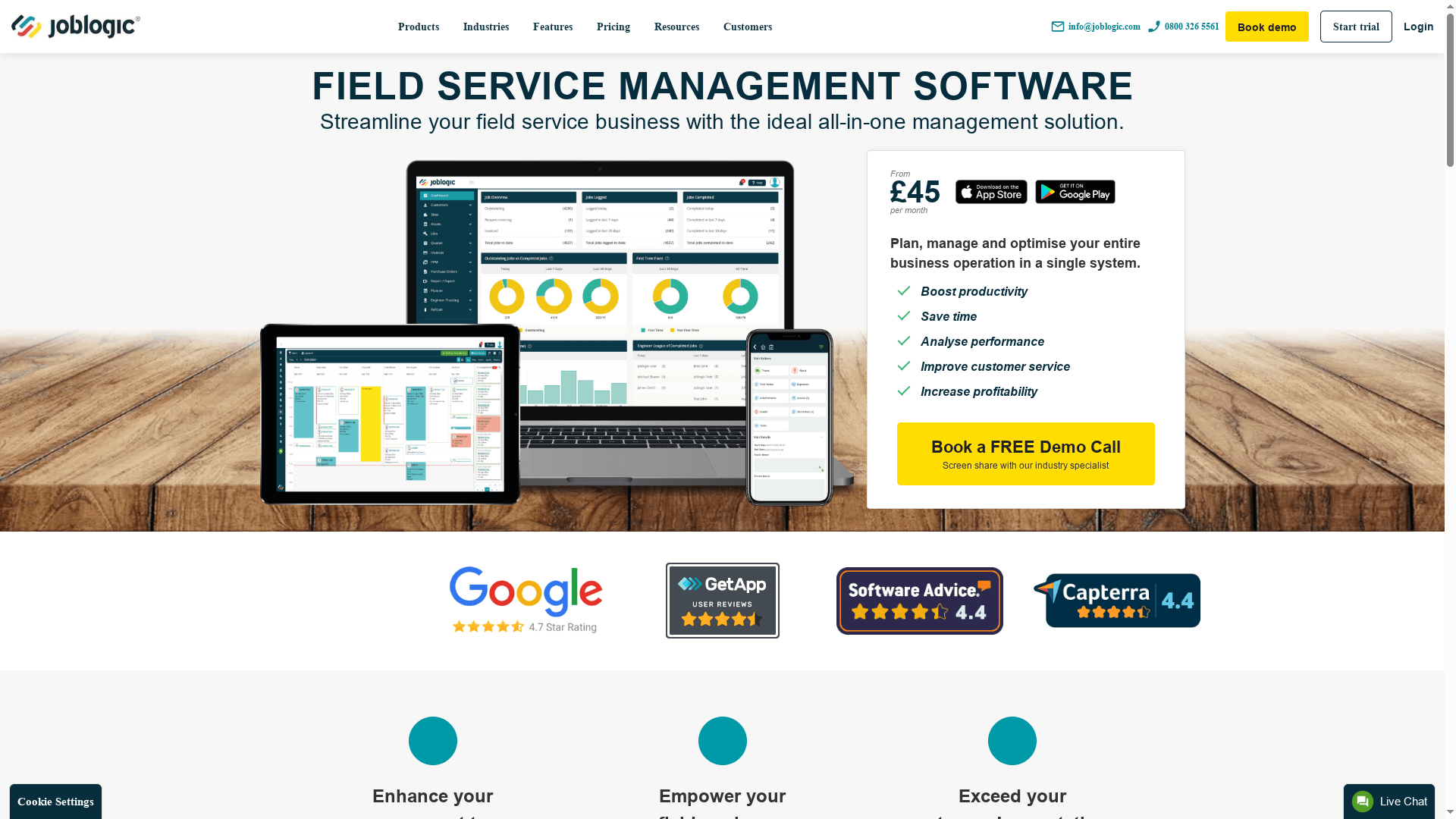
Joblogic is a cloud based field service management platform that centralises job scheduling, asset tracking and invoicing for service businesses. Its strength lies in comprehensive feature coverage across reactive maintenance, compliance and payments while offering tiered plans for different business sizes.
Core Features
Joblogic provides Job Management, Scheduling and Route Optimisation, Asset Management, Asset and Contract Compliance, and Invoicing with Payment Integration. The platform supports offline work via a mobile app and includes configurable dashboards and reporting to measure team performance and compliance.
Pros
-
Comprehensive feature set for diverse industries: Joblogic covers scheduling, assets, compliance and invoicing in a single platform which reduces the need for multiple tools.
-
Scalable pricing plans: Offering Standard, Premium and Enterprise tiers makes it feasible for small firms to scale up as work volume grows.
-
Mobile app support for offline work: Technicians can continue recording job details on site without a signal and sync when they return online.
-
Strong focus on compliance and asset management: Built in contract and asset tracking helps you prove safety checks and service histories for audits.
-
Customisable dashboards and reporting: Managers can build reports that show utilisation, job backlog and cash collection to inform weekly planning.
Cons
-
Pricing and features may be complex for small businesses: Smaller teams can find tier options and optional add ons confusing when comparing total cost per user.
-
Some optional features require additional costs: Functionality such as advanced integrations or premium modules is not always included in lower tiers which increases total spend.
-
User interface could be improved for ease of use: Navigation and layout feel dated to some users which can slow onboarding for busy field teams.
Who It’s For
Joblogic suits small to large service oriented businesses that need a single platform to manage field operations, asset maintenance and customer interactions. It works well for firms that handle compliance obligations and want mobile first tools for technicians and office staff.
Unique Value Proposition
Joblogic combines asset compliance and field service workflows in one product so teams keep accurate histories and meet contractual obligations. The blend of route optimisation, on site invoicing and offline mobile capability makes it practical for businesses handling repeat maintenance and emergency call outs.
Real World Use Case
A plumbing company uses Joblogic to schedule and dispatch engineers, track boilers and pipework assets, generate invoices on site and record safety checks. The result is faster billing, clearer service records and fewer missed compliance deadlines which improves cash flow and client satisfaction.
Pricing
Plans start from £45 per month with Standard, Premium and Enterprise options available and optional add ons sold separately. Compare expected headcount and required modules before committing to ensure the monthly cost matches projected savings in time and errors.
Website: https://joblogic.com
Construction Project Management Tools Comparison
The following table provides a comprehensive comparison of four leading construction project management tools based on their features, pros, cons, pricing, and intended audiences to assist users in making an informed decision.
| Feature | BRCKS | TRAKD | Buildertrend | Joblogic |
|---|---|---|---|---|
| Core Features | AI-based meeting transcription, project centralisation, task tracking | Job tracking, scheduling, profitability reports | Centralised project tracking, financial integration | Asset and compliance management, field service workflows |
| Pros | User-friendly interface, scalability for various team sizes | Mobile access, comprehensive job and financial tracking | Unlimited user access, thorough training and support | Comprehensive feature set, offline mobile capability |
| Cons | Requires initial team adoption effort | Limited pricing transparency, learning curve for financial tracking | Can be overly complex, initial learning curve | Potentially complex pricing structure, dated user interface |
| Pricing Information | $52/month per user, free 14-day trial available | Custom pricing determined post-setup, no long-term contracts | Pricing tailored post-consultation, discounts available | Starts at £45 per month with multiple plans and optional add-ons |
| Audience | Construction managers, subcontractor leads, site managers | Residential contractors valuing scheduling and cost insights | Established contractors seeking comprehensive project management | Service businesses focusing on field operations and compliance |
| Website | BRCKS | TRAKD | Buildertrend | Joblogic |
Note: Evaluate each tool based on your specific business needs and project requirements.
Simplify Your Construction Job Management with BRCKS
Managing construction projects with multiple apps and disjointed communication leads to wasted time and costly errors. The article highlights how platforms like TRAKD offer job scheduling and client portals yet often miss the opportunity to centralise all communications, tasks and documents. If you want to transform chaotic WhatsApp groups and email chains into a single, clear project hub BRCKS offers an all-in-one platform tailored specifically for construction teams.

Discover how BRCKS helps construction professionals save over two hours daily by combining AI-powered meeting recordings, real-time task tracking and version-controlled file sharing. Start streamlining your projects today with our simple setup and user-friendly design. Visit BRCKS for a 14-day free trial and see how quicker decisions and smoother collaboration are just minutes away.
Frequently Asked Questions
What features should I look for in a project management tool alternative to TRAKD?
Look for features such as job scheduling, client document sharing, and financial reporting. Ensure the tool can streamline communication and provide accessible dashboards for tracking progress remotely.
How can I improve project visibility when switching from TRAKD to another platform?
To enhance project visibility, consider using a tool that integrates real-time updates and notifications for team members. This helps keep everyone aligned on the current status and responsibilities, improving accountability across the board.
What is the typical pricing model for project management tools comparable to TRAKD?
Many project management tools offer tiered pricing based on user count and feature access. Review the pricing structure to find a plan that suits your team size and required functionalities, often starting around £45 per month for basic plans.
How long does it take to effectively adopt a new project management tool after moving from TRAKD?
Generally, effective adoption of a new project management tool can take between 30 to 60 days, depending on team familiarity with digital tools. Implementing structured training sessions can significantly accelerate this process and ensure smoother transitions.
Can I find a project management tool that offers mobile access like TRAKD does?
Yes, many modern project management tools provide mobile access, allowing team members to manage tasks and communicate from the field. Look for platforms that specifically highlight mobile capabilities to ensure your workforce remains productive on-site.
What types of teams benefit most from alternatives to TRAKD?
Teams such as small to medium-sized construction contractors and project managers seeking better job tracking and communication can greatly benefit from TRAKD alternatives. Focus on tools designed specifically for your sector to ensure they meet your unique operational needs.
Recommended
- BRCKS | Construction Project Communication Software
- BRCKS | Construction Project Communication Software
- BRCKS | Construction Project Communication Software
- BRCKS | Construction Project Communication Software
- Top 4 Samedaydeliverycourierservices.co.uk Alternatives 2026
How BRCKS Can Help
While finding the right alternative to Trakd is essential for streamlining your project workflows, the ultimate goal is to implement a system that grows alongside your business. BRCKS offers a robust, all-in-one construction management solution designed specifically to handle the complexities of modern UK building projects with ease. By centralising your data and simplifying communication, BRCKS ensures you spend less time on admin and more time on-site delivering quality results. We invite you to explore how our platform can transform your operations and help you regain control of your project margins today. Learn more at BRCKS.