The role of user-friendly design in project software
User-centred design is the single greatest determinant of software adoption on-site. Explore how intuitive interfaces reduce cognitive load and boost project success.
By James Shorter ·
The role of user-friendly design in project software

TL;DR:
- User-centred design in construction software significantly improves adoption, data quality, and collaboration. Well-designed tools are intuitive, consistent, and reduce cognitive load, leading to cost savings and higher team trust. Poor design causes workarounds, low adoption, and increased risks, making user-friendly interfaces essential for project success.
User-friendly design in project software is the single greatest determinant of whether a construction team actually uses the tool or works around it. The industry term for this discipline is user-centred design (UCD), and its impact on construction project outcomes is measurable, not theoretical. Research shows that UCD investment yields up to 9,900% ROI, generating roughly £100 for every £1 spent. For project managers and site teams juggling RFIs, variation orders, and daily site diaries, the role of user-friendly design in project software is the difference between a tool that gets adopted and one that gets abandoned by week two.
What makes project software user-friendly?
The hallmark of genuinely user-friendly design is invisible design. The interface disappears, and the user focuses entirely on the task at hand, whether that is logging a defect, updating a programme, or chasing an RFI response. When software demands attention itself, it has already failed.
For construction teams specifically, user-friendly design rests on several interconnected principles:
- Intuitive navigation aligned with mental models. Site managers and project managers think in terms of tasks, trades, and dates. Software that mirrors this logic, rather than forcing users to learn a developer’s internal taxonomy, gets adopted faster and used more consistently.
- Consistency in icons, colours, and interactions. Consistent UI elements reduce cognitive load and speed up mastery of complex workflows. When every screen behaves predictably, users stop thinking about the software and start thinking about the project.
- Clear affordances and immediate feedback. Buttons should look clickable. Submitted forms should confirm submission. Uploaded photos should show a progress indicator. These micro-interactions are not decorative; they prevent the anxious double-tapping and re-submission errors that corrupt site records.
- Human-centred language, not system language. “Submit variation request” is clearer than “Initiate change order workflow.” Construction professionals are not software engineers, and the best tools write for the audience they serve.
- Progress indicators and completion signals. Software that lacks positive emotional payoff causes users to feel stuck managing background tasks, which leads directly to abandonment. A simple “Site diary saved” confirmation does more for engagement than most feature releases.
- Minimised cognitive load in complex workflows. Break multi-step processes into clearly labelled stages. Do not present a user with fifteen fields when three will do. Progressive disclosure, showing advanced options only when needed, keeps interfaces clean without sacrificing capability.
Pro Tip: Run usability testing with as few as five real users before any major release. Testing five users uncovers up to 85% of software usability issues, preventing the rework that typically consumes half of all developer time.
What are the business benefits of user-centred design?

The financial case for investing in UCD is not subtle. Enterprises that prioritise user-centred design outperform the S&P 500 by 211% over a decade. That figure reflects a compounding advantage: better-designed software gets adopted, adoption drives consistent data capture, and consistent data drives better project decisions.
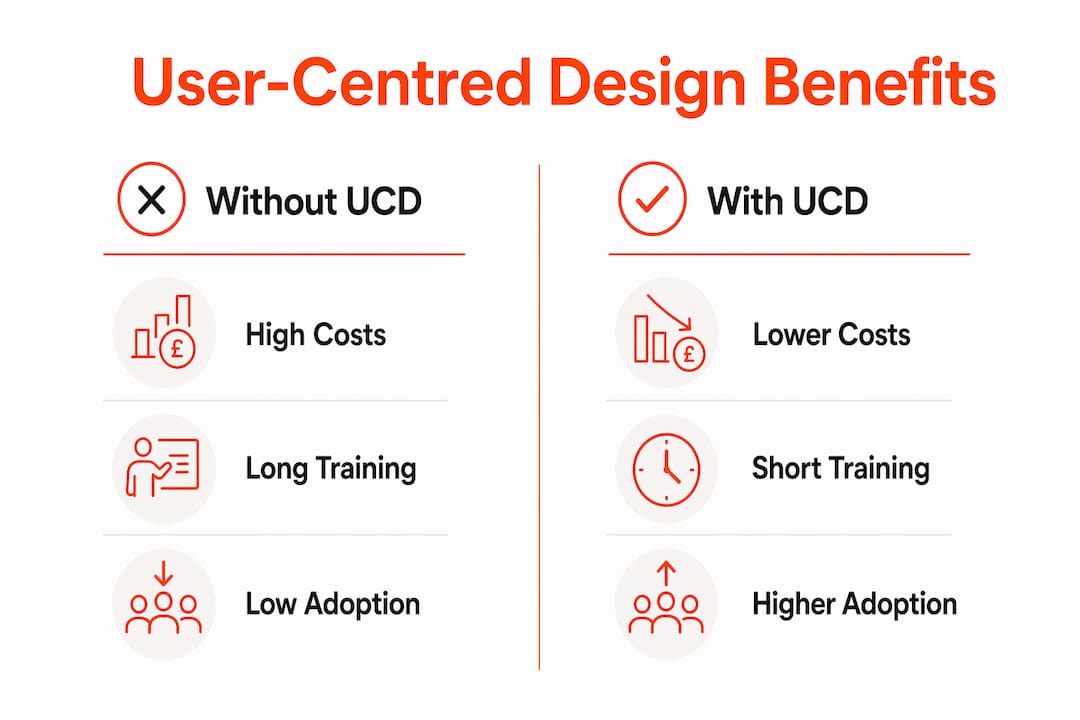
For construction businesses, the operational benefits translate directly into cost savings and reduced friction:
| Area | Without user-friendly design | With user-friendly design |
|---|---|---|
| Training time | Days of formal onboarding required | Hours, often self-directed |
| Support tickets | High volume of basic usage queries | Significantly reduced helpdesk load |
| Adoption rate | Partial use, workarounds common | Full team adoption, consistent records |
| Post-launch fixes | Expensive and disruptive | Largely avoided through early testing |
| Project data quality | Gaps, errors, duplicated effort | Complete, reliable, audit-ready records |
Fixing usability problems during the design phase is 100 times cheaper than correcting them after launch. This is the figure that should end every internal debate about whether to invest in UX research before development begins. A £5,000 usability study that prevents a £500,000 post-launch redesign is not a cost; it is insurance.
Reduced training time is equally significant for construction businesses. Site managers are not available for two-day software training courses. If a new team member cannot navigate the core functions within thirty minutes, the software will not be used consistently. Intuitive design removes this barrier entirely. It also reduces the support burden on project managers, who currently spend significant time answering “how do I log this?” questions that well-designed software would make self-evident.
Poor interface design carries a hidden cost that rarely appears on a project budget: bad UI erodes trust in data accuracy, leading teams to create manual workarounds. When a site manager keeps a parallel spreadsheet because they do not trust the software’s records, the business has paid for a tool it is not using. The hidden costs of construction software are almost always rooted in poor adoption driven by poor design.
Common pitfalls in project software design
Most design failures in construction project software share a common origin: the people building the tool understand it far better than the people using it. This is the curse of knowledge, and it produces software that makes perfect sense to a developer and none at all to a site foreman.
The most frequent pitfalls include:
- Over-engineering features. Adding capability is easy; removing complexity is hard. Software that tries to do everything often does nothing well. Construction teams need a focused set of functions that work reliably, not a feature catalogue that requires a manual.
- Inconsistency across screens. When the “save” button appears in a different position on each screen, or when colour coding changes meaning between modules, users lose confidence. Inconsistency signals an unfinished product and increases the mental effort required to use it.
- Neglecting emotional engagement. Maintenance-type software that provides no clear completion signal or positive feedback loop causes disengagement. A site diary that simply accepts input without confirming it has been saved, shared, or processed leaves users uncertain and unmotivated.
- Assuming users share the developer’s mental model. Designers often assume users understand system architecture, which causes costly redesigns when real-world testing reveals the gap. Construction professionals think in terms of jobs, phases, and trades. Software that organises information differently creates friction at every interaction.
- Skipping usability testing with real users. Internal testing by the development team finds bugs, not usability problems. Only real users, performing real tasks, reveal where the interface breaks down.
Pro Tip: Prioritise progressive onboarding. Show new users the three or four functions they will use daily, and introduce advanced features only after they have built confidence with the basics. This approach matches user expertise level to interface complexity and dramatically improves long-term retention.
How does design improve collaboration on construction projects?
Good design does not just make software easier to use. It makes teams work better together. This is where the importance of intuitive design moves from abstract principle to concrete project outcome.
Consider how design features translate into collaboration gains on a live construction project:
- Shared vi
When evaluating software for your team, apply these criteria: Can a new user complete the core task within ten minutes without training? Does the interface behave consistently across all modules? Does it confirm actions clearly? Does it work on a mobile device in poor signal conditions? These questions separate genuinely user-centred tools from those that merely claim to be.
Key takeaways
User-centred design in construction project software directly determines adoption rates, data quality, and team collaboration, making it a business-critical investment rather than a cosmetic consideration.
| Point | Details |
|---|---|
| UCD delivers measurable ROI | Investment in user-centred design can return up to £100 for every £1 spent through higher adoption and lower support costs. |
| Early testing prevents costly fixes | Addressing usability in the design phase is 100 times cheaper than post-launch corrections. |
| Consistency reduces cognitive load | Predictable icons, colours, and interactions allow teams to master complex workflows faster. |
| Poor design causes workarounds | Bad interfaces erode trust in data accuracy, leading teams to maintain parallel manual records. |
| Design drives collaboration | Shared dashboards, standardised forms, and familiar communication channels reduce misunderstandings on site. |
Why design quality is the procurement decision most teams get wrong
I have reviewed a significant number of construction project management tools over the years, and the pattern is consistent: procurement decisions are made on feature lists, and regret arrives six months later when the team has reverted to WhatsApp and spreadsheets.
The features almost always work. The design almost always fails. A tool that can track RFIs, manage variations, and produce site diaries is only valuable if the site team actually uses it every day. And site teams will not use software that makes them feel incompetent, confused, or uncertain about whether their input has been saved correctly.
What I find most telling is the workaround behaviour. When a team builds a parallel system alongside the official software, that is not a training problem. It is a design problem. The official tool has failed to earn trust, and the team has responded rationally by using something they understand.
The construction industry is not resistant to technology. It is resistant to technology that was not designed with construction professionals in mind. The tools that achieve genuine adoption share one characteristic: they were built by people who spent time on site, watching how work actually happens, before writing a single line of code.
My advice to any project manager evaluating software in 2026 is to run a construction workflow management pilot with your least tech-confident team member. If they can use it independently within a day, you have found a tool worth investing in. If they cannot, no amount of training will fix a design problem.
— James
See how BRCKS puts user-friendly design into practice
BRCKS is built specifically for construction teams who need project management software that works on site, not just in the office. By integrating with WhatsApp, a tool your team already uses every day, BRCKS captures site updates, RFIs, and variation logs in real time without demanding a change in communication habits.

The result is a system that gets adopted because it fits the way construction teams actually work. Automated site diaries, structured variation logs, and client portals are all accessible through an interface designed to minimise training time and maximise data quality. BRCKS saves users over two hours of manual effort daily. Explore construction software for builders and start a free 14-day trial to see the difference that genuine user-centred design makes to your projects.
FAQ
What is user-centred design in project software?
User-centred design (UCD) is an approach to software development that prioritises the needs, behaviours, and mental models of the end user throughout the design and build process. In project software, it means interfaces that construction teams can use confidently without extensive training.
How does user-friendly design affect project success?
Poor interface design erodes trust in data accuracy and leads teams to create manual workarounds, which undermines the reliability of project records. Software with intuitive design increases adoption, reduces errors, and supports consistent communication across the project team.
Why is consistency so important in project management software?
Consistent UI elements reduce cognitive load and speed up user mastery of complex workflows. When every screen behaves predictably, teams spend less mental energy on the software and more on the project itself.
How much does poor usability cost a construction business?
Fixing usability problems after launch is 100 times more expensive than addressing them during the design phase. Beyond development costs, poor usability drives low adoption, manual workarounds, and data gaps that create commercial and contractual risk.
How do I evaluate whether project software is genuinely user-friendly?
Ask a new team member to complete a core task, such as logging a site diary entry or raising an RFI, without any training. If they cannot do it within ten minutes, the software has a design problem. Consistent behaviour across modules, clear confirmation of actions, and mobile usability in poor signal conditions are the practical benchmarks that matter on a construction site.
Recommended
- Construction Software for Builders | BRCKS
- Site Communication Workflow: UK Project Manager’s Guide | BRCKS
- BRCKS | Construction Project Communication Software
- Top Construction Schedule Software for UK Builders 2025 | BRCKS
How BRCKS Can Help
Ultimately, the success of any construction project hinges on the ability of your team to actually use the tools provided to them. By prioritising an intuitive, user-friendly interface, BRCKS ensures that complex management tasks become straightforward, reducing the learning curve and preventing costly administrative errors. Our platform is designed to work with your site teams rather than against them, streamlining communication and data entry from day one. We invite you to explore how BRCKS can simplify your next project by booking a personalised demo today. Learn more at BRCKS and explore our full feature set.