Improve construction site updates workflow for efficiency
Fragmented communication costs UK construction teams hours daily. Learn how to centralise your site updates workflow to eliminate bottlenecks and accelerate decision-making.
By James Shorter ·
Improve construction site updates workflow for efficiency

fragmented communication across WhatsApp groups, emails, and scattered spreadsheets costs UK residential construction teams over two hours daily in lost productivity. Project managers juggle multiple disconnected tools, leading to missed updates, duplicated messages, and costly on-site errors. A centralised site updates workflow eliminates these bottlenecks by consolidating all project communication into one accessible platform, improving coordination and accelerating decision-making.
Table of Contents
- Introduction And Prerequisites
- Assess Current Communication Workflow And Identify Gaps
- Select And Deploy A Centralised Communication Platform
- Roll Out Mobile-Enabled Real-Time Updates And Task Integration
- Monitor, Troubleshoot, And Address Common Mistakes
- Measure Success And Optimise Workflow Continuously
- Alternative Workflows And Tradeoffs
- Summary And Final Recommendations
- Enhance Your Workflow With BRCKS Construction Software
Key takeaways
| Point | Details |
|---|---|
| Centralised platforms eliminate fragmented communication | Unified workflows reduce time wasted switching between WhatsApp, email, and spreadsheets. |
| Mobile-enabled tools improve real-time accuracy | On-site personnel submit updates instantly, reducing delays and manual errors. |
| Training ensures smooth adoption and efficiency gains | Proper onboarding maximises platform usage and delivers measurable time savings. |
| Monitoring workflows reveals optimisation opportunities | Tracking communication metrics identifies bottlenecks and supports continuous improvement. |
| Unified systems reduce costly construction errors | Eliminating disconnected channels prevents missed messages and project rework. |
Introduction and prerequisites
Successfully implementing a centralised construction site updates workflow requires preparation. You need a unified digital communication platform with robust mobile app support, ensuring on-site personnel can submit updates from anywhere. Your team requires basic digital literacy and commitment to structured training sessions, typically delivered over a few days. Providing smartphones or tablets to field staff eliminates hardware barriers and ensures everyone accesses the system equally.
Implementation of centralised platforms requires less than 1 week for effective onboarding in most UK residential projects. This short setup period allows teams to transition quickly without disrupting active work. Budget time for initial configuration, user account creation, and hands-on training workshops. Designate a project champion who understands both the technical platform and your team’s communication patterns to guide adoption.
Key prerequisites include:
- Unified platform with iOS and Android mobile apps
- Basic digital skills across your team
- Smartphones or tablets for all on-site personnel
- Dedicated training time during the first week
- Management commitment to enforce consistent platform use
Pro Tip: Start with a pilot project involving one small team before rolling out company-wide. This approach identifies practical challenges early and builds internal advocates who can support broader adoption.
Before selecting tools, assess your construction communication project managers guide to understand best practices. Clear prerequisites set the foundation for workflow success, ensuring your team transitions smoothly and realises efficiency gains quickly.
Assess current communication workflow and identify gaps
Begin by mapping how your team currently shares site updates. Most UK residential construction teams rely on informal channels like WhatsApp groups for quick messages, email threads for formal documentation, and phone calls for urgent issues. This fragmented approach creates information silos where critical updates get buried in chat histories or lost between platforms.
Look for duplicated messages where the same update appears across multiple channels, wasting time and causing confusion. Evaluate how often team members miss important information because it was posted in the wrong group or email thread. Track instances where unclear communication led to project delays, rework, or material ordering errors.
Overreliance on informal communication increases project errors by 35%, highlighting the cost of fragmented workflows. Document specific pain points: How long does it take to find a week-old update? How many times daily do you repeat information across different channels? Which team members consistently miss critical messages?
Common workflow gaps include:
- Updates scattered across WhatsApp, email, and phone calls
- No central repository for project communication history
- Difficulty tracking who received which information
- Time wasted searching for previous updates or decisions
- On-site personnel unable to access office-based systems
Create a baseline by measuring current communication time expenditure. Ask team members to log daily hours spent on messaging, email, and information searches for one week. This data reveals the true cost of fragmented workflows and justifies investment in centralised solutions.
Understanding construction communication problems helps you prioritise which gaps to address first. Focus on issues causing the most significant delays or errors, then design your centralised workflow to eliminate these specific bottlenecks.
Select and deploy a centralised communication platform
Choose a platform based on clear criteria that match your team’s needs. Prioritise mobile accessibility, ensuring both iOS and Android apps support full functionality for on-site personnel. Look for AI-powered features like automated action item generation from meetings, reducing manual note-taking errors. Evaluate setup speed: platforms requiring weeks of configuration create adoption friction.

Mobile app accessibility improves real-time communication speed by 30%, making this feature non-negotiable for field teams. Assess integration capabilities with existing tools like accounting software or scheduling systems. Test user interfaces for simplicity, as overly complex platforms face resistance from time-pressed construction professionals.
Key selection criteria:
- Native mobile apps with offline capability
- AI-driven meeting notes and action items
- Setup time under one week
- Unified feed consolidating all project communication
- Simple per-user pricing with free trial period
Deploy the platform with structured onboarding procedures. Create user accounts for all team members, assign appropriate permissions, and set up project structures mirroring your actual workflow. Conduct initial training sessions covering basic functions like posting updates, tagging team members, and accessing the mobile app.
Pro Tip: Schedule training during non-peak hours when staff can focus without project pressure. Record sessions for future reference and new employee onboarding.
Compare options using resources like the WhatsApp vs BRCKS comparison to understand tradeoffs between familiar informal tools and purpose-built construction platforms. Review mobile technology in construction communication research to validate your selection criteria against industry best practices.
Roll out mobile-enabled real-time updates and task integration
Enable mobile app usage for all on-site personnel, ensuring field teams can submit updates immediately when issues arise or milestones complete. Real-time submission eliminates the delay and information loss that occurs when workers wait until office hours to report. Integrate update submissions directly with task management and meeting workflows, creating automatic links between site reports and relevant action items.
AI-generated action items reduce manual mistakes by automatically extracting commitments from meeting notes and site updates. Instead of relying on one person to remember and distribute tasks, the system captures them systematically. This integration means every site update can trigger task assignments, schedule adjustments, or material orders without additional manual data entry.
Implement these steps for effective mobile rollout:
- Install mobile apps on all field personnel devices
- Configure push notifications for critical updates
- Link site update forms to relevant task categories
- Enable photo and video attachments for visual documentation
- Set up automatic routing of updates to appropriate team members
- Integrate meeting action items with daily site update workflows
Mobile accessibility is critical as ignoring it causes a 25% drop in update accuracy. Train field teams to submit updates immediately rather than batching them, maximising information currency. Demonstrate how tagged updates automatically notify relevant personnel, eliminating the need for separate follow-up messages.
“Real-time mobile updates transformed our coordination. Site managers now post issues instantly with photos, and the office responds within minutes rather than hours. We’ve eliminated the evening email catch-up sessions that used to consume 90 minutes daily.”
Benefits include faster decision-making, reduced miscommunication errors, and complete audit trails for compliance. Updates linked to tasks create accountability, as everyone sees who is responsible for what. Refer to the construction site monitoring guide for additional strategies on leveraging real-time data for project oversight.
Explore mobile communication critical role research to understand why mobile-first approaches deliver superior results compared to desktop-only systems.
Monitor, troubleshoot, and address common mistakes
Maintain workflow quality by actively monitoring adoption patterns and communication metrics. Common pitfalls include team members reverting to informal WhatsApp groups for convenience, undermining centralised workflows. Training gaps cause users to miss key features, reducing platform effectiveness. Without ongoing support, initial enthusiasm fades and old habits resurface.
Ignoring mobile accessibility causes a 25% drop in update accuracy, emphasising the importance of enforcing mobile app usage. Track metrics like daily active users, update submission frequency, and response times to identify disengagement early. Set clear expectations that all project communication must flow through the centralised platform, not around it.
Common mistakes to address:
- Continuing parallel WhatsApp groups that fragment communication
- Insufficient initial training leaving users confused
- Lack of management enforcement allowing old habits
- No designated support person for technical questions
- Failing to celebrate early wins and adoption milestones
Invest in refresher training sessions monthly during the first quarter, addressing questions and demonstrating advanced features. Designate platform champions within each team who can provide peer support and model best practices. Regularly review communication patterns to ensure updates flow through proper channels.
Pro Tip: Create a feedback loop where users can suggest workflow improvements. Teams adopt tools more readily when they influence how features are configured and used.
Encourage adherence by highlighting time savings and error reductions achieved through centralised workflows. Share success stories where the platform prevented miscommunication or accelerated problem-solving. Understanding WhatsApp limitations in construction helps explain why reverting to informal tools undermines your workflow investment.
Measure successs and optimise workflow continuously
Track daily time saved on communication tasks by comparing baseline measurements from your initial assessment against current performance. Survey team members monthly about time spent searching for information, duplicating messages, or clarifying unclear updates. Quantify reductions in project delays and rework incidents by reviewing project completion data before and after centralised workflow implementation.
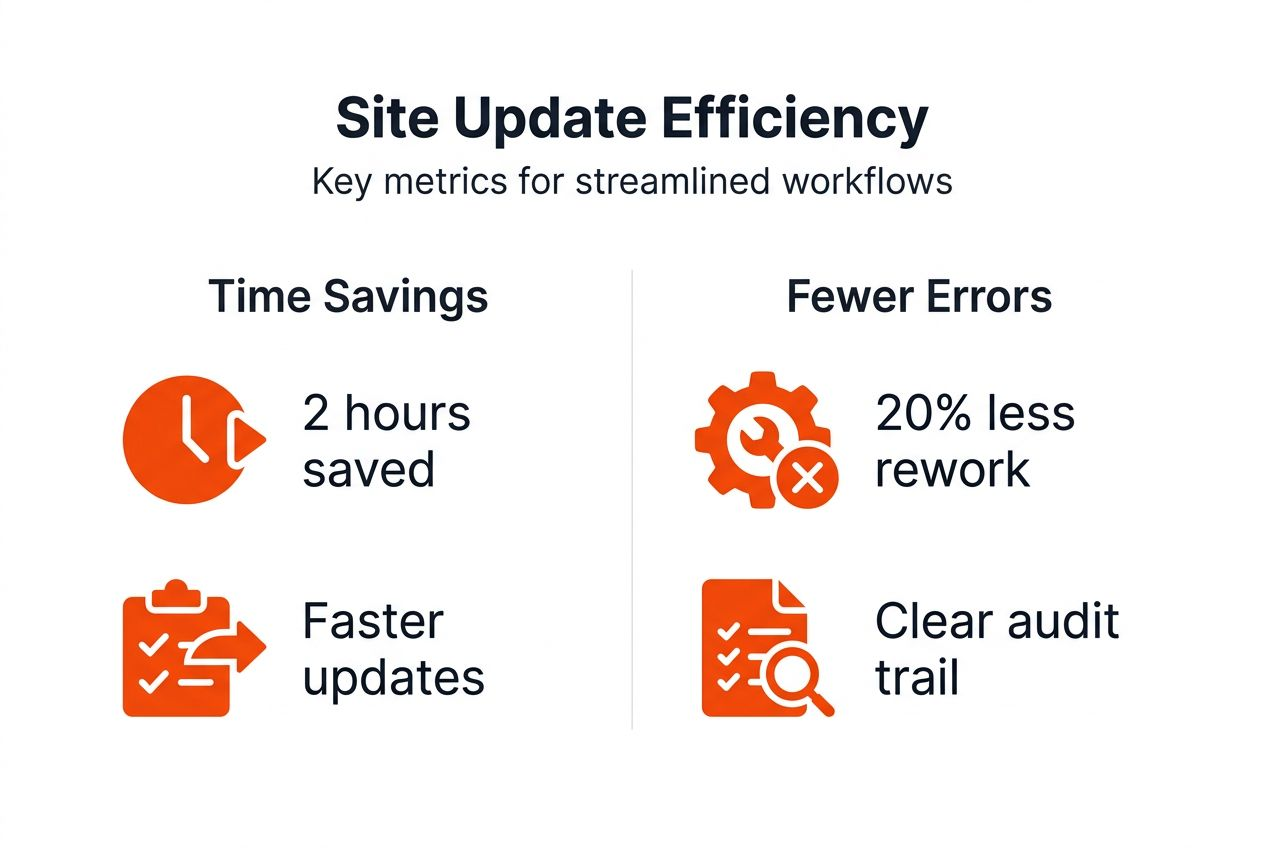
Centralised communication workflows save 2 hours daily and reduce rework by 20%, providing benchmarks for your success metrics. Monitor response times to site updates, aiming for sub-hour acknowledgement of critical issues. Use communication records for compliance documentation and lessons learned reviews, capturing institutional knowledge that improves future projects.
| Metric | Baseline | Target | Measurement Method |
|---|---|---|---|
| Daily communication time | 2.5 hours | 0.5 hours | Weekly team surveys |
| Update response time | 3 hours | 30 minutes | Platform analytics |
| Rework incidents | 8 per project | 2 per project | Project completion reports |
| Information search time | 45 minutes | 5 minutes | User behaviour tracking |
| Team satisfaction | 6/10 | 9/10 | Monthly feedback surveys |
Regularly refine workflows based on data and user feedback. If certain update categories receive slow responses, investigate whether notifications are reaching the right people. Adjust task integration rules when action items consistently require manual reassignment. Review mobile app usage patterns to ensure field teams find features accessible and intuitive.
Key optimisation activities:
- Monthly metric reviews with management team
- Quarterly user feedback sessions
- Bi-annual workflow audits identifying bottlenecks
- Continuous refinement of notification rules and routing
- Regular training updates covering new features
Consult construction communication workflow data for industry benchmarks and best practices. Continuous optimisation ensures your workflow evolves with team needs, maximising return on investment and sustaining efficiency gains long-term.
Alternative workflows and tradeoffs
Unified platforms streamline communication but may feel restrictive to teams accustomed to informal flexibility. Multiple disconnected apps offer familiarity, as most construction professionals already use WhatsApp and email daily. However, this approach increases communication risks by scattering information across channels with no central record.
| Approach | Advantages | Disadvantages | Best For |
|---|---|---|---|
| Unified platform | Centralised information, audit trails, integrated tasks | Learning curve, perceived rigidity | Teams prioritising efficiency and compliance |
| Multiple apps | Familiar interfaces, perceived flexibility | Fragmented communication, higher error rates | Very small teams under five people |
| Hybrid model | Gradual transition, accommodates preferences | Temporary complexity, requires clear rules | Medium teams migrating from informal tools |
Assess team size, digital literacy, and project complexity when choosing your approach. Small teams with close physical proximity may tolerate multiple apps, though they still sacrifice efficiency. Larger teams managing multiple concurrent projects require unified workflows to maintain coordination. Projects with strict compliance requirements need centralised audit trails that informal tools cannot provide.
Phased migration suits teams resistant to abrupt change. Start by centralising site updates while allowing continued email use for client communication, then gradually expand platform scope. Establish clear rules about which information types belong in which channels during hybrid phases, preventing confusion.
Considerations for decision-making:
- Team size and geographic distribution
- Regulatory compliance requirements
- Current digital tool proficiency
- Budget for training and platform costs
- Timeline for achieving efficiency targets
Review the WhatsApp vs BRCKS comparison to understand specific tradeoffs between familiar consumer tools and purpose-built construction platforms. Hybrid approaches work temporarily but require eventual commitment to unified workflows for maximum benefit. Most teams find that short-term adjustment effort yields substantial long-term efficiency gains.
Summary and final recommendations
Centralising construction site updates transforms project communication by consolidating fragmented channels into one accessible system. This workflow enhancement delivers faster decision-making, improved accuracy, and stronger team coordination. Mobile app support proves vital, enabling real-time updates from field personnel who previously waited hours to report issues.
Training ensures smooth adoption and maximises return on investment. Teams that commit to structured onboarding and ongoing support see efficiency gains within the first week. Consistent workflows reduce errors and delays by eliminating the miscommunication that plagues disconnected tool ecosystems. Continuous monitoring drives ongoing improvements as you refine processes based on real usage data.
Key recommendations:
- Prioritise mobile-enabled platforms for on-site accessibility
- Invest in comprehensive training during initial rollout
- Enforce centralised platform usage to prevent fragmentation
- Monitor adoption metrics and address resistance quickly
- Measure time savings and error reductions to justify investment
- Optimise workflows continuously based on team feedback
Successful implementation requires management commitment to enforcing new communication standards. Designate platform champions who can support peers and model best practices. Celebrate early wins to build momentum and demonstrate tangible value. Most UK residential construction teams achieve the target two-hour daily time savings within one month of proper implementation.
Centralised site updates workflows represent a fundamental efficiency upgrade for modern construction project management. The investment in tools and training pays dividends through reduced errors, faster coordination, and improved project outcomes.
Enhance your workflow with BRCKS construction software
Ready to centralise your construction site updates and reclaim wasted communication time? BRCKS offers mobile-enabled, unified project management designed specifically for UK residential builders, plumbers, and electricians. Our platform consolidates meetings, updates, tasks, and conversations into one organised system accessible from any device.

BRCKS supports real-time updates with AI-generated action items, eliminating manual note-taking errors. Setup takes just five minutes, with a 14-day free trial letting you experience efficiency gains risk-free. Whether you’re managing new builds, renovations, or service projects, BRCKS streamlines coordination and improves team productivity.
Explore tailored solutions: construction software for builders, construction software for plumbers, or construction software for electricians. Join UK construction professionals saving over two hours daily through centralised communication.
Frequently asked questions
How can I ensure my team adopts the new centralised communication platform quickly?
Provide hands-on training during the first week, demonstrating how the platform saves time and reduces errors. Highlight specific benefits like instant mobile updates and AI-generated action items that eliminate manual work. Maintain ongoing support through designated platform champions who answer questions and model best practices. Review the improve construction communication guide for additional adoption strategies.
What are the most common mistakes to avoid when implementing a centralised updates workflow?
Avoid allowing parallel WhatsApp groups that undermine centralised communication. Ensure proper initial training so team members understand all platform features and feel confident using them. Mandate mobile platform use for all on-site updates rather than permitting informal channels. Understanding WhatsApp limitations in construction helps explain why reverting to informal tools wastes your workflow investment.
How soon can I expect to see efficiency improvements after centralising site updates?
Many teams see measurable benefits within one week of adoption as real-time updates eliminate communication delays. Typical daily time savings reach two hours per team member once workflows stabilise. Early wins include faster issue resolution and reduced time searching for information. Sustained benefits require consistent platform usage and management enforcement of centralised communication standards.
Can I use a centralised platform alongside existing tools during transition?
Hybrid approaches work temporarily while teams adjust to new workflows. Establish clear rules about which information belongs in which channels to prevent confusion during transition. Plan to migrate fully within three months, as prolonged hybrid models reduce efficiency gains. Most teams find complete migration simpler than managing parallel systems long-term.
Recommended
- BRCKS | Construction Project Communication Software
- BRCKS | Construction Project Communication Software
- Construction Software for Builders | BRCKS
- Construction Project Management Insights | BRCKS Blog
- Ongediertebestrijding Bouw | De Heuvelrug
How BRCKS Can Help
Streamlining your site update workflow is essential for keeping projects on track and reducing costly communication gaps. By centralising data and automating reporting, BRCKS empowers your team to deliver real-time insights without the administrative burden. Our platform is designed to simplify these complex processes, ensuring every stakeholder stays informed and every project remains profitable. We invite you to explore how BRCKS can transform your operational efficiency and help your business build with greater confidence. Learn more at BRCKS.